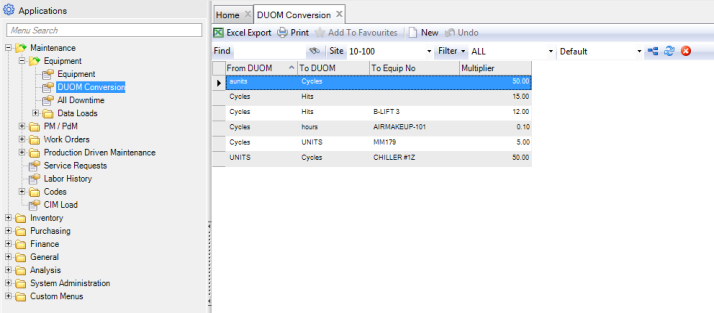
DUOM Conversion
You can use the DUOM Conversion browse, located in Maintenance|Equipment, to update the driving units of measure (DUOM) for subordinate (child) equipment based on the parent equipment DUOM update. Set up a record to establish the equation to convert one DUOM type to another DUOM type.
Example: One stroke by parent equipment drives five rotations on the child. Use a multiplier of 5 to define the relationship of the From DUOM (strokes) and the To DUOM (rotations). If this exact relationship is unique to a particular child DUOM, then specify that child as the To Equipment No.
Note: In the Codes tab of the parent equipment record, select the Upd Children? check box to use these conversions. Select Current Reading for the equipment’s DUOM to automatically update the DUOMs for subordinate equipment. See
Equipment: Codes Tab. The conversions defined here are used in production driven maintenance.
Equipment DUOM Conversion