Tool Submenus
You can find tool data in the Tools submenu. Each tool number has the following submenu options.
Details
The information you entered when you created the tool.
Notes
A free-form text box for notes that are for internal use only. These notes are not printed on any documents.
Master Tool List
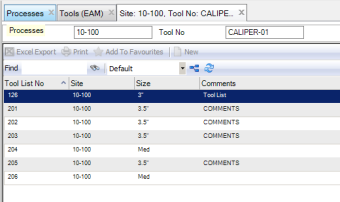
The master tool lists display the lists to which this tool is assigned.
Tools: Master Tool List
Tool History
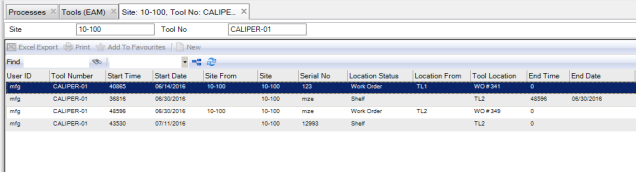
Tool History provides movement tracking for a tool. This view includes all serialized tools for this tool number. When tools are issued to WOs, the To Location and Location Status are updated for the start date and time and the previous From Location and Location Status are updated for the end date and time. EAM also captures the user who moved the serialized tool.
Tools: Tool History
\
Cost Analysis
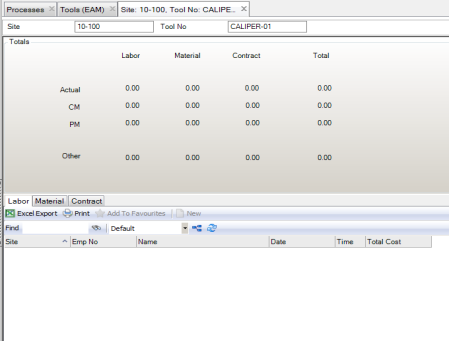
The Cost Analysis submenu provides a summary of the cost of ownership to keep the tool in working order through repairs or rebuild for CM and PM WOs. You can view tool cost details by selecting the Labor, Material, and Contract tabs in the lower browse, for labor postings, part issues, and outside contractor charges.
Tools: Cost Analysis
\