Performing a Non-Urgent Service Request
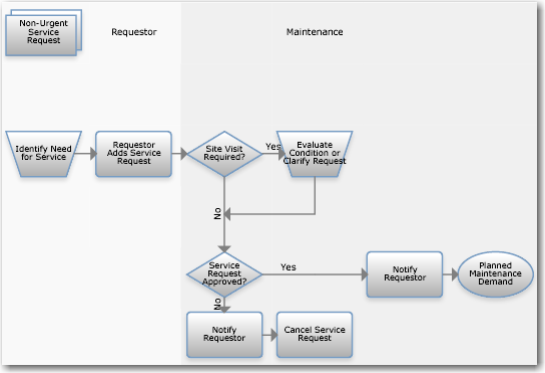
Non-Urgent Service Request Process Flow
Perform the following steps:
1 Add a service request. Click the node to open Maintenance|Service Requests.
2 Visit the site to evaluate the condition or clarify the request, if needed.
3 Notify the requestor about rejected, canceled, or approved service requests. Click the node to open Maintenance|Service Requests.
4 Maintenance adds a work order for approved requests. Click the node to open Maintenance|Service Requests.