QAD Enterprise Asset Management 2017.1
>
User Guide
>
Finance
>
Codes
Codes
Use Codes to view or add supporting data to lists of codes, such as project, status, type, and others critical to the Finance module.
Code forms in this section contain records for lookups on tabs within projects. Depending on your permissions, you can add or edit existing records.
Project
Project codes include Statuses, Types, User-defined Character 1 and Character 2.
Statuses
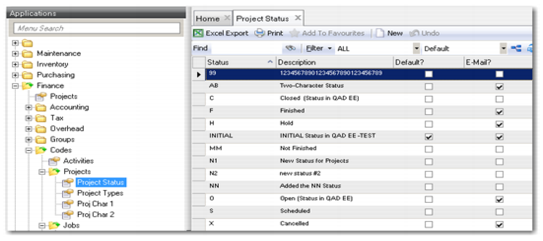
Access the Statuses lookup from Finance|Codes|Projects|Project Status. You can add or edit codes from the code form, and also designate project status changes that trigger system-generated e-mail to a Notify.
Codes: Statuses
Adding a Status Code
1 Click New.
2 Enter the status and description.
3 Select defaults and notifies. The system automatically saves the new code.
Editing a Status Code
1 Double-click the code to edit.
2 Enter or edit the status description.
3 Select defaults or notifies. The system automatically saves the updated code.
Types
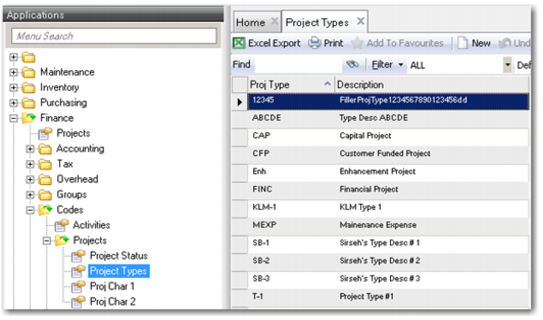
Access the Types lookup from Finance|Codes|Projects|Project Types. You can add or edit codes from the code form.
Use Project Types to add, view, or edit project types.
Codes: Type
Adding a Type Code
1 Click New.
2 Enter the project type and description. The system automatically saves the new code.
Editing a Type Code
1 Double-click the code to edit.
2 Enter or edit the project type description. The system automatically saves the updated code.
Project Character 1 and 2
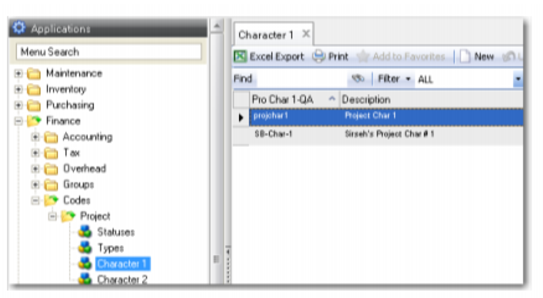
Access the Proj Character 1 lookup from Finance|Codes|Projects|Proj Char 1. You can add or edit codes from the code form.
Use (user-defined) Proj Character 1 and 2 to access your organization’s validation tables for data entry and selection in the project module. The system administrator or implementation team defines the labels for these two fields.
Codes: Proj Character 1
Adding a Proj Char 1 or Proj Char 2 Code
1 Click New.
2 Enter the project character 1 or 2 code and description. The system automatically saves the new code.
Editing a Proj Char 1 Code
1 Double-click the code to edit.
2 Enter or edit the project character 1 or 2 description. The system automatically saves the updated code.
Jobs
Job codes are Types, User-defined Character 1, and User-defined Character 2.
Types
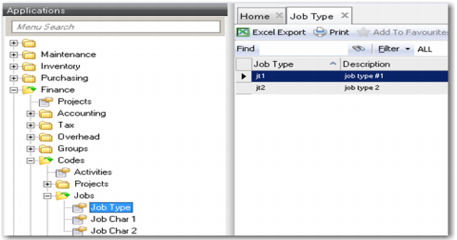
Access the Types lookup from Finance|Codes|Jobs|Job Type. You can add or edit codes from the code form. Use Types to add, view, or edit job types.
Codes: Job Type
Job Char 1 and 2
Access the Character 1 lookup from Finance|Codes|Jobs|Job Char 1 or Job Char 2. You can add or edit codes from the code form.
Use (user-defined) Character 1 and 2 to access your organization’s validation tables for data entry and selection in the project module on the Jobs lower browse. The system administrator or implementation team defines the labels for these two fields.