QAD Enterprise Asset Management 2017.1
>
User Guide
>
Analysis
>
Default Reports
Default Reports
EAM offers carefully constructed standard reports based on proven customer needs. Find reports in categories corresponding to modules, such as Equipment.
Equipment
Detailed equipment data is imperative for scheduling work orders, and tracking maintenance and downtime, as well as monitoring costs and performing failure analysis.
Equipment Bills of Material
Equipment Bills of Material
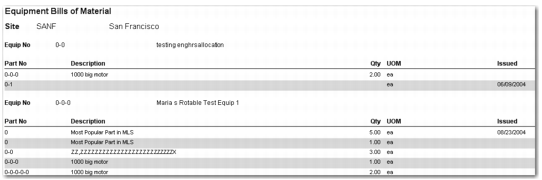
This report lists all equipment in the selected site and filter, and all parts issued or added to the BOM of each.
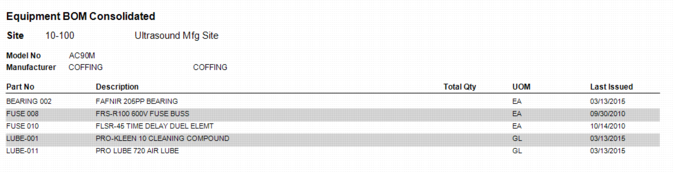
Equipment BOM Consolidated
Equipment Cost
Cost Analysis
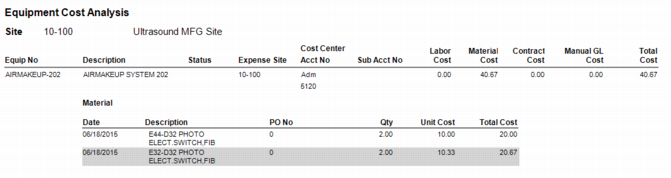
This report lists all equipment in the selected site and filter, and each piece of equipment’s detailed costs.
Equipment Cost Analysis Report
Cost Analysis by CC
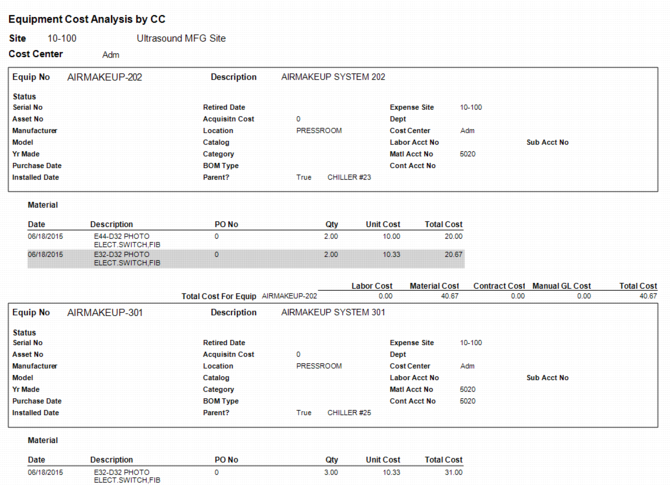
This report displays all equipment in the selected site and filter, grouping the results by cost center.
Equipment Cost Analysis by Cost Center Report
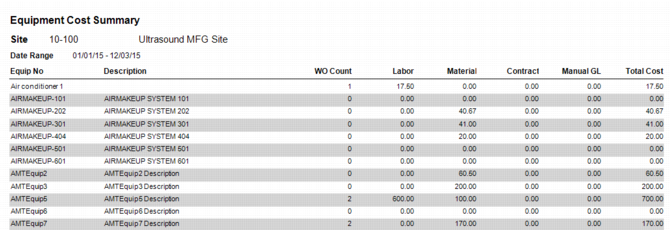
Equipment Cost Summary
This report lists all equipment in the selected site and filter, and each piece of equipment’s associated costs, totaling the equipment cost of labor, material, contract, and manual GL transactions.
Equipment Cost Summary Report
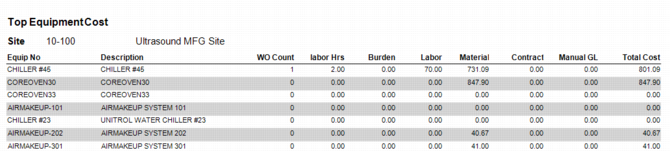
Top Equipment Cost
This report lists the equipment numbers that have the highest total cost associated with them by totaling the equipment cost of labor, material, contract, and manual GL transactions.
Top Equipment Cost Report
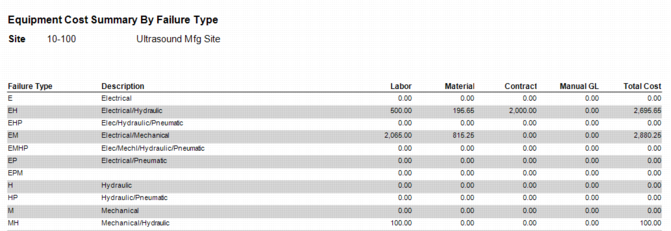
Equipment Cost Summary by Failure Type
This report lists the equipment in the selected site and filter by the failure type the equipment experienced.
Equipment Cost Summary by Failure Type Report
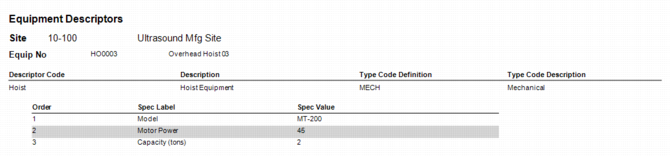
Equipment Descriptors
This report lists all equipment in the selected site and filter, displaying the equipments’ descriptor code, description, type code definition, and type code description.
Equipment Descriptors Report
Equipment Downtime Summary
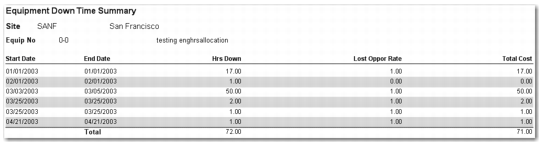
This report lists all equipment in the selected site and filter, and it lists a summary of all the times the equipment has not been operational due to repair or maintenance.
Equipment Down Time Summary Report
Equipment Installation
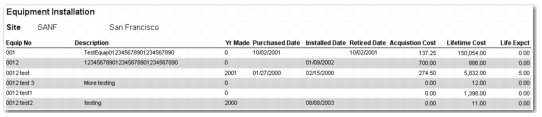
This report lists the installation and purchasing information for all equipment in the selected site and filter.
Equipment Installation Report
Equipment Lists
CIM Alternate
This report lists all equipment and alternate numbers in the selected site and filter. The system checks the alternate number during the batch/cimload.p batch job, which reads a DUOM file from an outside source.
CIM Alternate Report
Equipment List
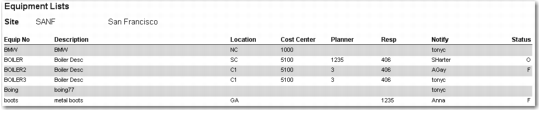
This report lists all equipment in the selected site and filter.
Equipment List Report
Name Plate
This report lists all equipment in the selected site and filter, and displays its manufacturing details.
Name Plate Report
Retired by Status
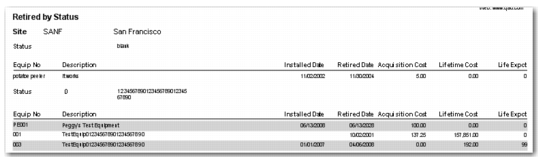
The report lists all equipment that has been removed from service in the selected site and filter. Retired equipment has a retired date in Equipment Data Entry.
Retired by Status Report
Spending Limits and Expense
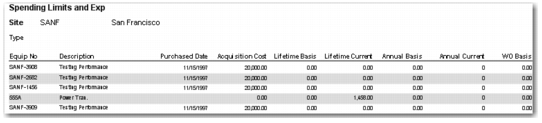
This report lists all equipment in the selected site and filter, grouped by equipment type. It displays the annual and lifetime expense limits for all equipment (annual and lifetime basis), in addition to the expense limit that can be charged against a single work order for the equipment. It also displays the current expenses charged against this equipment for the current year and its lifetime (annual and lifetime current).
Spending Limits and Exp Report
Status
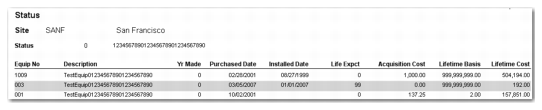
This report lists all equipment in the selected site and filter, grouped by equipment type. It displays equipment or machines by status. A code shows the current standing of equipment; for example: A – Active, I – Inactive, O – Obsolete, or M – Moved.
Status Report
Vendor
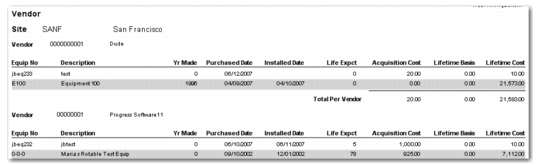
This report lists all equipment in the selected site and filter, grouped by vendor.
Vendor Report
Equipment Parent/Child List
Equipment Parent/Child List
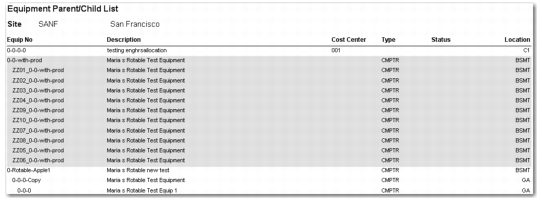
The report lists all pieces of equipment in the selected site and filter, in a hierarchical format. It groups each piece of equipment, and lists the children below the parent equipment.
Equipment Parent/Child List Report
Parent/Child Cost Summary
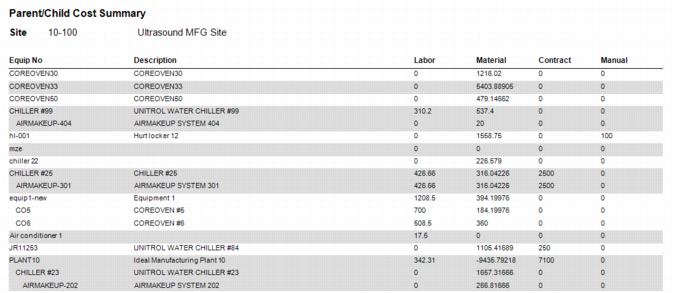
The report lists all pieces of equipment in the selected site and filter, in a hierarchical format. It groups each piece of equipment, and lists the children below the parent equipment and displays the associated costs with each piece of equipment.
Equipment Parent/Child Cost Summary Report
Equipment Warranty
This functionality is not yet implemented.
Parts Used On Equipment
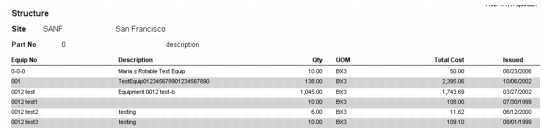
This report lists all parts in the selected site and filter, and all the equipment that includes the part in its bill of material, grouped by part number.
Structure (Parts Used on Equipment) Report
Parts Warranty Issued to Equipment
This functionality is not yet implemented.
Serialized Equipment Cost
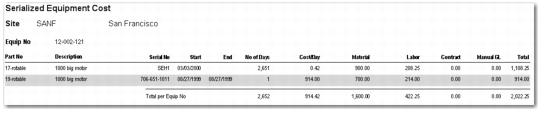
This report displays the total cost for all serialized parts issued to a piece of equipment, grouped by equipment number. Select serialized parts with the Serialized check box in Inventory Data Entry. The report includes all serial numbers issued to equipment, even if the serial number is no longer on the piece of equipment.
Cost includes labor, material (issues and returns to inventory), contract (auto-issues and returns to inventory where the requisition is set to contract), and manual GLs that were charged to the equipment when the serialized part was issued.
Serialized Equipment Cost
System and Assembly BOMs
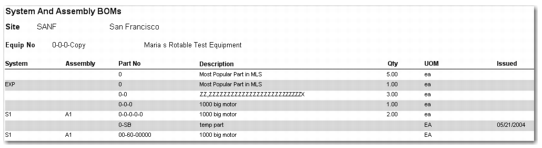
This report lists all equipment and all parts that have been issued or added to the BOM of each piece of equipment’s system and assembly in the selected site and filter.
Structure (System and BOMs) Report