Define Routes - Internal Routing Maintenance
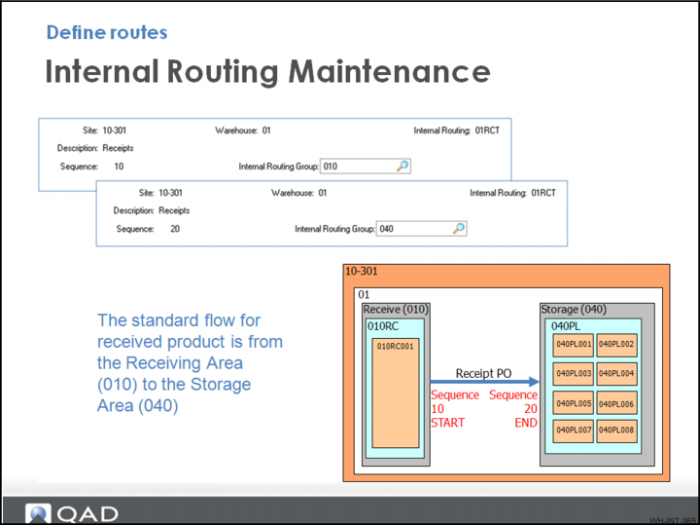
The standard flow for QMI received product is from the Receiving Area (010) to the Storage Area (040).
Did You Know
Use internal routings to create specific pathways linking Areas (IRGs) within the warehouse.
When you have defined the internal routing groups (IRGs)—areas within a warehouse—you can link specific sequences of areas to form internal routings. Each step, or sequence, within an internal routing defines the area where the inventory is moved next.
For each sequence step within an internal routing, you can also specify a number of parameters that control how the inventory is processed as it reaches that point in the sequence. The system displays default values for these processing parameters that are defined in Warehouse Maintenance. You can accept the default values, or override them with new values.
There are 10 frames and 41 fields in Internal Routing Maintenance used for configuration.