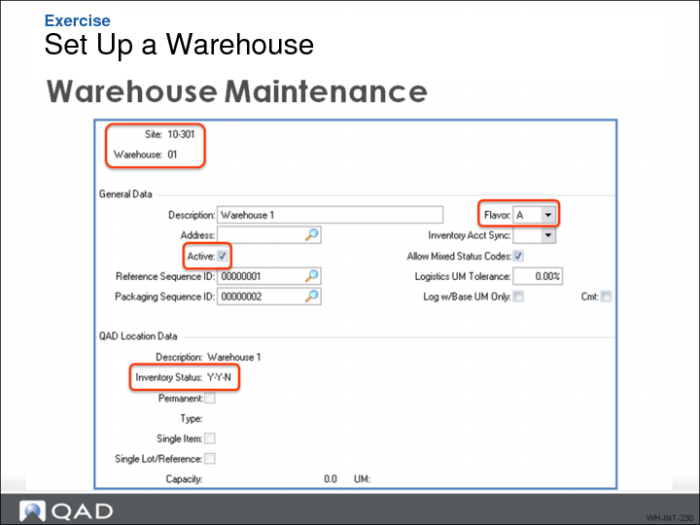
Exercise - Set Up Warehouses
Warehouse Maintenance controls many warehouse parameters and provides configuration defaults for many subsequent screens.
Use the following to help set up the warehouse:
1 Ensure QAD Warehousing is active using Warehouse Management Control.
2 In Warehouse Maintenance, define Warehouse parameters, then note the parameters you enter here:
Field | Data to Enter |
Site | 10-301 |
Warehouse | |
Description (optional) | |
Reference Sequence ID | 00000001 |
Packaging Sequence ID | 00000002 |
Start Picking Level | 10 |
End Picking Level | 20 |
Note: The End Picking Level is different from Warehouse 01. In the new warehouse, there are only two picking zones versus the three in Warehouse 01.