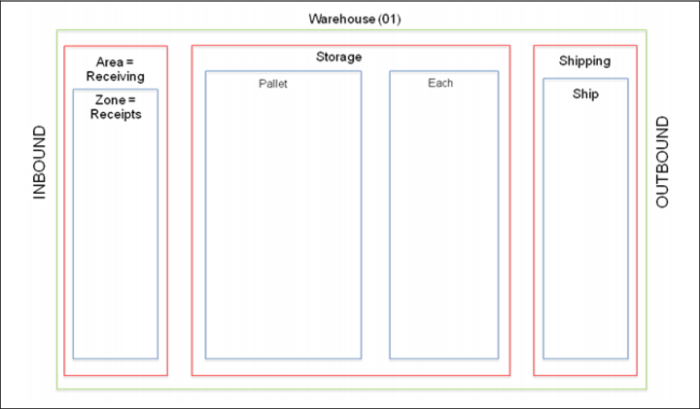
Exercise - Set Up Zones
Zones require more detailed configuration. Specific Zone configurations are discussed in more detail in later sessions.
Use the following to help set up zones within the warehouse:
1 Use Storage Location Group Maintenance to set up zones.
2 Set up zone parameters as follows, noting data you supply here:
Substep | Site | Warehouse | SLG | Description (optional) | IRG |
a | 10-301 | | | Receiving | |
b | 10-301 | | | Pallet Storage | |
c | 10-301 | | | Each Storage | |
d | 10-301 | | | Shipping | |
3 Continue on, adding data to more Storage Location Group Maintenance fields for the data you set up in step 2.
Substep | Receipts | I Returns | 0 Returns | Exclude from Picking (A) | Picking Level | Picking Multiple UM (B) | UM(B) | Acquisition UM |
a | Y | Y | Y | Y | -- | -- | -- | -- |
b | Y | Y | Y | -- | 10 | PL | PL | -- |
c | Y | Y | Y | -- | 20 | -- | -- | EA |
d | Y | Y | Y | Y | -- | -- | -- | -- |
Note: For the table above:
• (A) Zones in functional areas are excluded from picking.
• (B) Picking Multiple UM and UM should be blank in non-storage zones.
• Clicking Next on the last frame with a blank UM displays are error message. Click Back to save changes