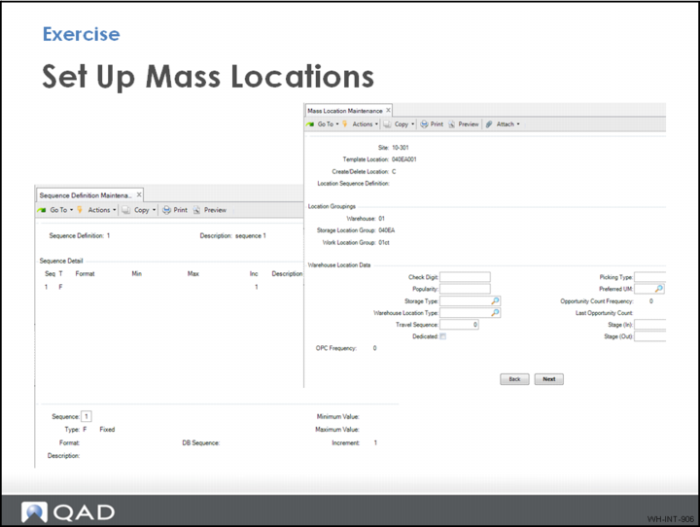
Exercise - Set Up Mass Locations
Setting up multiple locations can be a time consuming part of the warehousing implementation. To make the process easier, use Sequence Definition Maintenance and Mass Location Maintenance to setup the additional five locations in the pallet and each storage zones.
1 Make certain you have at least one location of the type you want to duplicate.
2 Use Sequence Definition Maintenance to create the location address format and numbering sequence. Use the following table to enter data:
Sequence | Type | Format | Min | Max |
1 | F | Format | -- | -- |
2 | I | 999 | 1 | 4 |
3 In Mass Location Maintenance:
a Select a location template.
b Select the recently created sequence definition.
c Change the defaults at the location level or accept.
d Ensure that C is selected to create locations.
e Delete locations by selecting D. When deleting locations, you do not need a template location.
f Once all info is formatted click <back>. You must go through all frames before clicking back.
g Click OK.