Setting Up for Schedule Processing
Since trade sales agreements focus on the automation of supplier schedule creation and export after you import a customer schedule, little setup is required for trade sales schedule processing.
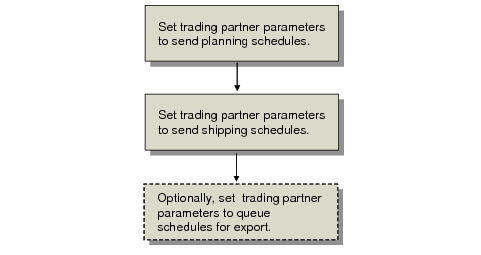
Trade Sales Setup Workflow depicts the setup steps.
Note: The system automatically creates supplier schedules if you create or modify a customer schedule release, too. Directions to create or update manually in the system are described in this chapter. See
Generating Customer Schedules.
You use Trading Partner Parameter Maint (35.13.10) to set trading partner parameters to export trade sales schedules to trade sales suppliers automatically.
Trade Sales Setup Workflow
You must set the trading partner parameters for supplier records.
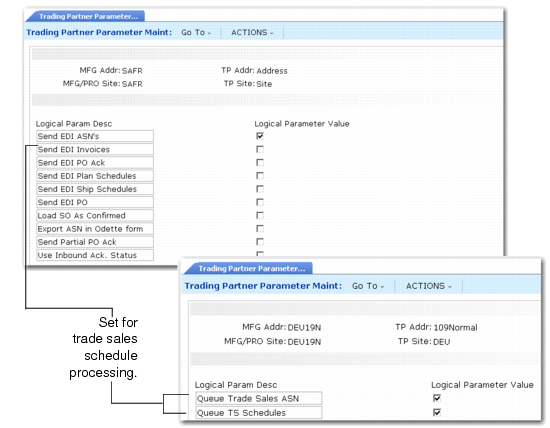
Trading Partner Parameter Maint (35.13.10) depicts the trading partner parameter options you set.
Trading Partner Parameter Maint (35.13.10)
Send EDI Plan Schedules
Indicate if the system sends planning schedules using EDI eCommerce to the trading partner you specify in the header.
No (the default): You cannot send planning schedules using EDI eCommerce.
Yes: You can send planning schedules using EDI eCommerce.
Send EDI Ship Schedules
Indicate if the system sends shipping schedules using EDI eCommerce to the trading partner you specify in the header.
No (the default): You cannot send shipping schedules using EDI eCommerce.
Yes: You can send shipping schedules using EDI eCommerce.
Queue TS Schedules
This parameter determines whether system-created supplier schedules are queued for export.
No (the default): The system does not queue newly created trade sales supplier planning or shipping schedules for export.
Note: If No and you have no schedules already queued for export, you can export any supplier planning or shipping schedules using Supplier Shipping Schedule (35.4.8).
Yes: The system automatically queues for export any supplier planning or shipping schedules it creates for this supplier’s scheduled order. The system queues the supplier schedules for export as soon as it creates them.
When you queue a schedule for export, the entry in the queue includes the schedule type and the scheduled order and line. EDI eCommerce retrieves and exports only the supplier schedule that is active at the time of export. After successful export, the system deletes the queued entry.
If the system creates a new supplier planning or shipping schedule for this supplier, the new schedule is automatically the active supplier planning or active supplier shipping schedule for this order line. EDI eCommerce exports the new active supplier shipping schedule.