Line Sequencing Calculation
Finite Forward Scheduling
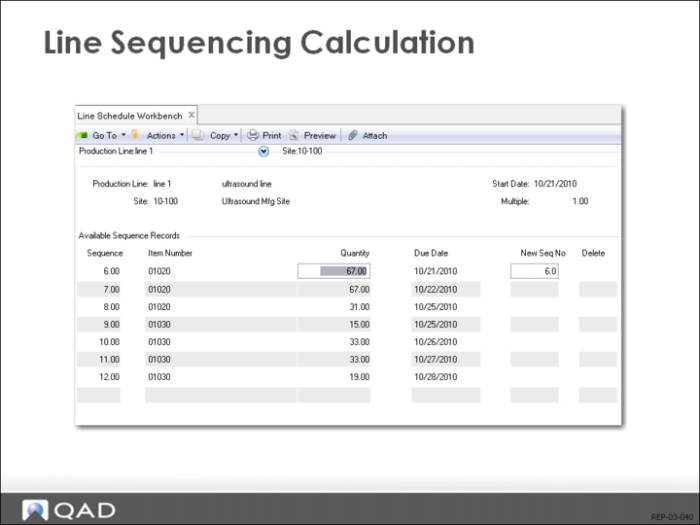
When you press Go, the line sequencing calculation takes the amounts you entered and distributes them forward, based on the capacity of the line. The calculation is shown. It is a rudimentary form of finite forward scheduling.
Line Capacity Calculation
The system takes the amount at the earliest due date and tries to determine whether it can be made that day. It calculates the total capacity for the day by summing the capacity at each shift. That capacity is the line capacity multiplied by the productivity multiplied by the number of hours it is open.
Changeover Calculation
If the amount can be made that day, the calculation determines how many hours have been used, and then goes to the next due date. If the item is different, it sees whether there is changeover time and adds that to the hours available for the day. There is no productivity factor for changeover. Changeover occurs in shop calendar hours, not calendar hours. After changeover is subtracted, it tries to fill the rest of the day with that amount.
If the amount cannot be filled that day, the system calculates how much will fill the day and subtracts that amount from the total. It then tries to fill the next open day with the remaining amount, as described above. It also pushes out the due date for all remaining amounts appearing on the schedule.
Repetitive Schedule Update
Copy Line Schedule Using (18.22.1.18)
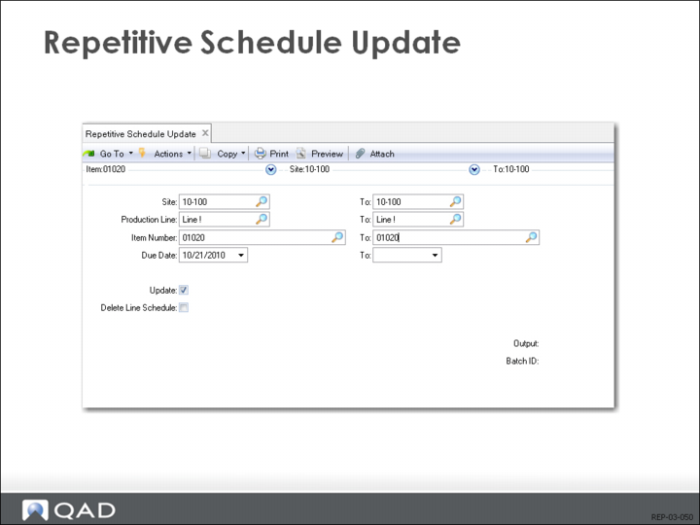
Once you are satisfied with a line schedule, you can copy it over to the repetitive schedule, where it has effects on the rest of the system such as appearing as a master-scheduled amount. Use Repetitive Schedule Update (18.22.1.18) to copy the line schedule to the repetitive schedule.
Delete or Retain Schedule
Repetitive Schedule Update allows you to either delete the existing line schedule as you update, or to retain it. The default is to retain it. The reason is you are continuously maintaining a schedule, and you will usually want to add on to the end of it. If the schedule is retained, new MRP orders will be added on later. Otherwise, you need to determine the start date manually.
You can also use this function to delete a simulation that you are not planning to use. Just set Update Repetitive to No and Delete Line Schedule to Yes.
Repetitive Schedule Maintenance
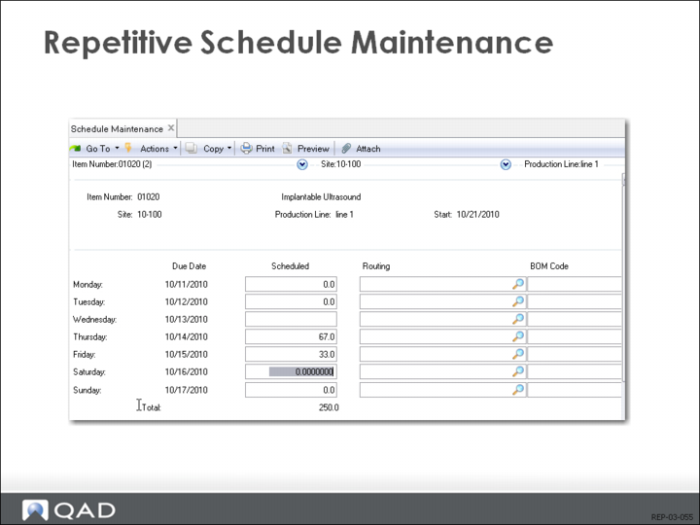
Use Schedule Maintenance to modify the repetitive schedule after it has been created.