Configured Products
Configured Products Allow You To
• Define a product in terms of its components
• Specify if components are optional or mandatory
• Release a sales order directly to a work order
• Assemble products to order from lower-level items that can be master scheduled and made to stock
• Control production of configured products by a final assembly schedule driven by customer orders
Why Consider?
QAD Enterprise Applications determines in two stages whether price lists apply across an entire configured product line or at the component level only.
Best Overall Price
• The system calculates the net price for the entire configured product line
• Uses the rolled up list price
• Discounts apply across the entire configuration
• The system compares the net price with best overall net price and chooses the better one
Factor Contestants
• Each component, including the parent item, is priced independently and totaled
Setup Implications
• Pricing changes for configured products will not be overridden
• Once changes to the standard bill have been completed, any modified lines will be repriced
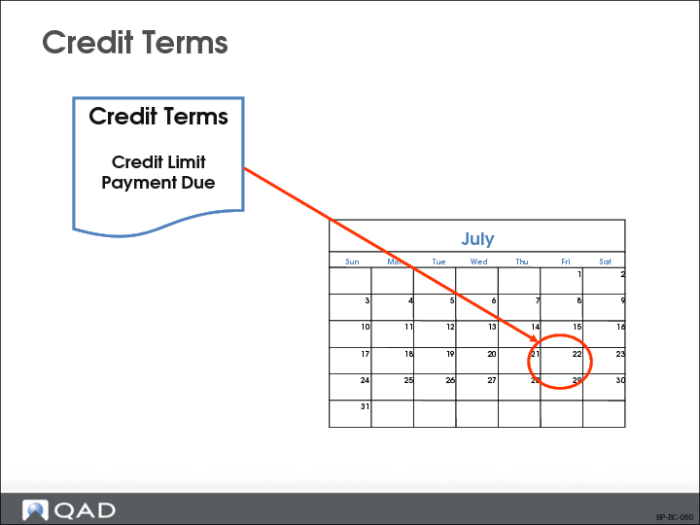
Credit Terms
Credit Terms Allow You To
Automatically assign credit terms to a sales order based on price lists
Why Consider?
Set up a price list with an amount type of Credit Terms
Setup Implications
An order that qualifies will have its credit terms updated accordingly
Note: Different credit terms can be made to apply to an order by applying a price list.
Freight Calculations
Freight Calculations Allow You To
Manage a costly part of conducting business
Why Consider?
• Freight is a huge cost
• Freight calculations can be difficult to setup and maintain
Setup Implications
Both prices and freight charges can be calculated automatically by the system. Because of this, extra care should be taken insetting up these systems if they are to interact.
When a freight List Type price list applies to a line, the appropriate Freight List is used to determine freight charges for the line. If multiple freight lists apply, the last freight list is used.
• Before a freight list is applied, the system verifies that the freight list applies; if not, the freight list is not used
• Customers’ freight costs can appear on the order trailer or be added to each line item unit cost. Freight allowances are shown as negative values on the invoice
• Freight Terms are validated against values in Generalized Codes Maintenance (36.2.13), if any the system calculates freight charges based on the site specified on the order
• If the Calculate Freight by Site field is Yes in the Sales Order Accounting Control (36.9.6) or Sales Quote Accounting Control (36.9.9), the site entered on the order line item will be used
Note: In QAD Enterprise Edition, financial control settings are updated separately from operational settings. This supports detailed segregation of duties assigned with role-based security. In QAD Standard Edition, all control settings for a functional area are updated in one program. So in SE, these settings are in Sales Order Control (7.1.24) and Sales Quote Control (7.12.24).
• If the Calculate Freight by Site field is No, the site on the order header will be used
• The Sales Order Control (7.1.24) FOB is the default FOB on all
• Sales orders
• Pending invoices
• RMAs
• FOB prints on formal documents — sales orders, invoices, packing lists, and RMAs
• FOB identifies the terms of a shipment, including when ownership of the goods transferred from the seller to the buyer
• For example, “FOB Destination” means title passes to the buyer at delivery
• FOB can be changed manually during order entry
Note: Different freight lists or freight terms can be made to apply to an order by applying a price list.
Discussed in Training Guide: Sales Orders
Import/Export
Import/Export Allows You To
• Increase your business market or product line by conducting business in several countries
• Accommodate the requirements of inter-country reporting
Why Consider?
• Legal requirements require records to be maintained (for example, shipping documentation)
• Partial shipments are usually avoided due to freight, duties, and excessive paperwork
Setup Implications
Intrastat data needs to be set up to capture data required for reporting
Electronic Data Interchange (EDI)
EDI Allows You To
Support the import and export of standard business transaction documents between customers and suppliers using various systems.
Why Consider?
Reduce/eliminate paperwork involved in Supply Change which reduces a company’s overhead.
Setup Implications
• EDI software files need to be setup
• Sales Order Control (7.1.24) needs to be set to interact with EDI
Discussed in Training Guide: Electronic Data Interchange
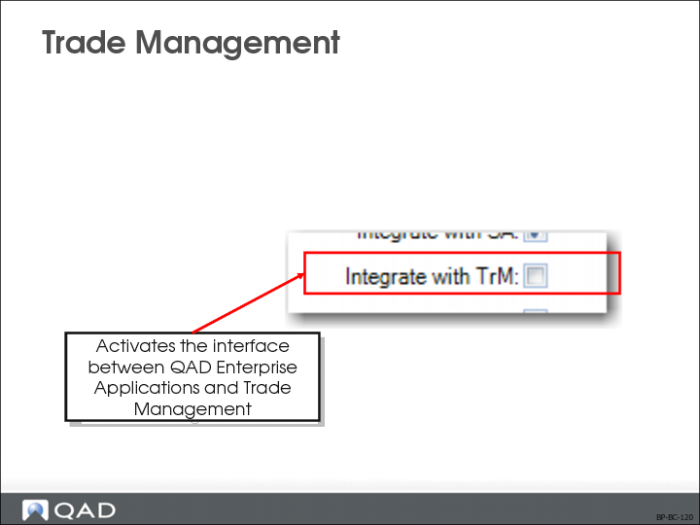
Trade Management (TrM)
TrM Allows You To
• Identify TrM price lists by the promotions prefix in the Pricing Control (1.10.1.24)
• Use TrM to generate price lists in QAD Enterprise Applications. These price lists are used in:
• Sales Quote Maintenance (7.12.1)
• Sales Order Maintenance (7.1.1)
• Pending Invoice Maintenance (7.13.1)
• Create promotions for combinations of customers and items
Why Consider?
• The following QAD Enterprise Applications modules are affected by the TrM interface:
• Items/Sites
• Addresses/Taxes
• Sales Quotations
• Sales Orders/Invoice
• Accounts Receivable
• Accounts Payable
• Manager Functions
Setup Implications
• The QAD Enterprise Applications startup routine initializes the global variables that are required by TrM
• TrM has its own customer, supplier, and item master tables
• TrM database must be updated when master data details change in QAD Enterprise Applications
• Fields specific to TrM are updated using the TrM module
• TrM-generated price lists cannot be updated using Price List Maintenance (1.10.1.1) or copied using Price List Copy (1.10.1.8). Use Price List Inquiry (1.10.1.2) to review TrM-generated price lists.
Note: Making changes to customer, supplier, or item records in TrM does not update the corresponding master data records in QAD Enterprise Applications.
Focusing Activity
Individually, or in small groups, examine your company, or a company suggested by the instructor, against the business issues discussed in this chapter. Consider the following:
• The business expectations given this type of company, and
• Additional information you need to successfully implement Best Pricing for this company
Do not look ahead in this training guide or at the QAD Enterprise Applications software. The purpose of this exercise is to help you (and your group) focus on what is important to your company about Pricing (there are no right or wrong answers).
Your instructor may ask you to list your requirements on a flip chart or white board to make it easier to share your findings with the whole class.
After you have had a chance to brainstorm your requirements (15 to 20 minutes), your instructor may ask each group to quickly review its findings, and compile a master list for your class.