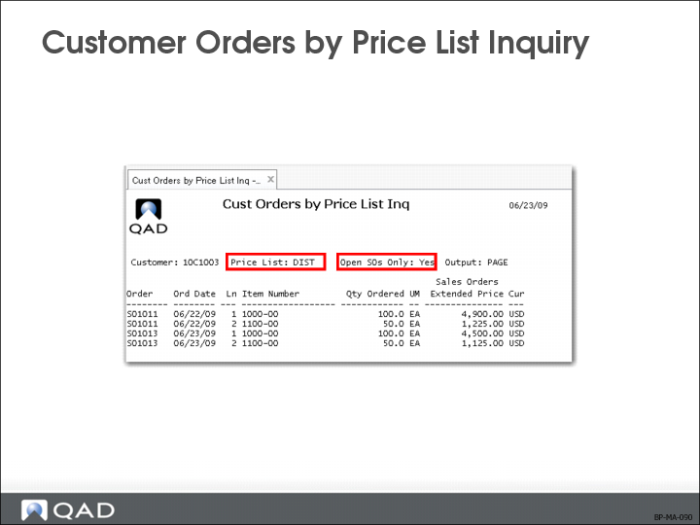
Customer Orders by Price List Inquiry
• Display only selected price lists or all price lists for a customer
• Sales history is maintained by sold-to and ship-to address
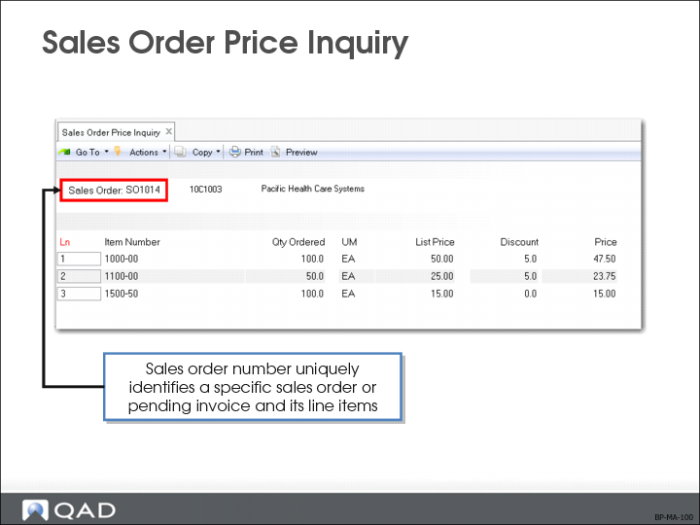
Sales Order Price Inquiry
Use Sales Order Price Inquiry (1.10.1.17) to verify if items are priced correctly.
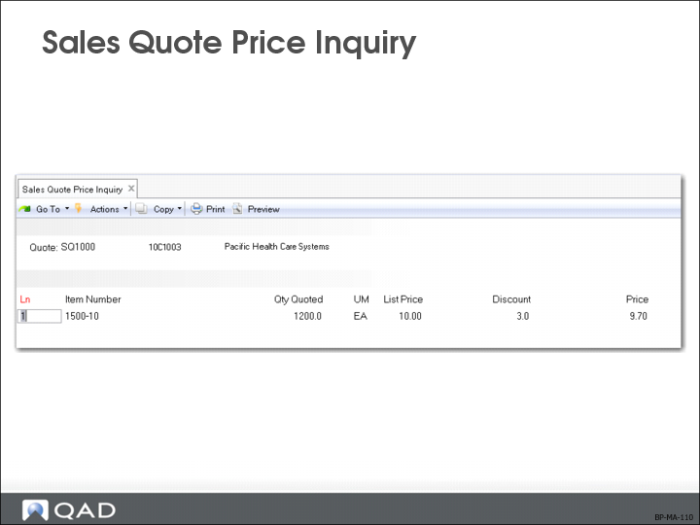
Sales Quote Price Inquiry
Use Sales Quote Price Inquiry (1.10.1.18) to verify if items are priced correctly.
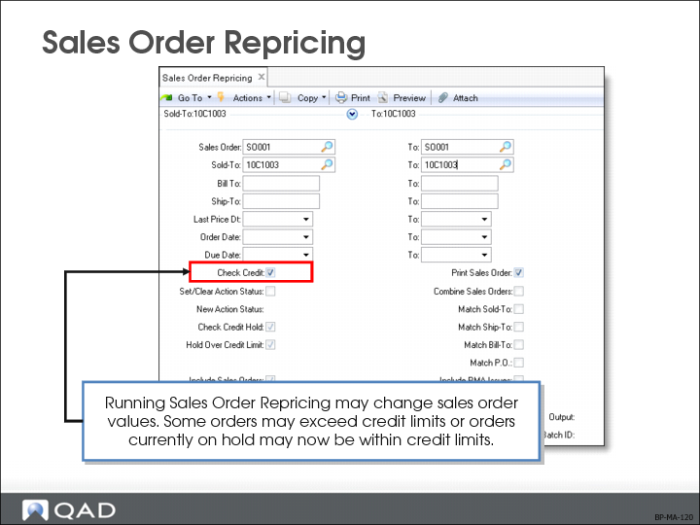
Sales Order Repricing
A range of sales orders can be repriced at one time using Sales Order Repricing (7.1.11).
It is also possible to reprice individual sales orders or particular lines on an order directly in Sales Order Maintenance (7.1.1). This kind of repricing can be controlled for a maintenance session using the Reprice field which defaults to No.
Repricing only occurs when it is explicitly requested, protecting orders from inadvertent change and minimizing the number of times pricing history records are updated.
This function updates the list and net price to the latest corresponding price list price, reprices sales orders so that ordered quantities are added together across orders to calculate quantity breaks, and combines orders by matching price lists and the following:
• Sold-to customer numbers
• Bill-to customer numbers
• Ship-to customer numbers
• Purchase order numbers
• Any combination of these four factors
Customers who do not have centralized purchasing can still receive quantity and volume discounts based upon purchases made from other intercompany purchasing departments.
Line items on combined orders are repriced as if they are on the same order, which means that line items with the same break category (or the same item number) have their order quantities accumulated.
• For an open sales order to be repriced, the Fixed Price field in the sales order header or the line item frame must be set to No
• The Fixed Price field appears in:
• Customer Data Maintenance (2.1.1)
• Sales Quote Maintenance (7.12.1) header
• Sales Quote Maintenance line item frame
• Sales Order Maintenance (7.1.1) header
• Sales Order Maintenance line item frame
• RMA Maintenance (11.7.1.1) header
• RMA Maintenance line item frame
Fixed Price value defaults from Customer Data Maintenance to Sale Quote Maintenance, and then to Sales Order Maintenance. If sales quotes are not used, the value defaults directly from Customer Data Maintenance to Sales Order Maintenance.
The value of Fixed Price on an order header determines the default for each line as it is added.
• When Fixed Price is No for a sales order line item, Sales Order Repricing (7.1.11) updates the list and net price
• If Fixed Price is Yes, Sales Order Repricing does not include that sales line item during repricing
When a sales quote is released to an order, the system resets the Fixed Price value on the order header to the value associated with the customer. The line item Fixed Price value is unchanged.
During repricing you have the option to:
• Check credit limits after new prices are applied and make various credit adjustments
• Print sales orders
• Combine sales orders
• Include RMA issues
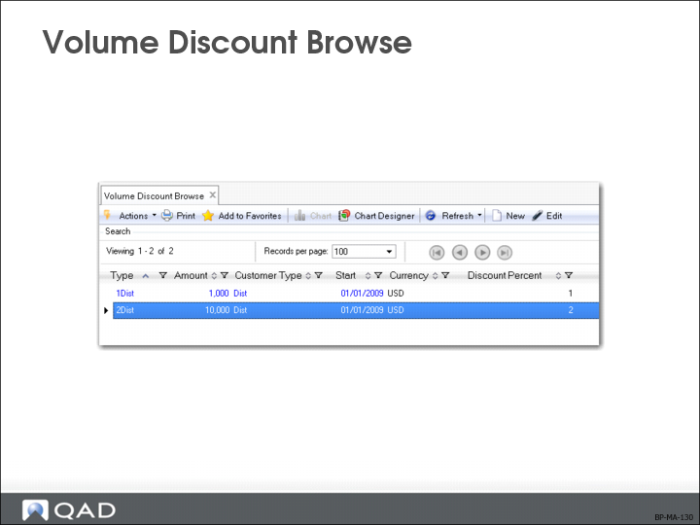
Volume Discount Browse
Type
• 1 = Order volume
• 2 = Year-to-date sales volume
Customer Type
An optional code classifying customers by type, such as RET for retail customers and WHSL for wholesalers. Selects groups of customers for reporting, in particular for sales analysis reports
• General ledger sales accounts can be set up by customer type, channel, product line, and site, allowing you to split out sales and costs of sales amounts for different types of customers
• In QAD EE, customer type codes are defined in Customer Type Create (27.20.4.1). In QAD SE, you can make sure that codes are entered consistently by entering the allowed codes into Generalized Codes Maintenance (36.2.13)
Exercise: Maintain Best Pricing
Now that we have set up all required price lists to implement the QMI pricing policy, let us see how best pricing is applied to quotation and sales orders.
1 What price lists are applied to item 03031 and item 03021 respectively? What are different and why?
Use Price Lists by Item Inquiry (1.10.1.6) to find out.
2 Can customer 10C1000 enjoy the WHSL discount price list? What about customer 10C1001?
Use Price Lists by Customer Inquiry (1.10.1.5) to find out.
3 Answer the following questions using Pricing What-If Inquiry (1.10.1.13):
• If customer 10C1003 orders 110 EA of item 03031, what is the order amount?
• If customer 10C1004 orders the same quantity of item 03031, what is the order amount? Why is there a difference?
Note: You can find the customer type under the Accounting tab in Customer Modify (27.20.1.2).
• If customer 10C1004 orders 200 EA of item 03031, what is the order amount. Can the customer enjoy the 30-60-90 credit term?
4 Create a sales order for customer 10C1004 for 200 EA of item 03031. Use Sales Order Pricing Report (7.15.7) to review the detail pricing information for the order.