Selective Required Ship Schedule Update
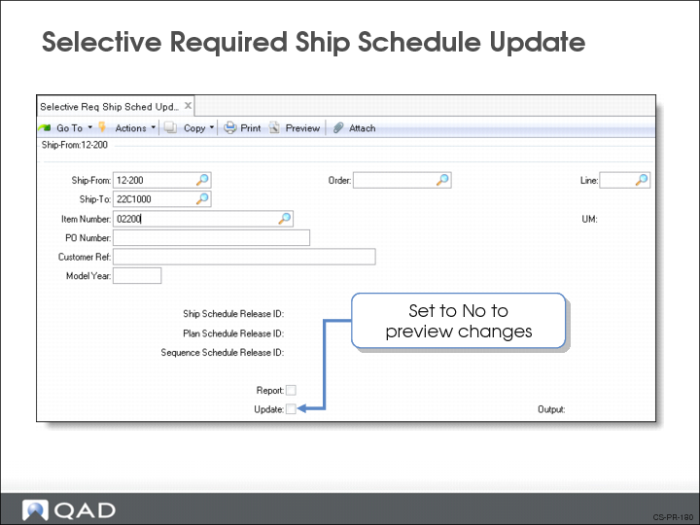
Use Selective Required Ship Schedule Update (7.5.6) to create an RSS using a specific release (not necessarily the active one). The method for calculating the RSS is the same as used in Required Ship Schedule Update.
Selection Criteria
Ship-From/Ship-To/Item/PO Number/Order/Line. Use one or more of these criteria to select the scheduled orders. To select all, leave the field blank.
Ship Schedule Release ID/Plan Schedule Release ID/Sequence Schedule Release ID
Specify the release ID of the specific version of the customer schedule.
Report
You have the option of generating an audit report (Yes) or not generating a report (No). The report shows the records that are being changed.
Update
• If Yes, the system makes the changes to the database
• If No, no changes are made
Required Ship Schedule Maintenance
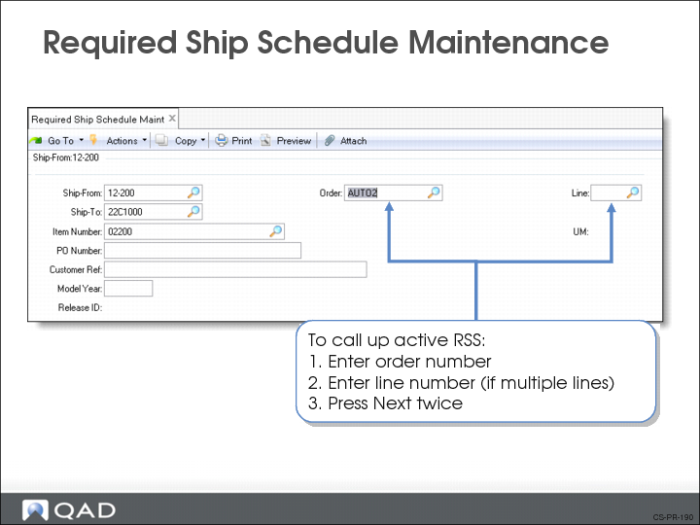
Use Required Ship Schedule Maintenance (7.5.3) to modify an RSS release (does not have to be an active RSS). You can do this at any point during the schedule processing. There are three frames.
• In the first frame you identify the RSS. To call up the active RSS, enter the order number and line number (if the order has multiple lines) and press Go. In the Release ID field, press Go and the system opens the active release.
• The second frame shows:
• Total customer requested quantity (Prior Cum Req) as of a certain date (Prior Cum Date)
• If this release is cumulative (Cumulative)
• Dates showing when this release was active (Active Start/Active End). The Active End field is blank for the currently active release
• The third frame is the Schedule Detail Data frame. It shows the dates and quantities in the RSS, which were generated using the customer’s requirements.
Field Definitions
Reference
The value of Reference is linked to the value for AUTHNBR. If you modify the Reference values, a new schedule detail record is created. Only one authorization number can exist for each entry. If you attempt to add a second authorization number, an error displays.
After completing all the frames, if this was not the active schedule, the system prompts you to make it the active schedule.