Storing Turnaround Data From an Inbound Document
Select the Implementation Definition that is being used for the inbound document. The Turnaround data fields by convention are defined in the “ext” record definitions. Most Implementation Definitions will contain “ext” records at both the header and detail levels of the document.
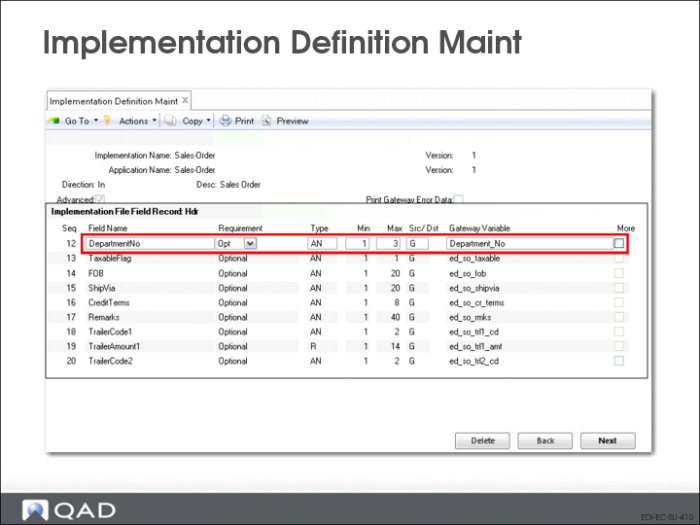
Turnaround data may be stored at any level depending on what field value(s) are selected for the Turnaround data index or key. In the example above we use the Sales-Order Implementation Definition and the Hdr-Ext record. In our example above the DepartmentNo field data is to be stored as Turnaround data.
The first step is to set the “Src/Dst” position to “T” in the Implementation Definition data field. This indicates that the field is to be stored as Turnaround data.
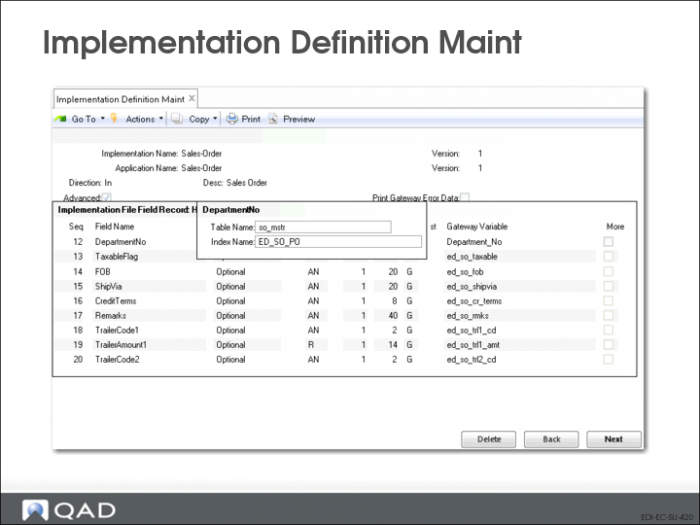
Once the “Src/Dst” column has been set to “T” the below prompt will display at the end of the entry line. This is the Turnaround Data Storage Index prompt.
• Table Name
• Any value (constant) may be entered here and it becomes part of the index. By convention a table name is used to make logical reference to the data.
• Index Name
• A valid variable name must be entered here. This is the variable name that will contain the data that you wish to store (index) the DepartmentNo data on. Multiple data variables may be entered using a comma (without any spaces) as separators.
In the example above, we are specifying that the DepartmentNo is to be stored using the ED_SO_PO variable as the index. This variable will contain the Purchase Order number.
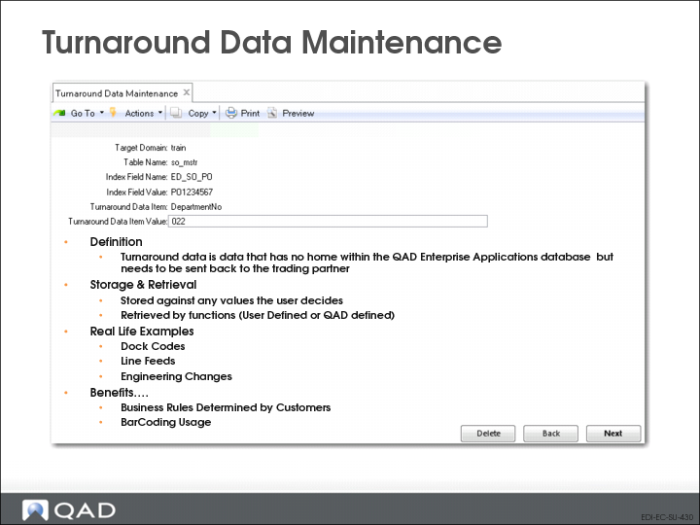
Turnaround Data Maintenance (35.9.17)
• This is the result of our example. The data 022 has been stored using the index:
• so_mstr, ED_SO_PO, PO#1234567, DepartmentNo
Notes:
• Careful thought and planning must be used to select the proper indexes for Turnaround data.
• Valid variable names must be used. Select from the variable names in the Implementation Definition being used. You must ensure that the variable(s) used for the index contain data (the record containing the data must precede the data item being stored). To further explain: you cannot use a data variable from a detail record as an index to store Turnaround data at the header level.
• It is important to select an index that the data for the index retrieval will be available.
• Another consideration is the uniqueness of the index. It must be insured that subsequent records do not overwrite data that you wish to retain. It you make the index too unique it makes it more difficult to retrieve.
• You may can use the value of a primary table index in QAD Enterprise Applications as the index value to store Turnaround data. For the SO-MSTR it would be so_nbr, etc. These are documented in the QAD Enterprise Applications Database Definitions Technical Reference.
• If the incoming Turnaround field value is blank a record will not be written.
Retrieving Turnaround Data During Document Export
Select the Implementation Definition that is being used for the outbound document. The Turnaround data fields by convention are defined in the “ext” record definitions. Most Implementation Definitions will contain “ext” records at both the header and detail levels of the document. Turnaround data is retrieved by first specifying on the Implementation Definition that the field source is Turnaround data and then specifying the index or key.
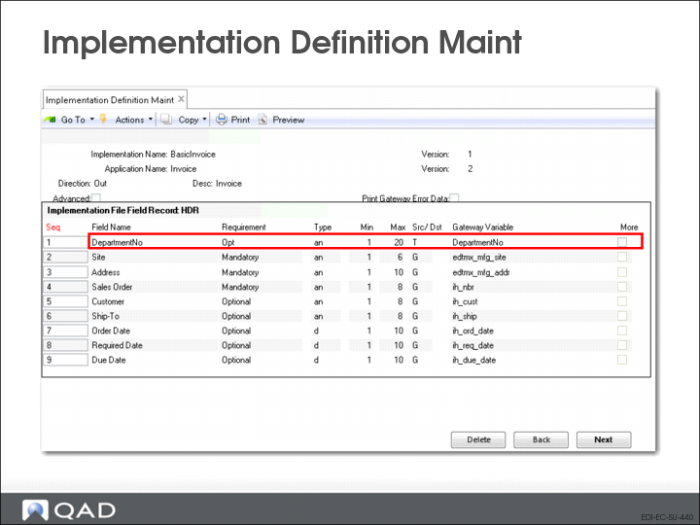
In the example above, we use the Invoice Implementation Definition and the HDR-EXT record. The DepartmentNo field data is to be retrieved from Turnaround data.
The first step is to set the “Src/Dst” position to “T” for the Implementation Definition data field to indicate that the field is to be retrieved from Turnaround data.
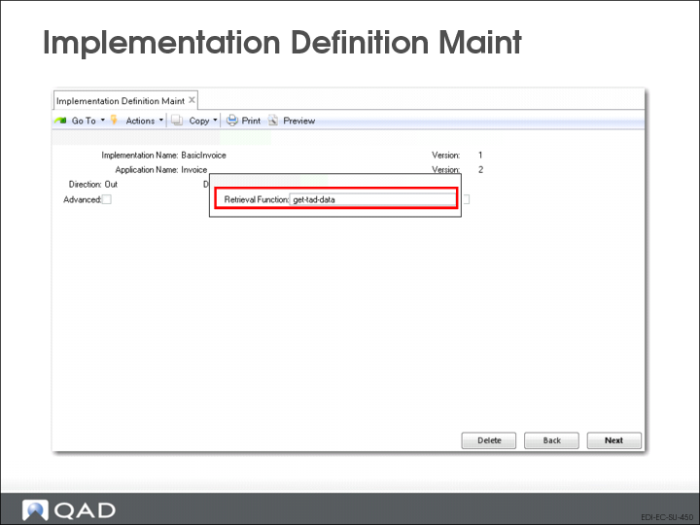
Next, the retrieval method must be specified.
• Retrieval Function
• Enter the name of the function to use for retrieving the turnaround data
Get-tad-data is a generic function which will need any Turnaround data from the parameters given
The example above would be the setup to retrieve the DepartmentNo field from the Turnaround data table using the ih_po (the po number in the HDR record from invoice history). This data would then be placed in the QAD Enterprise Applications repository HDR-EXT record DepartmentNo field.