Implementation Definition Copy (35.15.3)
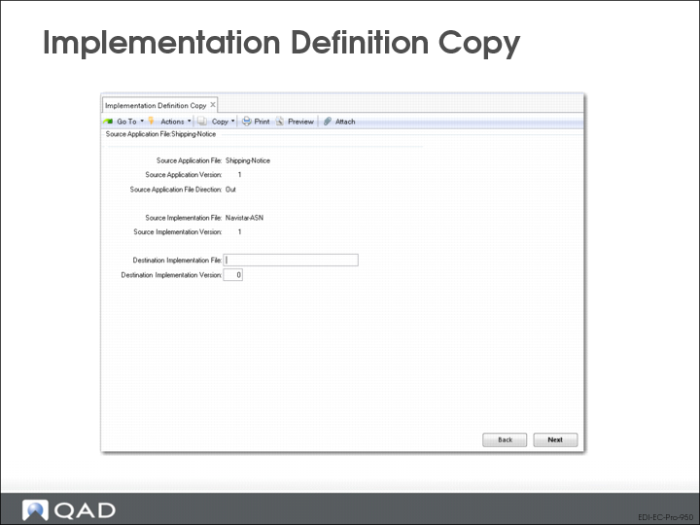
Use Implementation Definition Copy to copy an implementation definition from an existing definition.
• Use Implementation Definition Maint (35.15.13) to modify the copy as needed
Source Application File, Version, and Direction
Application document definition associated with the implementation definition to be copied.
Source Implementation File and Version
Application document definition associated with the implementation file to be copied.
Destination Implementation File and Version
Unique combination of file name and version to identify the new implementation definition.
Transformation Definition Copy (35.17.1)
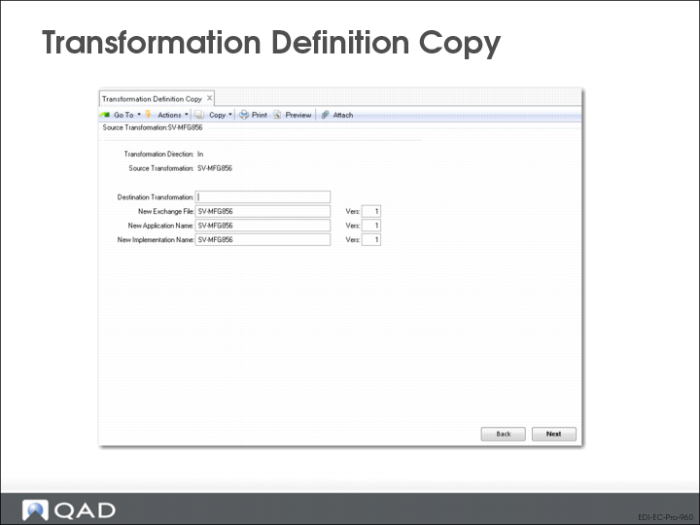
Use Transformation Definition Copy to copy an existing transformation definition to a new file.
• Use Transformation Definition Maint (35.15.17) to modify the mapping data in the new definition file as needed
Transformation Direction
Direction of the transformation definition to be copied.
Determines the records that will be available for copying in the Source Transformation field
Source Transformation
Name of the transformation definition to be copied.
Destination Transformation
Name of the new transformation definition.
Note: The transformation definition will be the same direction for the destination definition.
The following fields will default to the file definition names and versions used by the source transformations:
New Exchange File and Version
Optionally enter a new exchange file definition name and version.
New Application and Version
Optionally enter a new application document definition name and version.
New Implementation and Version
Optionally enter a new implementation definition name and version.
eCommerce Function Copy (35.17.2)
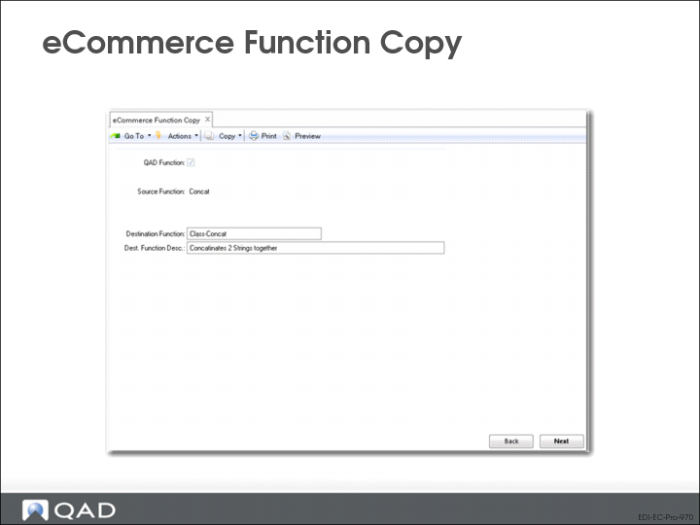
Use eCommerce Function Copy to:
• Copy an existing transformation function to a new function name
QAD Function
Yes = the function to be copied is one provided as part of eCommerce
No = the function is user-defined
Source Function
Name of the existing function to be copied or deleted.
Destination Function
Name for the new function.
New file saved in the function directory specified in the eCommerce Control File 35.13.24 with the file name <DestinationFunction>
Important: Use function names that follow the naming conventions of the operating system.
Dest. Function Desc.
An optional description for the new function.
Inbound Delete/Archive (35.17.13)
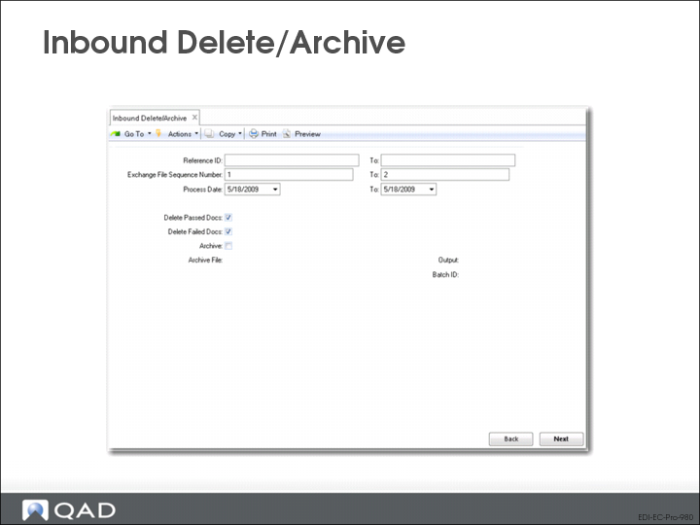
Use Inbound Delete/Archive to delete and archive imported documents from the exchange file and application document repositories.
An QAD Enterprise Applications archive program is usually run twice.
• First, run the program with all Delete fields set to No and review the report
• Then, run it again with the appropriate field or fields set to Yes
When Archive is set to Yes, QAD Enterprise Applications stores deleted data in a file named xxyymmdd.dat, where xx is ob for outbound documents and ib for inbound documents, and yymmdd is the date you ran the archive function.You can restore this file to the system using Archive File Reload (36.16.5).
Warning Deleted data that is not archived cannot be recovered.
Sequence Number, Process Date
Ranges of selection criteria for the system to use in determining files to be archived and deleted.
Delete Passed Docs
Yes = delete documents that successfully completed processing
• To delete documents regardless of their processing status, set both this field and Delete Failed Docs = Yes
Delete Failed Docs
Yes = delete documents that did not complete processing
• To delete documents regardless of their processing status, set both this field and Delete Passed Docs = Yes
Archive
Yes = copy deleted data to an ASCII file.
Archive File
System-generated name of the file where the selected documents will be archived.