Enterprise Financials Components and Concepts
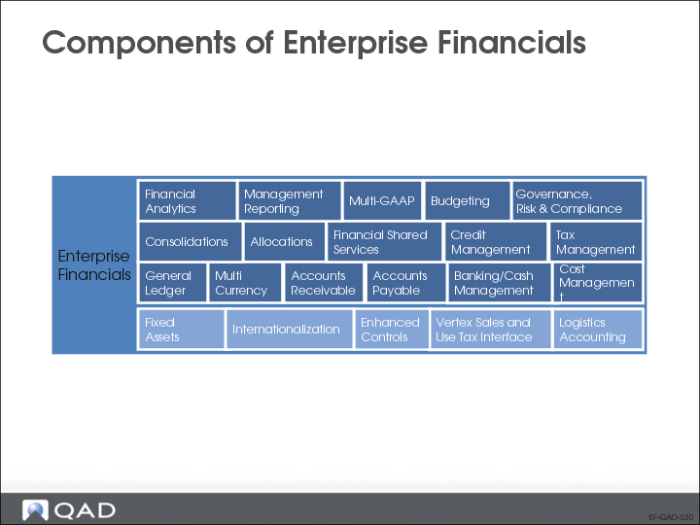
Components of QAD Enterprise Financials
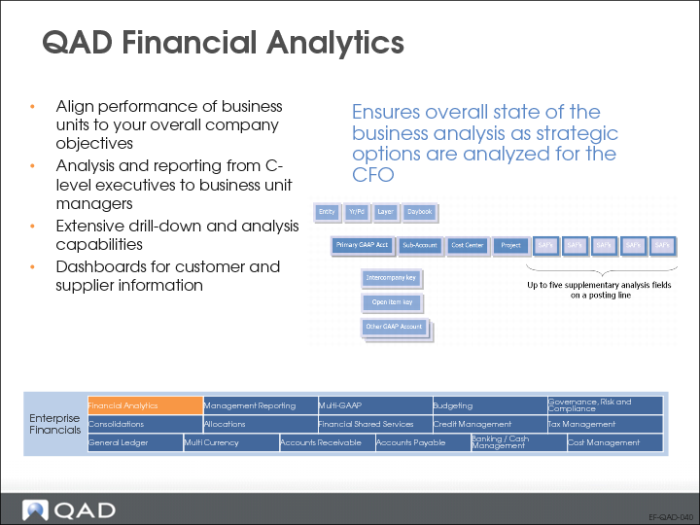
QAD Financial Analytics
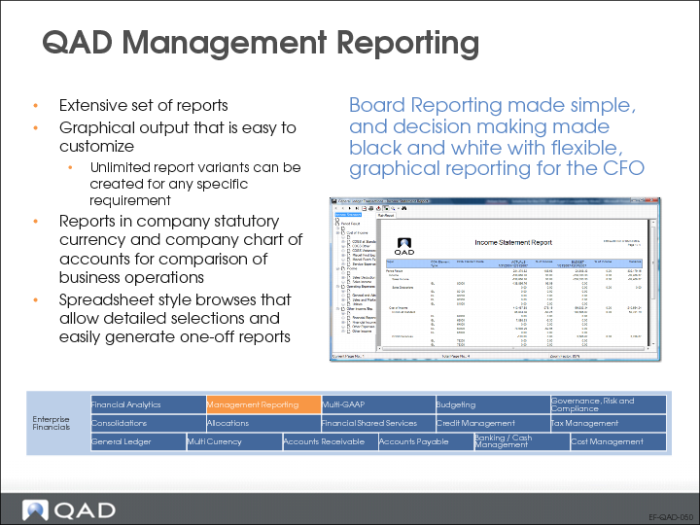
QAD Management Reporting
QAD Financials includes an extensive set of reports and reporting options that let you analyze general ledger transactions, supplier and customer details and activity, banking and cash transactions, and other specialized areas.
QAD Financials offers a robust reporting framework. The extensive reporting features, in conjunction with browses and views that are easily exported to Excel, cover all business requirements and provide maximum flexibility and operational efficiency for users.
QAD Multi-GAAP
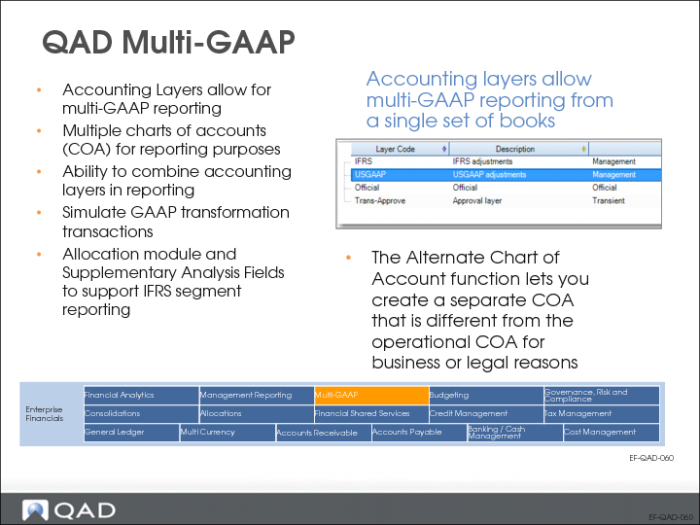
Accounting layers provide different ways of segregating transactions within a single GL account to satisfy reporting requirements. The posting of transactions is controlled by associating daybook types with one of the three system-defined accounting layers: official, management, and transient, or with additional user defined layers. Transient layers can be used for simulation and approval processes; management layers can be used for multi-GAAP valuation of balances, such as comparisons between IFRS and local GAAPs.
In addition to the basic components of the general ledger—account, sub-account, cost center, and project—you can define supplementary fields (SAFs) to fine-tune transactions and reporting. These provide basis for powerful and flexible financial reporting and analysis.
See
QAD Allocations for information on allocations.
QAD Budgeting
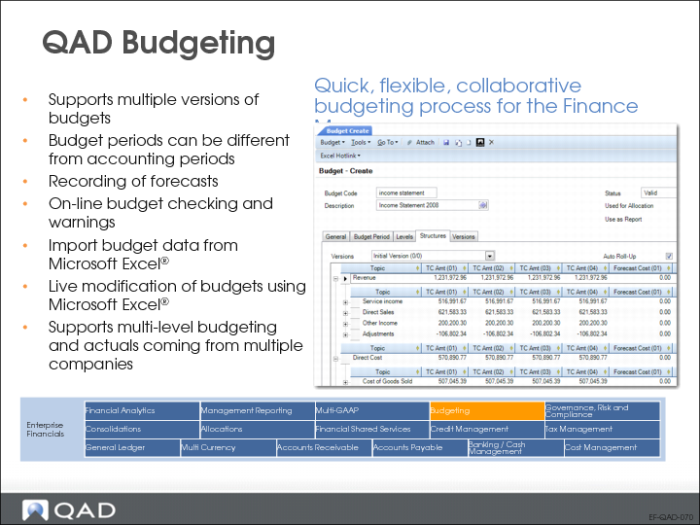
Financials supports budgeting for all elements of the chart of accounts: accounts, sub-accounts, cost centers, projects, and supplementary analysis fields. Budget figures can be prepared in Excel or in external systems and then uploaded to the budget structure.
Budget periods can be set up to differ from GL periods. This lets you produce non-period budgeting, for example, in the form of quarterly budgets.
Within the same period and budget structure, multiple versions of a budget can be created and reported against.
QAD GRC
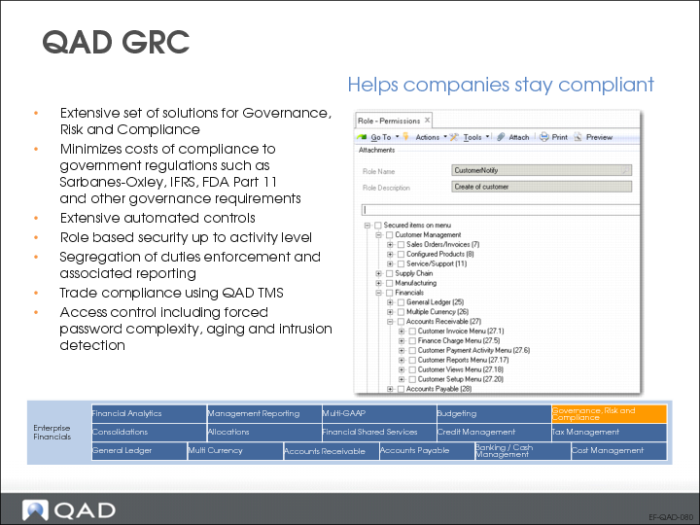
Financials combines local legislative and business processes with cost accounting and management accounting practices specific to an organization’s needs, while providing support that enables the organization to comply with Sarbanes-Oxley and International Financial Reporting Standards (IFRS), and other governance requirements.
QAD Consolidations
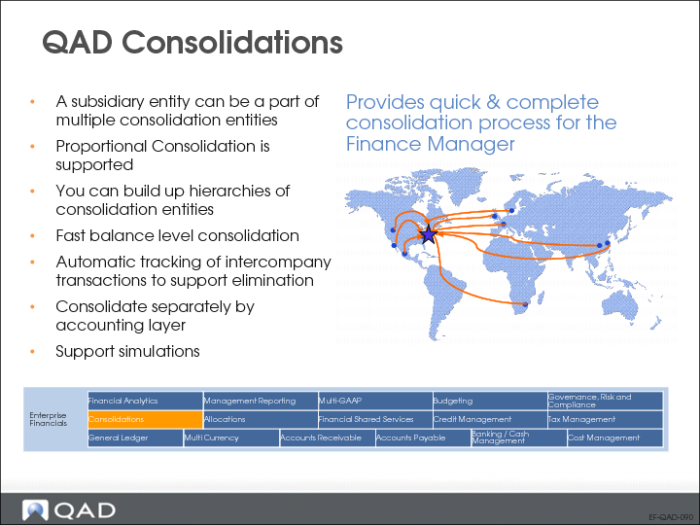
GL consolidation lets you combine the financial records for two or more entities within a single database into one consolidated set of financial statements. Proportional consolidation lets you consolidate partly-owned subsidiaries based on the percentage of the subsidiary owned by the parent entity. You can perform multiple consolidations within the same organization.
The consolidation process consists of determining the entities with accounts you want to consolidate, and setting up a consolidation entity in which to store the consolidation data. All accounts, sub-accounts, cost centers, and projects in the source entities can be mapped to the corresponding consolidation accounts in the consolidation entity using COA cross-references.
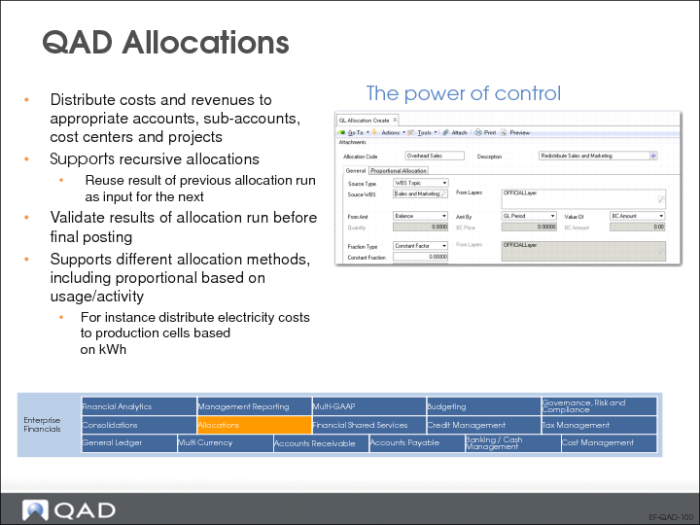
QAD Allocations
The system supports two types of allocations:
• Operational allocation codes are used in operational transactions, such as sales and purchasing.
• More complex allocations can be set up for use in GL transactions within financial modules.
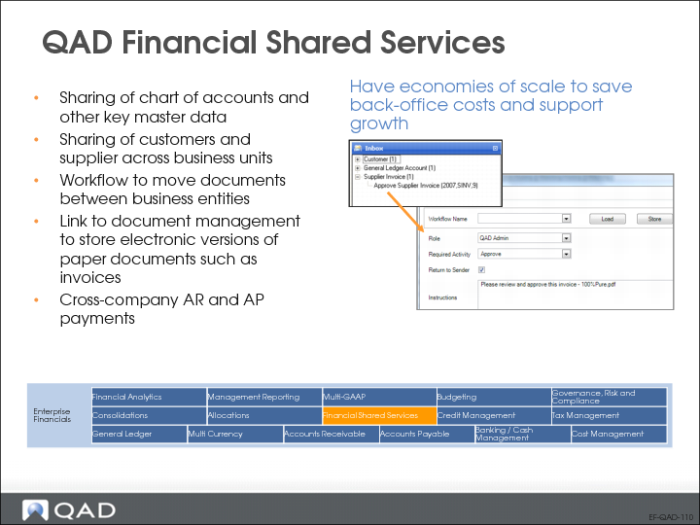
QAD Financial Shared Services
Financial Shared Services can be as simple as sharing account structures and accounting activities such as accounts payables and receivables processing; or as complex as standardizing and rationalizing the customer and supplier base across regions.
Any sized company can benefit from Financial Shared Services – cutting back-office costs and gaining economy of scale in AR and AP; generating company-wide savings through better supplier relationships; decreasing risk and maximize cash flow by maintaining a central view of customer balances and netting payables against receivables; and saving time by ensuring consistency in financial reporting – while supporting a growing, ever-changing organization.
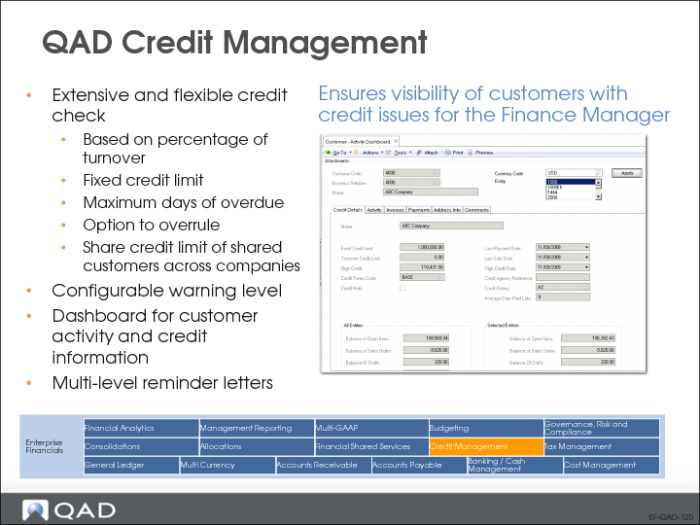
QAD Credit Management
Credit terms are used to calculate invoice due dates and to apply settlement discounts on early payments. You can also use credit terms to define staged payments, which allow multiple payments to be made in stages based on invoice percentages.
The Customer Activity Dashboard (27.18.1) lets you display credit information for a customer. The Supplier Activity Dashboard (28.18.1) lets you use grid features to group and sort information by key credit-related details such as the number of weeks overdue, or see all invoices due in a certain week.
You can use the Reminder Letter report (27.17.10) to print various levels of reminder letter that list open items for a customer and include text that depends on the reminder level of the invoice.
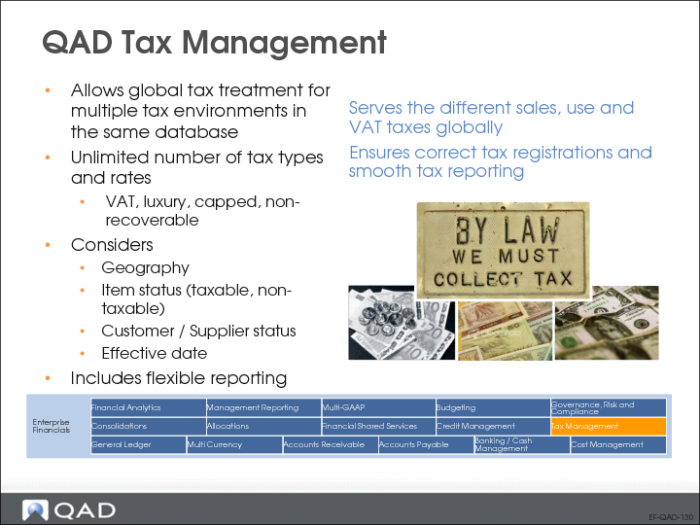
QAD Tax Management
GTM offers precise tax calculations and flexible setup for calculating taxes for multiple countries. With GTM, you can set up an unlimited number of taxes and rates—each associated with customers, suppliers, or items. You can define when taxes are calculated, the formula used to calculate them, and the amount subject to tax.
You can also set up reports to accommodate the legal reporting requirements of various jurisdictions.
QAD General Ledger
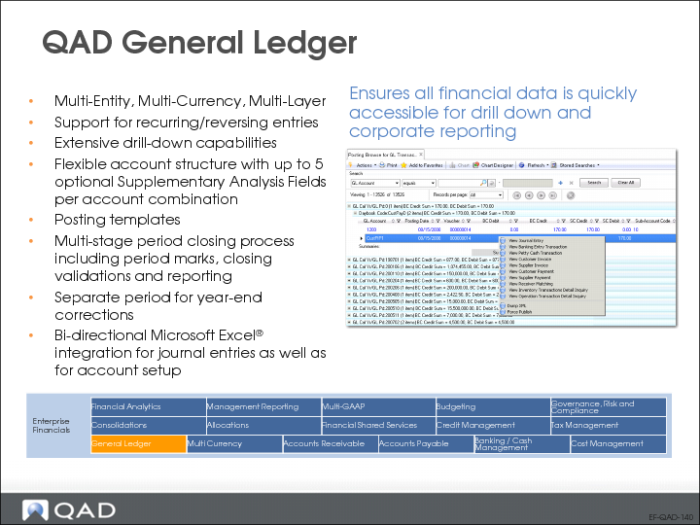
QAD Financials uses standard, industry-recognized components to implement your chart of accounts (COA). The strength of the application is in its flexibility—you can configure the model to generate many different types of accounting information.
GL Account
GL accounts track financial transactions, manage account balances, and are used to produce financial statements and comparisons. GL reporting is detailed or summarized and includes information on one or a range of entities. Banks are defined as a special type of GL account with additional banking attributes.
Sub-Account
As a further level of detail within an account, sub-accounts can be defined. Sub-accounts can be linked to customers and suppliers and their individual transactions.
Cost Center
You can refine account and sub-account information further by defining cost centers. For example, a cost center can be a profit center or department within the account or sub-account.
Project
The project provides analysis on costs and revenue for the projects defined in your organization.
The combinations of COA elements that are considered valid are defined through a COA mask. These combinations are validated when transactions are posted, preventing any errors.
In addition to the basic components of the general ledger—account, sub-account, cost center, and project—you can define supplementary analysis fields (SAFs) to fine-tune transactions and reporting. These provide the basis for powerful and flexible financial reporting and analysis.
Accounting layers provide different ways of segregating transactions within a single GL account to satisfy reporting requirements. The posting of transactions is controlled by associating daybook types with one of the three system-defined accounting layers: official, management, and transient, or with additional user defined layers.
Once you have set up your chart of accounts and other general ledger features, you can use them to manage transactions in the system. GL transactions are of two basic types:
• Transactions from other operational areas such as inventory movements, sales order shipments, and purchase order receipts
• Transactions created in financial functions, such as supplier invoices, bank and cash transactions, journal entries, open item adjustments, and AR and AP payments.
Monthly closing and reporting processes provide a broad range of reports with which to check the completeness and consistency of data before proceeding with formal reporting.
You can manage year-end processing and consolidation with General Ledger functions. A wide-range of analytical and structural reports lets you view accounting data in many different formats.
QAD Multiple Currency
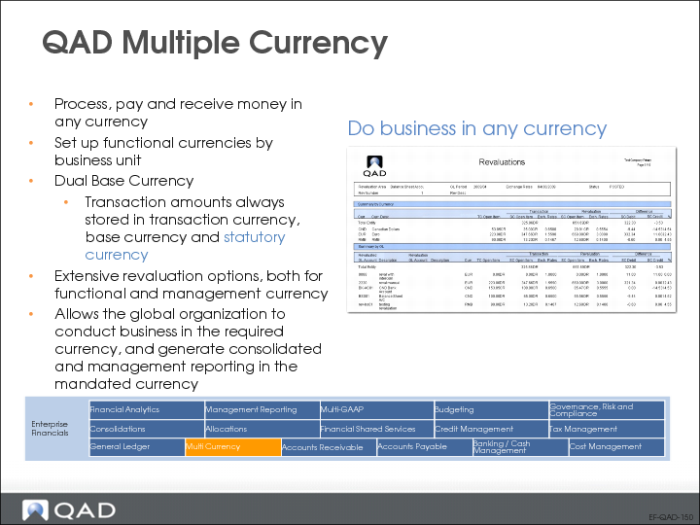
QAD Financials supports multiple currencies for GL transactions. Currencies are defined at the database level and are available to all domains and entities in the system. A set of ISO currencies is supplied with the system. Multiple types of exchange rates are available, including accounting, budgeting, cash, Intrastat, inventory, tax, statutory, and revaluation. Adjustments to exchange rates are automatically applied wherever the exchange rate is used.
To streamline exchange rate setup, new rates can be derived from existing ones, automatically filling in any missing combinations.
Various rounding methods can be defined and specified for each currency.
Monetary amounts can be expressed in either the domain base currency, a non‑base (foreign) currency, or a statutory currency used for reporting. This three-currency system lets you display a transaction or create a report in any of the defined currencies. This is especially important in environments with high inflation and strong currency fluctuation.
QAD Accounts Receivable
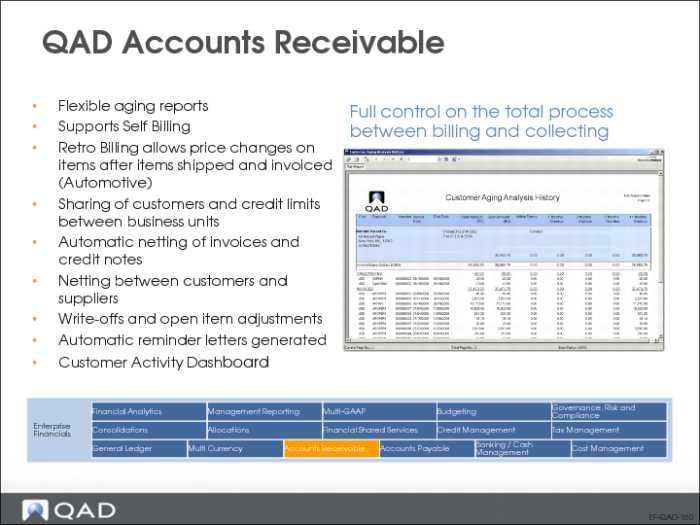
The Accounts Receivable module covers all accounting processes related to customer invoices and payments. This module also manages customer definition, credit terms, credit limits, finance charges, aging analysis, and reminder letters.
Most customer invoices are generated from sales transactions in the Sales Orders/Invoices module. When customer invoices are created from confirmed shipments or deliveries, the system creates customer invoices using Invoice Post and Print. You then process the invoice using the AR functions. You collect receivables by tracking customer activity and identifying and resolving overdue invoices. The sales invoices and the payments received against them are recorded in the Accounts Receivable ledger.
Invoice handling supports a complete follow-up procedure for payments. The system manages payments in the form of checks, direct debits, drafts, promissory notes, and summary statements. After recording the payment, you manage it through various statuses.
Direct debits and electronic drafts can be automatically formatted in electronic files based on bank requirements.
Reports on open items, transactions, history, and summary are supported with extensive selection criteria. Aging lists can be drawn per customer, group, or sub-account.
QAD Accounts Payable
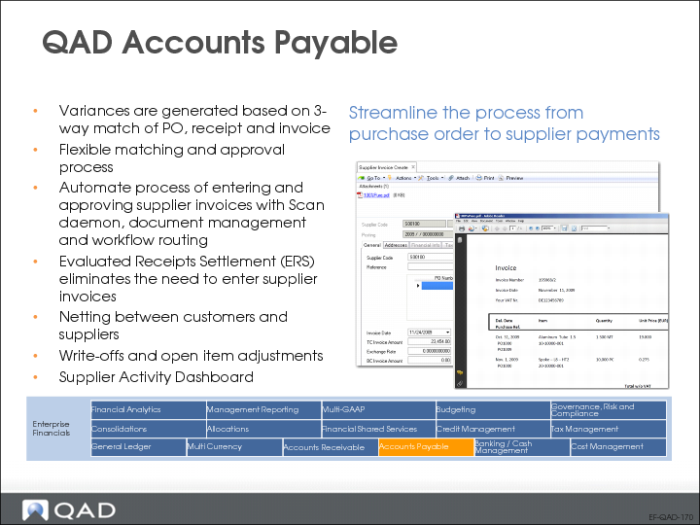
The Accounts Payable module covers all accounting processes that relate to suppliers. This module manages supplier definition and all other criteria necessary for supplier management, such as credit terms, aging analysis, locking, and payment procedures.
The system manages payments in the form of checks, drafts, promissory notes, transfers, electronic transfers, and summary statements. Electronic transfers can be automatically formatted based on bank requirements.
Invoice status codes let you manage the stages of invoice processing, and are primarily used with suppliers. Using invoice status codes you can manage the approval, allocation status, and payment of invoices for suppliers, and identify contested invoices. You approve supplier invoices and release them for payment by modifying the invoice status code applied to the invoice. You can also control when and how postings occur by specifying an invoice status code with a different allocation status.
A flexible approval process supports simple or complex segregation of roles in the generation of payments. After recording the payment, you manage it through various statuses.
You can generate reports on open items, transactions, history, and summary. Aging lists can be generated for supplier, group, or sub-account. You can easily select held invoices by supplier or approval status and due date, providing complete control of the invoice approval process in your organization.
The Supplier Activity Dashboard (28.18.1) offers a comprehensive overview of all activity related to a single supplier, in a single entity or over multiple entities. The drill-down generates read-only information that includes invoices, credit notes, and payments. You can select open or closed payments and display individual payment details, as well as total amounts for each selection you make. You can filter by currency.
QAD Banking/Cash Management
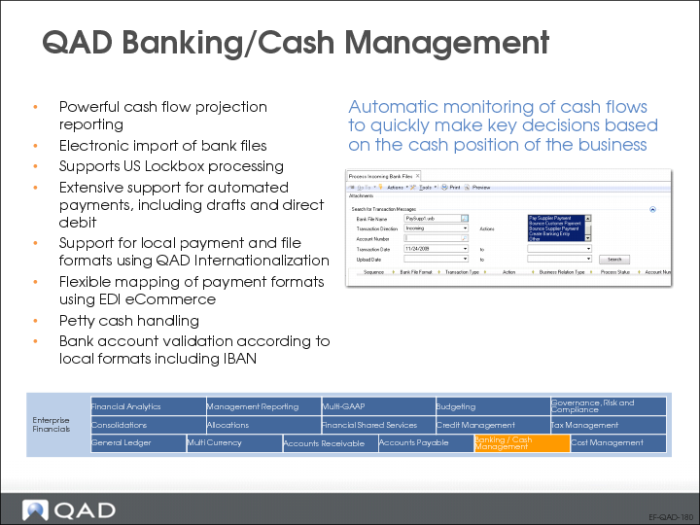
To process banking transactions, you set up your own bank accounts—as well as customer and supplier accounts—as GL accounts of type Bank. You can then add details to the account to manage the banking transactions. A business relation contains the bank address, contact, and tax details.
Banking features let you process banking transactions and allocations to open items or GL accounts. This process also supports discounts, prepayments, and multiple currencies. Realized currency differences are automatically analyzed, and each bank account can be linked to a separate daybook.
The import of bank statements is automated. Automation also includes customer invoice collection, supplier payment processing, and allocation of miscellaneous banking transactions. The module supports a large variety of global banking standards.
Banking features let you define payment formats for delivery of electronic files to your bank.
Banking supports full coverage on the following transaction types:
• Accounts receivable bank transactions
• Accounts payable bank transactions
• Miscellaneous bank transactions
Cash management reports present information on open items, bank and cash accounts, loans and deposits, and accruals.
QAD Cost Management
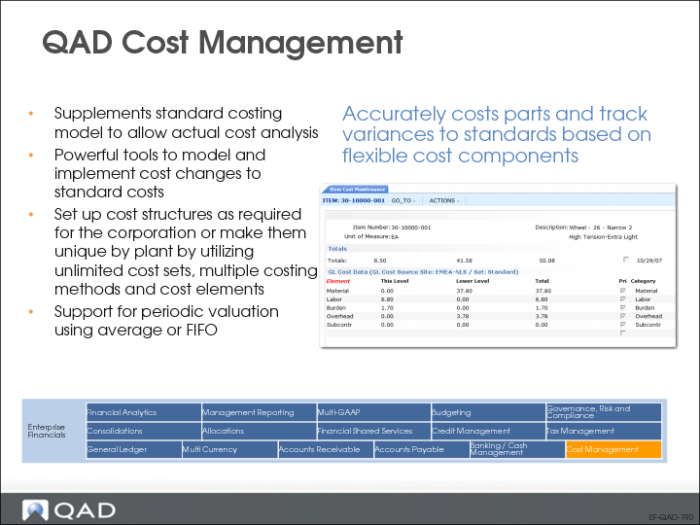
Costing covers how costs are applied and tracked. It provides information for setting up and using costing features with the Cost Management module, as well as using standard inventory functions.