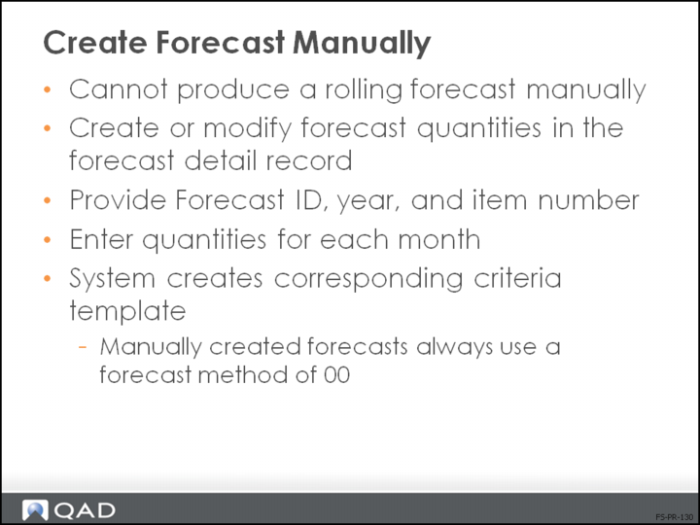
Create Forecast Manually
• Manual adjustments to forecast quantities are often made to reflect the experience of management in predicting future demand
• Enables you to adjust and aggregate forecast
Guidelines for Creating Records Manually
• Records are created for January through December, therefore limiting the forecast to a yearly forecast
• You can create new records, or modify records from a CIM Load or the Run Forecast Simulation Calculation
• Still must provide the forecast template criteria: ID, year, and items
• Calculation is always method 00, since there is no forecast calculation performed against these records
• You are creating the records by your own calculations, not the system’s calculation
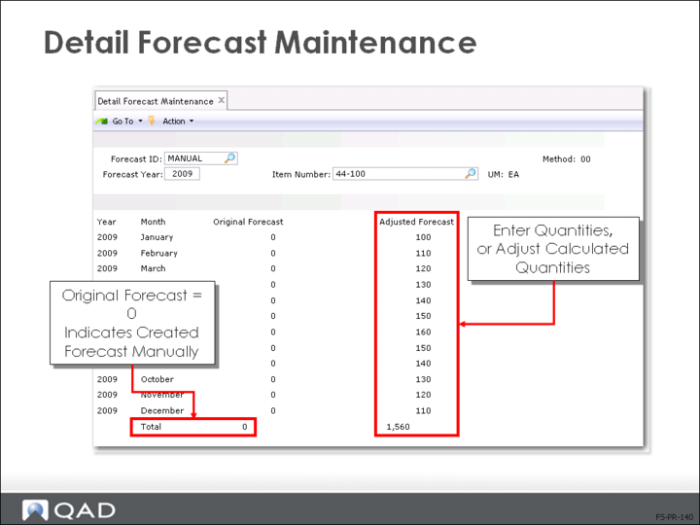
Detail Forecast Maintenance
• Cannot manually create a rolling forecast, only yearly
• Simulated Forecast or CIM Data Load (36.15.1) generate the original forecast quantities
• Run the calculation again to reproduce original forecast
• The Adjusted Forecast quantity column is where you manually change the original results
• Before modifying forecast detail records, archive the original forecast or copy to another forecast ID
• Typically used to adjust decimal results from the calculation
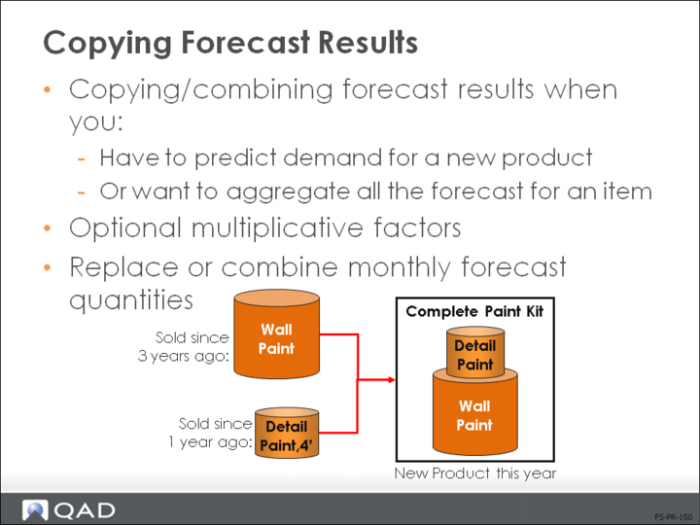
Copying Forecast Results
• Copying/combining typically used to:
• Aggregate forecast for an item
• Predict demand for new product
• Apply multiplicative factors
• Replace monthly forecast quantities, such as decimal production quantities
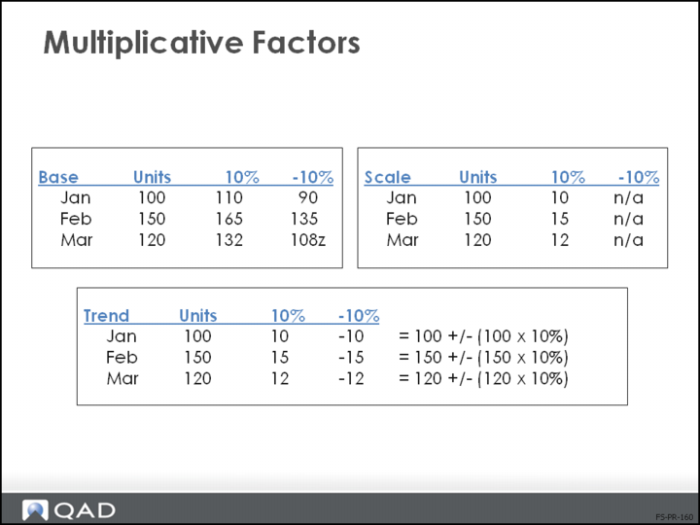
Multiplicative Factors
• Single Item Simulation Copy (22.7.12) lets you scale forecast results for the new item as some percentage of the old item
• Simulation to Simulation Copy (22.7.11) enables you to apply multipliers to the entire item range
Note: Scale cannot be negative.
• Trend multipliers increase each month
• You can use more than one multiplier at a time with a cumulative effect
• Base increase/decrease is applied first, Scale second, Trend third
• Factors are applied to source quantities and the results added to the target, not applied to combined source and target quantities