Business Considerations
Learning Objectives
In this section you learn how to identify the key business issues to consider before performing initial QAD Enterprise Applications setup.
After completing this chapter you should be able to describe the business expectations for your type of company for the following areas:
• Product Lines
• Sites
• Locations
• Item Data
This section does not discuss all potential issues, but presents some issues to generate thought and discussion.
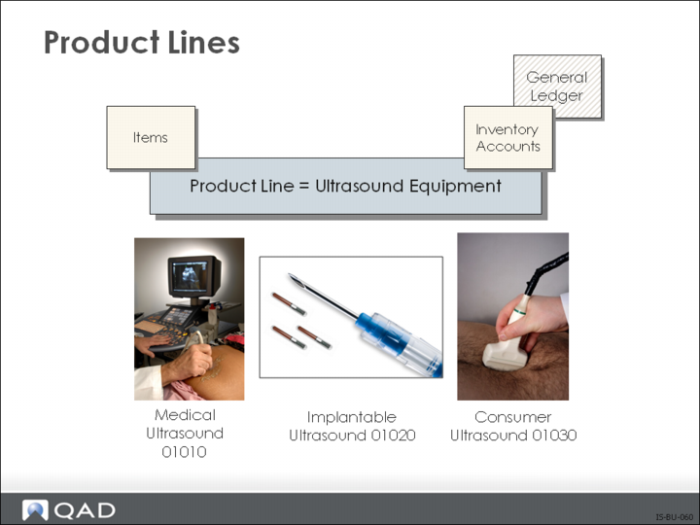
Product Lines
Product Lines Allow You To:
• Group items for planning, reporting, and accounting
• Identify which General Ledger (GL) accounts will be used for:
• Sales
• Inventory
• Purchasing
• Work Orders
• Service Transactions
• Group items for planning, reporting, and accounting
Why Consider Product Lines?
• All items must belong to a product line
Setup Implications
• Default GL accounts must be set up in Domain/Account Control (36.9.24)
For more detailed information on product lines, see
Product Lines.
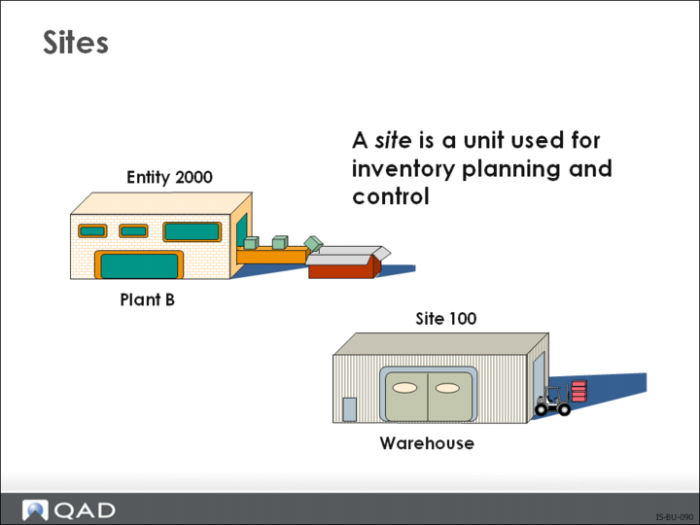
Sites
Sites Allow You To:
• Manage inventory and production
Why Consider Sites?
• All inventory is stored by site
• All planning is done by site
• Many reports produced in the system are selected and sorted by site
Setup Implications
For a full description of the structure of databases and the relationship to shared data sets, domains, entities, and sites, refer to the financial setup documentation.
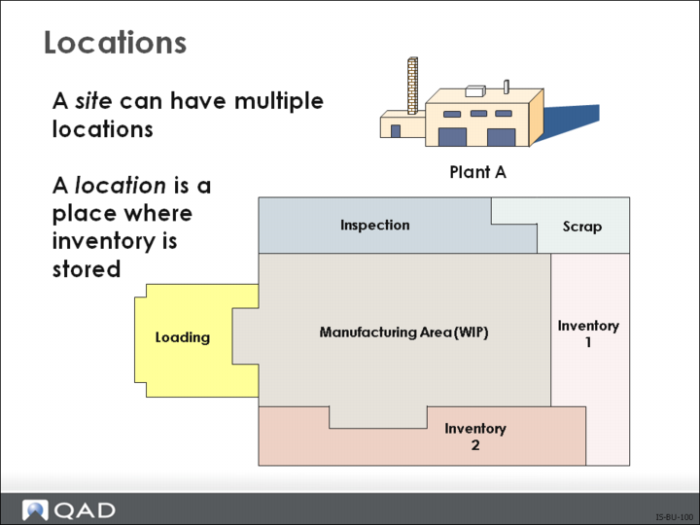
Locations
Locations Allow You To:
• Physically identify and control individual items in stock
• Control which transactions are permitted for inventory
• Control the type of inventory stored in a particular location
• Control how inventory is allocated
Why Consider Locations?
• Gives you more control over how inventory is processed within a site
• Inventory reports normally are selected and sorted by location
• You have items that must be assigned to a particular type of storage such as sterile or freezer
• Can restrict item availability
Setup Implications
• Can be set up automatically in Site Maintenance (1.1.13) or manually in Location Maintenance (1.1.18)
For more detailed information on location, see
Location Maintenance.
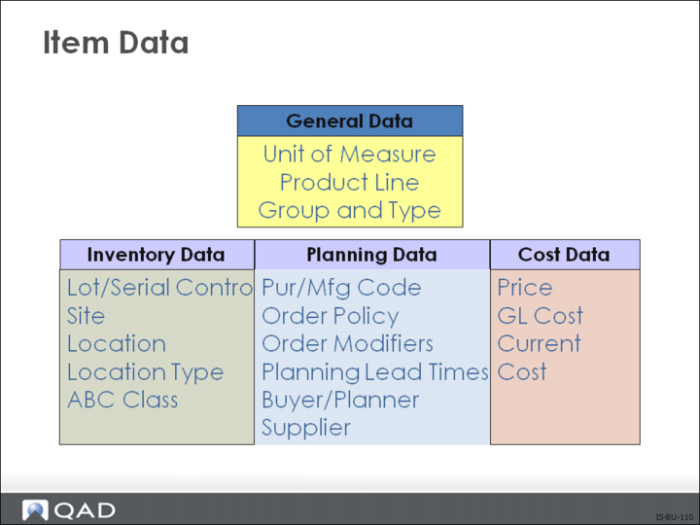
Item Data
Item Data Allows You To:
• Create general item data that is static and valid for all sites
• Control how the item is handled in inventory, planning, and costing
• Identify information for a particular site. Inventory, planning and cost data can be stored separately for each site
Why Consider Item Information?
• Item information is used throughout the system
Setup Implications
For single site use:
• Item Master Maintenance (1.4.1)
• Item Data Maintenance (1.4.3)
• Item Inventory Data Maintenance (1.4.5)
• Item Planning Maintenance (1.4.7)
• Item Cost Maintenance (1.4.9)
For site-specific information use:
• Item-Site Inventory Data Maintenance (1.4.16)
• Item-Site Planning Maintenance (1.4.17)
• Item-Site Cost Maintenance (1.4.18)
Review: Business Considerations
• Processes and Procedures
• Reporting Requirements
• Customer Expectations
• Product Configuration
Focusing Review
Examine your company (or a client’s company) against the business considerations discussed in this chapter. Consider the following:
1 The business expectations given this type of company
2 Additional information you may need to elicit to successfully implement QAD Enterprise Applications in this company
Do not look ahead in this course or at the QAD Enterprise Applications software. The purpose of this exercise is to help you focus on what is important to this company.
Hint: There are no right or wrong answers.