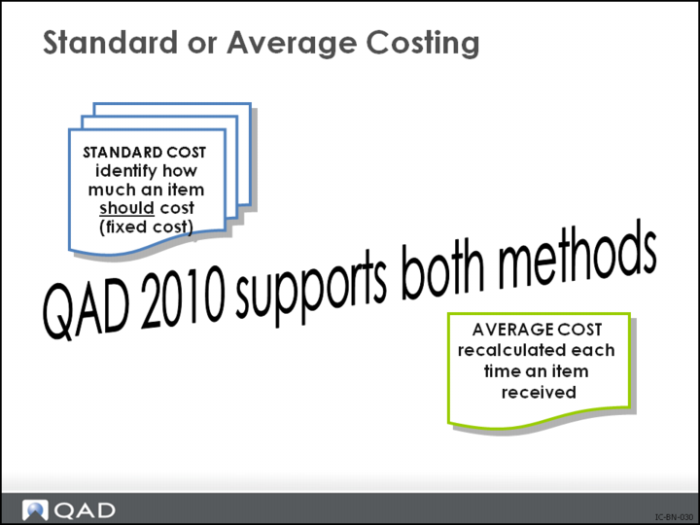
Two Costing Methods
Use either cost set at any site; however, only one cost set per site is designated as the general ledger cost set. QAD EA is usually a standard (also called general ledger or GL) cost system, although it can be used as an average cost system.
Standard (GL) Cost Set
Product line GL accounts are oriented to standard cost accounting.
• Values for these accounts default from Domain/Account Control
All inventory transactions for an item are recorded in the GL at a single cost, independent of price fluctuations. The difference between Standard and Actual is recorded as a variance.
Average Cost Set
Average costs are recalculated each time an item is received.
• Purchase order costs automatically update the current cost for inventory items. The calculation of the new current cost is based on the method selected in the Inventory Control
• Use Average Cost Method Maintenance to allocate costs to the Co-Products and By-Products of a base process
Why Consider Two Methods of Costing?
Normally, all inventory transactions for an item are recorded in the general ledger at a single cost, independent of price fluctuations. In general, standard costs are set once a year. Inventory is valued at standard (GL) cost.
Current costs are updated in one of three ways.
1 Average calculates a weighted average based on the old current cost for the item.
2 Last uses the last purchase order or work order cost for the item.
3 None indicates that costs are updated manually.
Average Costing Implications
Costs are updated using a simple weighted average calculation. For manufactured items, the labor, subcontract, and burden costs are updated when work-order receipt transactions are made and at Accounting Close.
Average Cost Calculation
(Quality on Hand x Current Cost) + (New Quantity x New Cost)
(Quantity on Hand + New Quantity)
Important: Because of the way average costs are calculated upon receipt, timing and accuracy of transactions are critical.
Number of Sites and Locations
Sites and Locations Allow You To
Categorize locations by type. When an item is received or transferred, the system verifies that the type matches the location type associated with the item (such as VAT, FREEZER).
Make sure items with special storage requirements, such as temperature or humidity, are stored in acceptable areas.
Why Consider Number of Sites and Locations?
Sites are areas where inventory is manufactured or stored (normally entire physical production facilities). This is the default site for the item. The default location for an item is specified in Item Inventory Data Maintenance
Setup Implications
1 Sites are used for planning, reporting, and costing.
For each site the system must have a cost set, which needs to be maintained. Therefore, keep sites to a minimum.
2 Locations are where inventory is physically stored (for example, bins, floor space, vats, docks).
Allocations of items are made according to settings in Inventory Control and the inventory status of the locations.
The larger the number of locations, the more transactions are necessary to control inventory.
3 More locations give better control of master inventory. You may have bulk inventory in a warehouse, a weeks working stock in a local stock room and a days production quantity in a work cell. Ideally you would want three locations to know exactly how much was in each location.