Inventory Transactions – Receipts
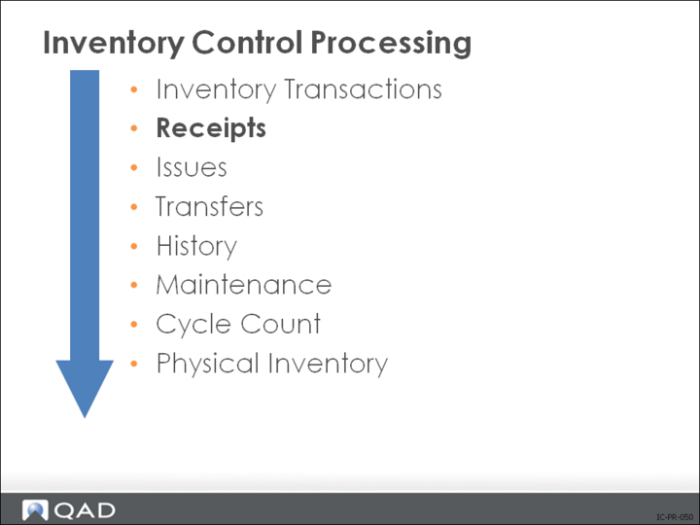
Receipt transactions are created by:
• Receipts - Sales Order Return (3.10)
• Purchase Order Receipts (5.13.1)
• Distributed Order Receipt (12.15.20)
• Work Order Receipt (16.11)
• Work Order Receipt Backflush (16.12)
• Repetitive Labor Transaction (18.14)
• Backflush Transaction (18.22.13)
• Move Transaction - Advanced Repetitive (18.22.19)
• RMA Receipts (11.7.1.13)
• Receipts - Unplanned (3.9)
• Receipts - Backward Exploded (3.12)
Receipts (items received from a supplier or shop)
• Value of inventory increased and inventory account debited
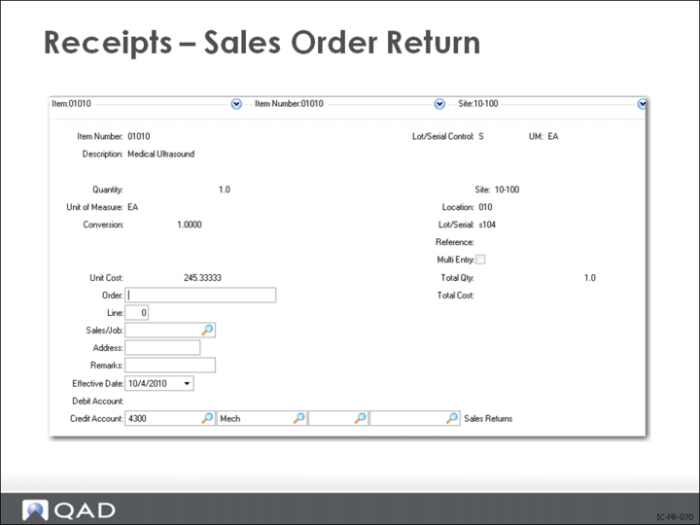
Receipts - Sales Order Return
Records the receipt and tags it as a return.
• Use only if the Sales Orders/Invoicing module is not implemented
• Does not update sales/commission history or generate a credit invoice
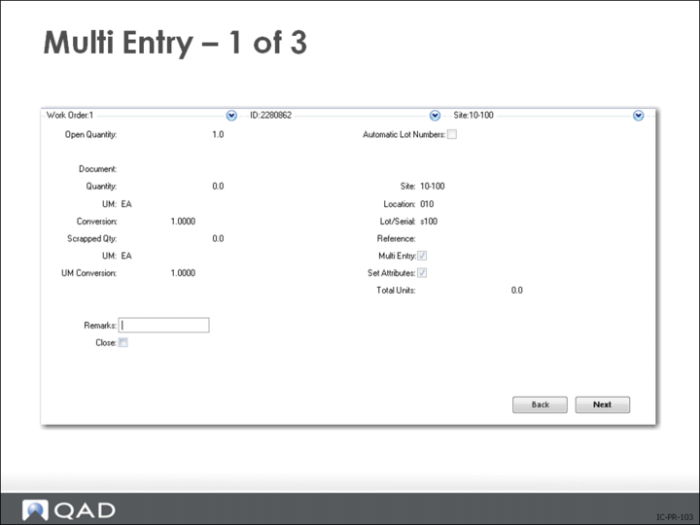
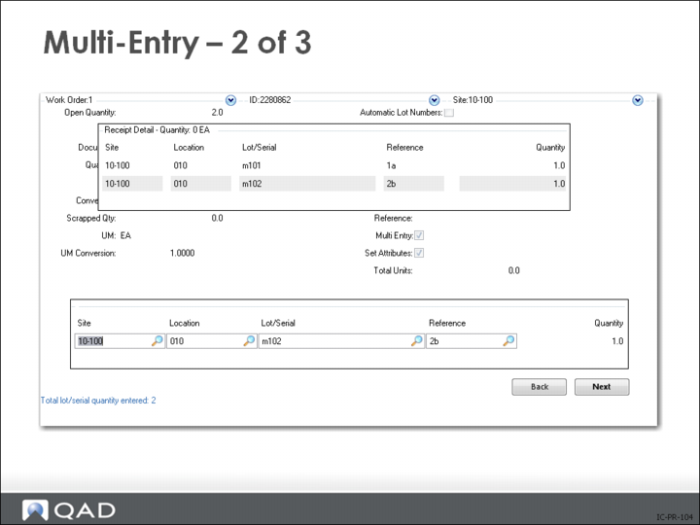
• If Multi-Entry is Yes, another screen pops up for entering a list of sites, locations, lot/serial, and lot reference numbers, together with a quantity for each one
• If the item you are receiving is designated lot/serial controlled, enter a lot/serial number
• Multiple sites and locations, lot/serial and lot reference numbers can be specified on one transaction using the Multi-Entry option
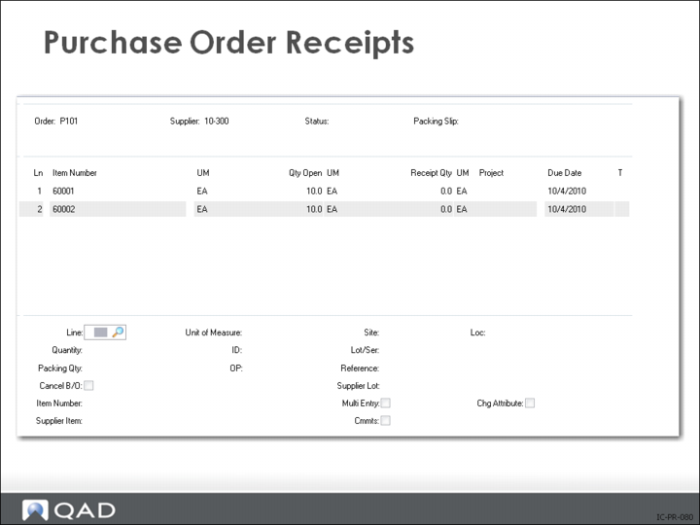
Purchase Order Receipts
• Record receipts against both purchase orders and supplier schedules
• Process multiple line items in a single transaction
• Correct errors made in receiving by entering negative quantities
May require reopening a purchase order line to do this
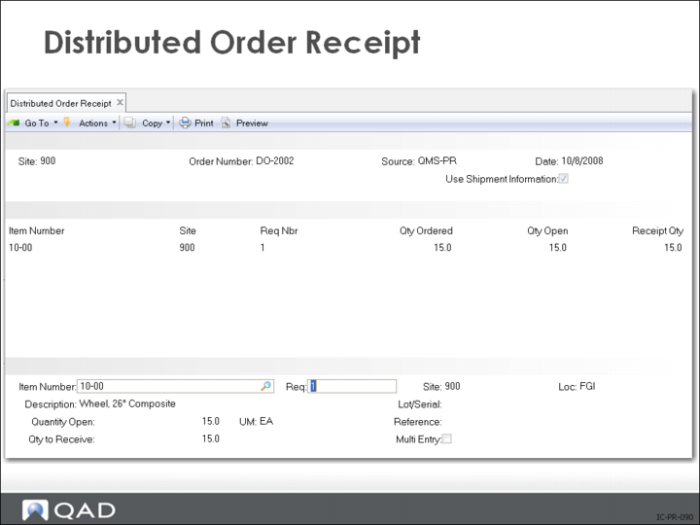
Distributed Order Receipt
At a source site, you can process several intersite requests at one time by combining them in a distribution order, the same way purchase requisitions are combined into purchase orders.
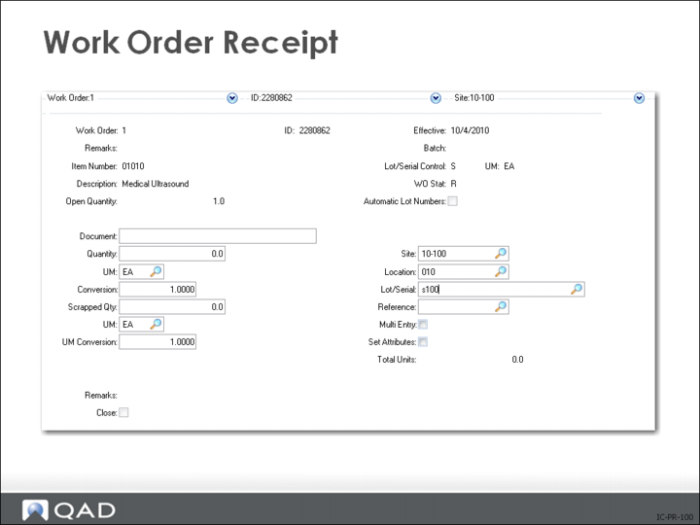
Work Order Receipt
Increases inventory quantities at designated sites and locations and decreases work in process (WIP). Updates work orders to reflect the quantity completed and scrapped, and decreases the quantity open for MRP.
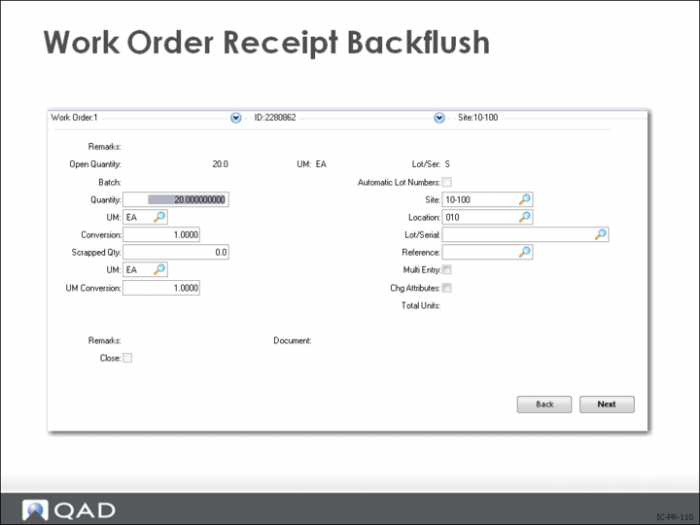
Scrapped Qty
• The number of items rejected on this work order
• Reject quantity appears on work order history and cost reports
• Total GL cost of the rejected items posts to the scrap account
Ref
• Lot reference, with site, location, and lot/serial number, specifically identifies inventory quantities. This can be either the production lot of the item or a location reference such as a skid, roll, or pallet number
Multi Entry
• Indicates whether this inventory transaction references multiple sites and locations, or multiple lot/serial numbers or lot reference numbers
• No: This inventory transaction is processed using the site, location, lot/serial, and lot reference entered on this screen
• Yes: Another entry screen is displayed where you can enter multiple lines for this inventory transaction (see
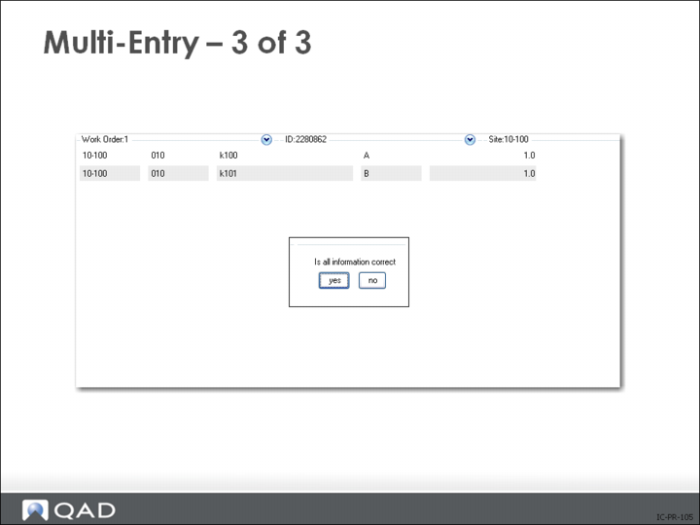
Multi-Entry). Each line lets you enter a site, location, lot/serial, lot reference number, and quantity
The open quantity on the order will be updated to reflect the total entered in the multi-entry screen
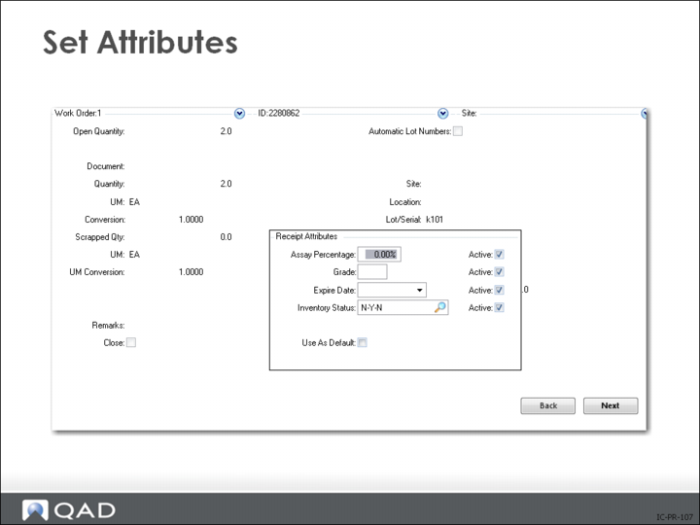
Set Attributes
Indicates whether to accept the default inventory attributes
• No receives the items into the inventory location specified and assigns the default inventory attributes
• Yes lets you enter the Inventory Status, Assay%, Grade, Expire Date, and Active settings
Multi-Entry
Set Attributes
Work Order Receipt Backflush