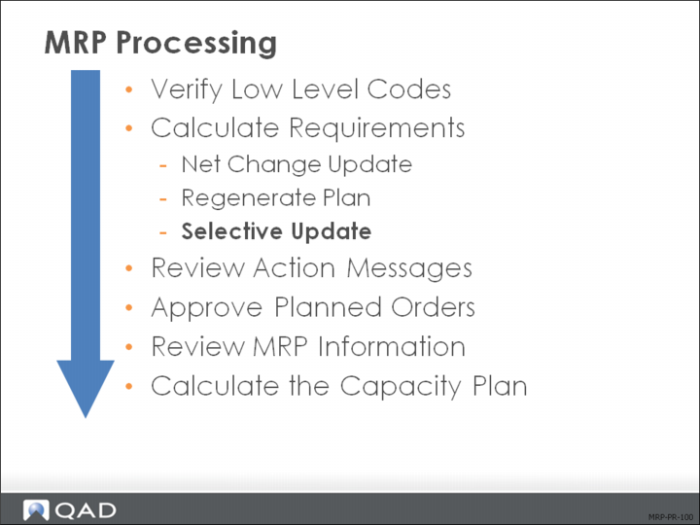
Selective Update
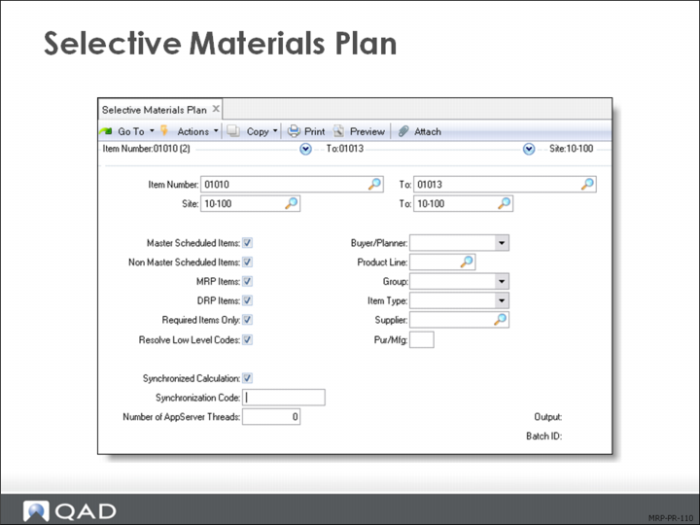
Selective Materials Plan
Selective Materials Plan (23.3) plans only for items and sites you select. It can be run in net change mode by setting the Required Items Only field to Yes, or in regenerative mode by setting Required Items Only to No.
You can use Selective Materials Plan to plan master schedule items separately from other items. You can also plan small groups of items by using buyer/planner, product line, group, type, supplier, or any combination as selection criteria.
Guidelines:
• Limit program use to master schedulers only.
• This program plans down one level only.
• You can use Selective Materials Plan (23.3) to plan master schedule items separately from other items. You can also plan small groups of items by using buyer/planner, product line, group, type, supplier, or any combination as selection criteria.
In the selection fields, enter data for the criteria relevant to your needs; bypass fields by leaving them blank.
Field Definitions
This section describes the key fields in Selective Materials Plan (23.3).
Item Number/To
Enter the range of item numbers that you want to update.
Site / To
Enter the range of sites that you want to update.
Master Scheduled Items
Yes: Replan those items with Master Sched set to Yes in Item Planning Maintenance (1.4.7).
No: Ignore these items.
Non Master Scheduled Items
Yes: Replan items with Master Sched set to No in Item Planning Maintenance (1.4.7).
No: Ignore these items.
MRP Items
Yes: Replan items with Plan Orders set to Yes in Item Planning Maintenance (1.4.7).
No: Ignore these items.
DRP Items
Yes: Replan distribution items. These items have Pur/Mfg set to D in Item Planning Maintenance (1.4.7)
This field can only be set to Yes if the DRP/MRP Combined field is set to Yes in DRP Control. Typically, these items are planned using DRP calculations.
No: Ignore these items.
Required Items Only
Yes: Include only items marked for replanning. The system flags replanning whenever a change is made affecting order timing or quantity, including changes to:
Planning data
Inventory balance
Product structure
Purchase requisitions and orders
Sales orders
Work orders
Master schedule
Repetitive schedule
Forecast
No: Include all selected items.
Resolve Low Level Codes
Yes: Analyze and resolve all low level codes.
No: Ignore the low level codes.
Note: If low-level codes are unresolved when MRP is run, the results of the MRP run can be inaccurate.
Synchronized Calculation
Determines whether this MRP/DRP calculation runs simultaneously with other calculations sharing this synchronization code. Synchronized calculations benefit you if you have Symmetric Multiple Processor (SMP) computers.
Synchronization Code
A user-defined alphanumeric code that multiple, concurrent synchronized MRP/DRP calculations share.
Buyer/Planner, Prod Line, Group, Item Type, Supplier, Pur/Mfg fields
If you enter a code in any of these fields, MRP limits planning to items so flagged.