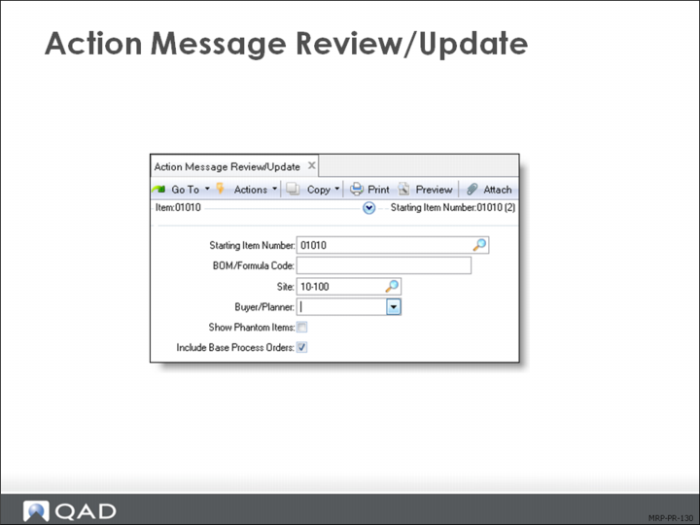
Message | Meaning |
Beginning Quantity Less Than Zero | Indicates that the initial nettable quantity on hand is negative. |
Beginning Available Less Than Zero | Indicates that the quantity on hand less safety stock is negative. |
Create | Indicates that a negative projected on hand balance requires creation of a supply order. This message is only generated if Plan Orders is No or if a new requirement appears within the time fence. |
De-Expedite | Indicates that a scheduled supply order is due before it is needed. Delay the order or reschedule demand rescheduled to an earlier date. |
Expedite | Indicates that a scheduled supply order is due after it is needed. Reschedule the order to an earlier date, or reschedule demand to a later date. |
Cancel | Indicates that a scheduled supply order is no longer needed. Delete the order. |
Release Due For | Indicates that a supply order is ready for release. If it is a planned order, approval is also required. Use the Order Release Horizon field in MRP Control (23.24) to specify the number of days before the order release date for this action message to display. |
Release Past Due For | Indicates that a supply order was not released when it was due. Either release or expedite the order now or reschedule demand for a later date. |
Quantity Less than Minimum | Indicates that a supply order was created for a quantity less than the minimum quantity set in the item planning data. |
Quantity Exceeds Maximum | Indicates that a supply order was created for a quantity greater than the maximum quantity set in the item planning data. |
Past Due | Indicates that a scheduled supply order receipt is past due. |
Time Fence Conflict | Indicates that there is an unsatisfied material requirement inside the planning time fence for this item. Either manually schedule and expedite orders to fill this demand or delay fulfillment of the requirement that created the demand. |
Shipment Due | Indicates that a shipment for an intersite request item is due. Act at the source site to ensure that the order is received on time. |
Shipment Past Due | Indicates that a shipment for an intersite request item is past due. Either delay the orders that created the requirement for the item or expedite them when the item does arrive. |
No Source Of Supply | Indicates that the planning data for an intersite request item does not specify a valid source network for the date an intersite request is required. |
Planned Order Count Exceeds Maximum | Indicates that the item site has generated the maximum allowable number of 9999 planned orders per day. Calculation for other items is not affected. |