Calculate the Capacity Plan
Recalculating the Capacity Plan
Capacities and Load
The capacity plan is recalculated after an MRP run. CRP looks at the available hours or machines for departments and work centers. CRP then loads the work center by locating all orders that meet the selection criteria and applies them to operations by start date, using backward scheduling from the orders’ due dates.
Note: This recalculation takes some time to process. Consider submitting it in batch mode.
Additional discussion in Training Guide: Work Centers, Routings, and WO Subcontracting
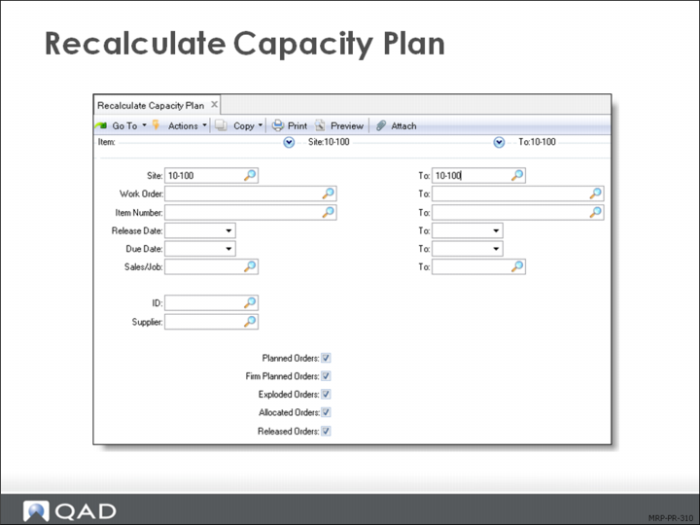
Like selective MRP, CRP is restricted to certain ranges of sites, items, and other factors as seen on the Recalculate Capacity Plan selection screen. Like selective MRP, be aware of what you are leaving out of the capacity plan.
Recalculate Capacity Plan
CRP Planning
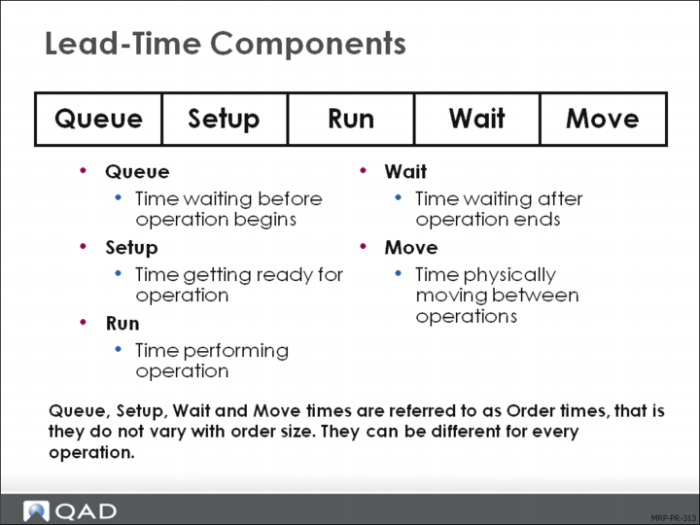
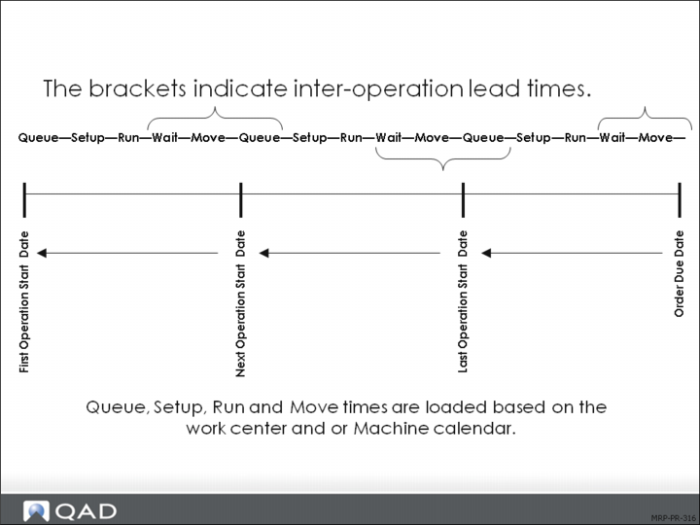
CRP uses different logic than MRP to calculate load. MRP offsets from a demand due date the fixed lead time to arrive at a release date for the supply order. CRP calculates from the same due date, but backward schedules all the five elements of lead time from the specific work order route, which is based on the work order quantity. CRP does this calculation for each operation.
Each element of lead time is added up backwards from the order due date. Each work center/machine has its own calendar. The system uses the actual order quantity, which is sometimes different from the standard order quantity.
In addition, the machines per operation and operation overlap values from the route also effect the lead time calculation. For these reasons, it is entirely possible for CRP to calculate a first operation start date before the order release date from MRP. This situation generates CRP action message.
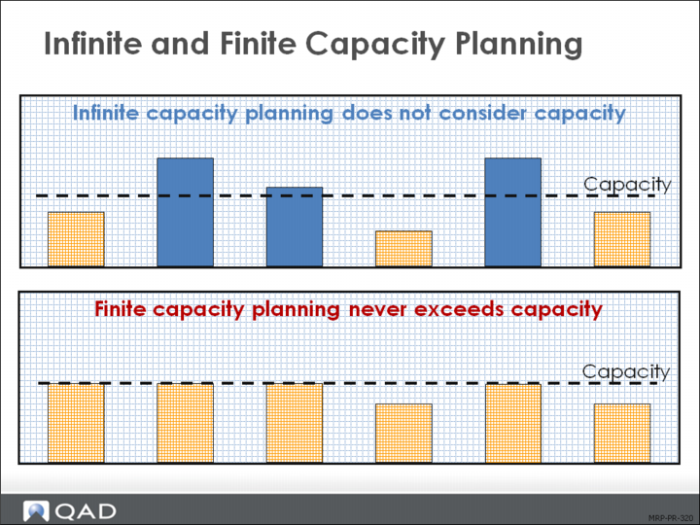
Infinite and Finite Capacity Planning
Infinite (Unfixed) Capacity Planning
QAD Enterprise Applications CRP uses infinite loading to schedule operation and work center production loads based on work order due dates:
• No work order routing dates are changed to accommodate insufficient capacity
• Loading continues into the future without regard to capacity
Finite (Fixed) Capacity Planning
Finite capacity planning assigns no more work to a work center than the work center can be expected to execute in a given time period. The Advanced Repetitive Workbench uses finite loading:
• Loading to finite capacity extends deliveries; as a result, the Master Schedule requires changes.
• Finite capacity looks at capacity and determines how much to produce, or how long it takes to produce it.
The Plan
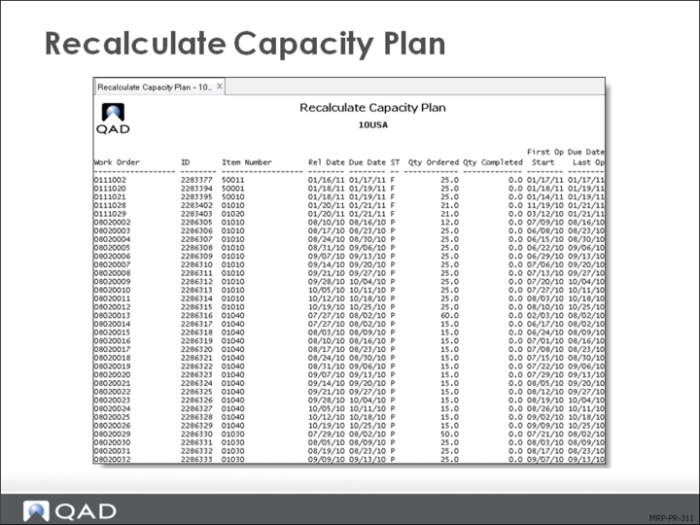
The capacity plan is sorted by:
• Work order and item
• Work order due and release dates
• Quantity ordered and quantity completed
• CRP-scheduled start and last operation dates
The CRP indicates:
• No Routing for orders that cannot be exploded
• Op Conflict difference between operation start date and work order release date
Department and Work Center Capacities
The resources used to process orders on the shop floor are work centers, departments, and machines. The capacity of a department or work center is the time available for production in that location.
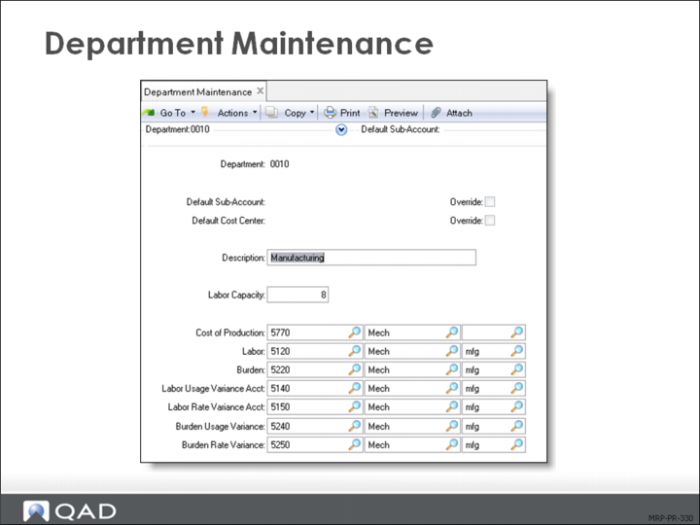
The capacity of a department is the total number of available labor hours per day for all work centers in that department, as defined in Department Maintenance (14.1), shown.
High level rough cut capacity information can be obtained using Department Load Summary and Detail Inquiries.
Consider this situation:
• A department has four work centers
• Each work center has four people
• Each person is available to work for 7.5 hours per day
The total labor for the department per day is 120 hours. (4 x 4 x 7.5 = 120) This assumes that the labor in a department is relatively interchangeable between work centers.
Note: The labor capacity field is the only field that capacity planners or shop floor personnel maintain. Restrict all the account codes fields to appropriate finance personnel. See the appropriate user guide for information on implementing role permissions and security:
• In EE, see User Guide: Security and Controls
• In SE, see User Guide: Manager Functions
Work Center Maintenance
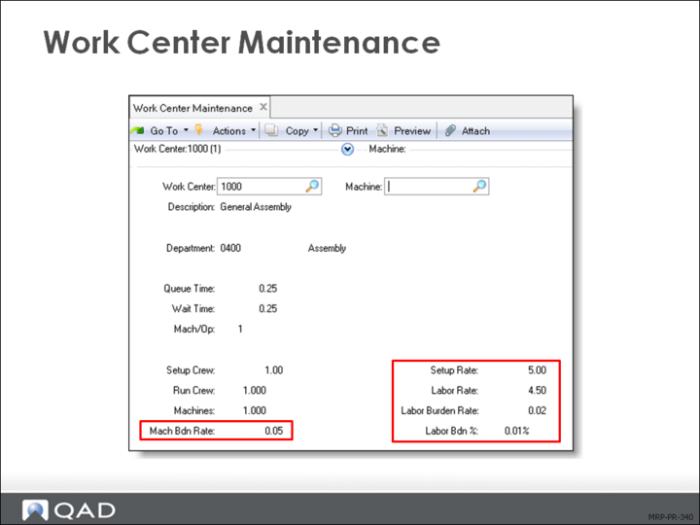
The capacity for a work center is the number of machines or personnel available for that work center, as defined in Work Center Maintenance (14.5). This value is multiplied by work hours, as defined in Calendar Maintenance (36.2.5).
If a work center or machine is over or under-loaded, you can modify either its capacity, the timing, or amount of the load. For example, a work center with a 7.5m day and five interchangeable machines has 37.5 hrs/day of capacity.
Capacity
Adjust capacity using one of the following functions:
Calendar Maintenance
Holiday Maintenance
• Add or subtract workday hours as needed for work center or shop calendars
Adjusting Load
Adjust the timing or amount of load by modifying:
Work order due dates
Operation lead time components
Repetitive schedules
Note: If you manually adjust operation start and stop dates, CRP reschedules them the next time it is run.
In addition, repetitive schedules sometimes have multiple shifts and each shift sometimes has a productivity factor that increases or decreases the line production rate.