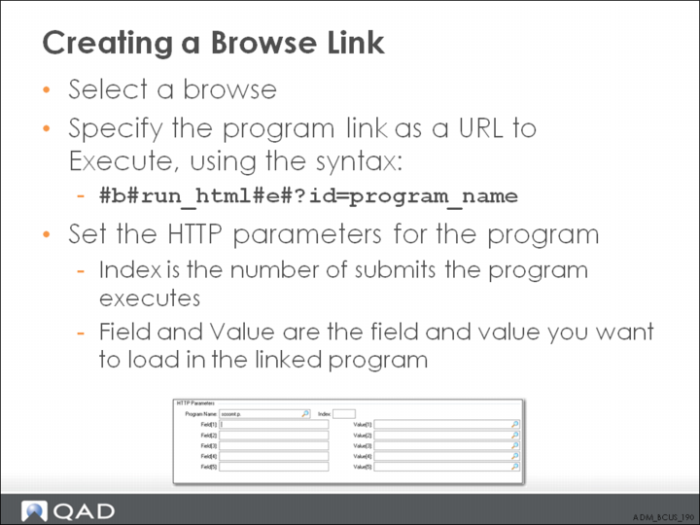
Creating a Browse Link
The index field is used to store the number of times the program will execute an Enter action (similar to pressing the Next button).
In simple maintenance programs, this is set to 1 to simply enter the key field values and access the fields that can be maintained in the linked record. More complex maintenance programs may have multiple sets of input prompts to be processed to access the frame of maintainable data.
For example, the first prompt for data in addkmt.p requires a value for the field Shipto. The program link record provides the value of ad_ref from the browse and executes the first Enter action.
The next prompt for data in the maintenance program requires a value for the field ad_addr and the browse link provides the value of ad_addr from the browse and executes a second Enter action. This advances the maintenance program to its frame of maintainable data for the user. Each time the program asks for data to be entered, the browse link logic offers up the fields it has and if the field names it has data for matches one of the fields the program is looking for, the field value is provided and an Enter action is executed (if any are left to execute).
Use the Field field to enter the name of the variables that the target program is using to prompt for data. This information can be found by executing the program, advancing the cursor to a field of interest, and pressing Ctrl+F.
The value fields (Value[1], Value[2], and so on) are the variable names from the browse providing the data and must be contained within #b# and #e#. The browse link logic uses these tags to parse out the value of the field from its record buffer.
Example:
Field[1]: shipto; Value[1] : #b#ad_ref#e#
Field[2]: ad_addr; Value[1] : #b#ad_addr#e#
Important: Progress has a limit in the size of the data that can be stored in an index. In versions prior to 10.1B, the limit is around 200 characters (the sum of all the data contained in the fields of an index of a record). This limit has been increased to around 2000 characters in version 10.1B and beyond. Within browse link functionality, you are restricted to the 200-character limit unless you have upgraded your version of Progress. This limits the number of parameters that can be defined in a browse link, usually to four or less, although a fifth parameter is possible if the names of all of the involved fields are small.
Exercise