Work Order Status
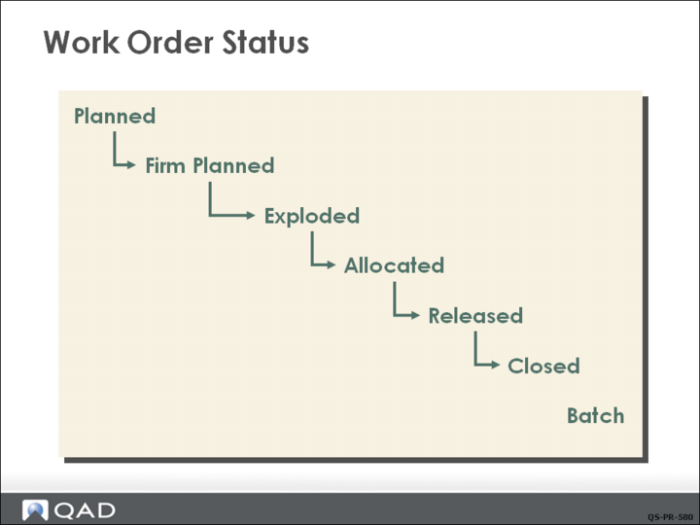
Work order status codes correspond to stages in a work order’s life cycle.
• A standard work order is usually created by MRP, which treats the work order as a source of supply. At this point, the order status is Planned.
• When someone reviews the MRP output and confirms the order, it is Firm Planned. Any work order created manually is by default Firm Planned.
• The supply created by the work order also generates demand for component items; when that demand is calculated, the work order is Exploded.
• At this point, the demand represented by the order has not affected inventory; when inventory is set aside for the order, it is Allocated.
• When work is ready to begin, the work order is Released.
• When work is finished, it is Closed.
The status of a work order determines how much control you have over its bill, routing, inventory allocations, inventory transactions, and labor feedback.
• You cannot make any changes to orders with status Planned. These are managed by MRP.
• For orders with status Firm Planned, you can change the dates and quantities as needed, and specify an approved alternate bill or routing
• For orders with status Exploded, Allocated, or Released, bills and routings can be modified or alternate ones specified
A work order progresses from one status code to the next and, unless prematurely released, does not return to an earlier status. Most orders will progress from status firm planned to released in one step using the function Work Order Release/Print.
Note: Manually exploding a work order is a special case usually done to capture the current bill of material before an impending engineering change. Manually allocating a work order is often done to consume the last of a component item that is being phased out. In this case the inventory of the component would be allocated for that specific order.