Work Order Routing
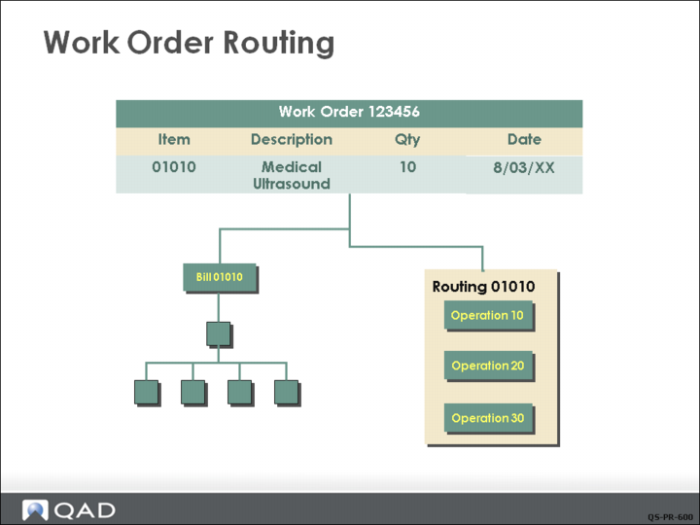
Work order routings, identified by routing codes, specify the operations, or steps, required to manufacture an item. You set up routings and operations using the Routings/Work Centers module. Routings are automatically linked if the item number and routing number are the same. Or, you can manually link them in Item Master Maintenance or Item Planning Maintenance.
When a work order is created, the standard routing is copied into it. As work progresses, required changes can be made to this copy using Work Order Routing Maintenance (16.13.13). This way, what actually happens can be compared to the standard. You can monitor work order operations using the Shop Floor Control module.
Once the work order routing is created, changes to the item routing do not affect the work order.
Together the work order bill and routing let you capture “as built” documentation and otherwise record what actually occurred as opposed to what was planned. This does not prevent manufacturing variances but it does explain them.