Ship Sales Order: Review Lines
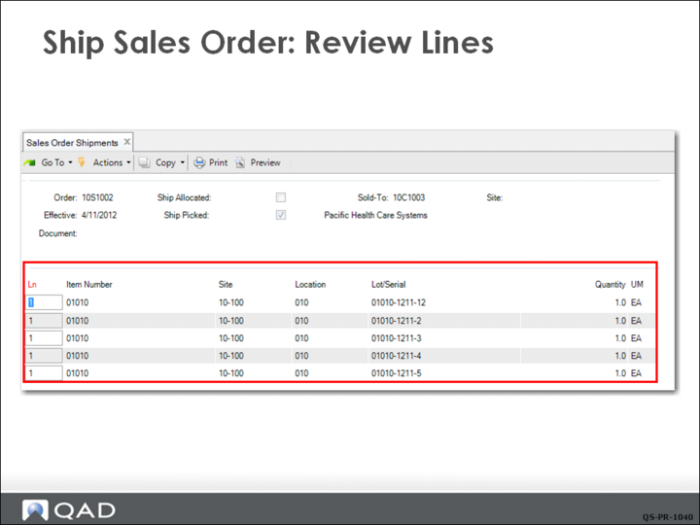
The system displays the items to be shipped for final review. Click Next and a dialog box displays asking if all information is correct.
If the information is not correct, click No and the system returns to the previous frame where you can make corrections. Click Yes to advance to the trailer frame.
Ship Sales Order: Trailer
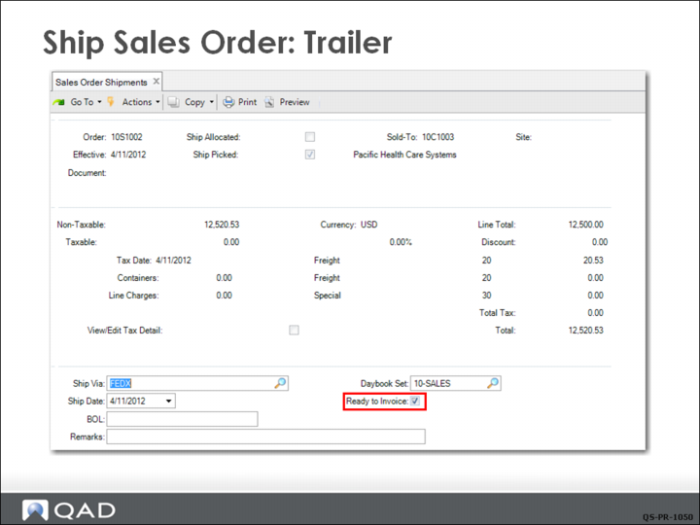
When you exit the line-items frame, the system brings up the trailer frame for taxes, freight, or other charges that apply to the entire order.
Note: Three trailer codes can be displayed on the trailer. The codes are set up in Trailer Code Maintenance (2.19.13) where they are linked to the appropriate GL accounts. You can set up as many trailer codes as you need but only three can be displayed at a time.
In this example, you can see that a freight charge has been added to the order total.
The CSR selects Ready to Invoice and clicks Next, which completes the sales order shipment process.