Add Purchase Order: Line 1 (60003)
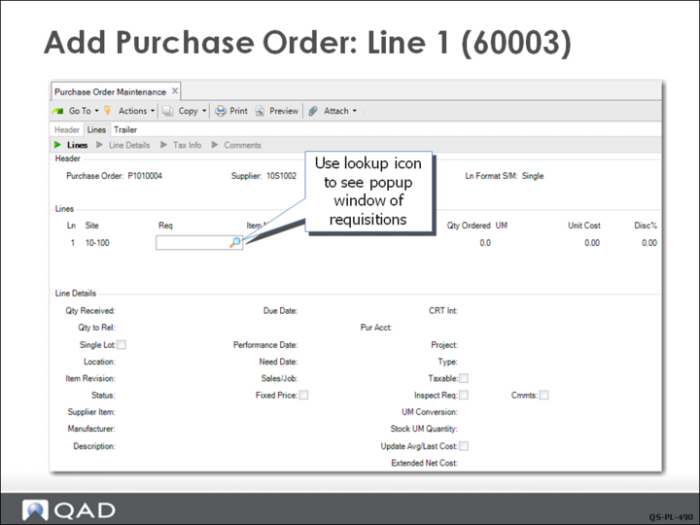
To create a line, the buyer only needs to enter the requisition number for the item (using the lookup) and the remaining fields are filled in based on the requisition. Using the requisition lookup, double-click the requisition number to add it to the PO. Then click Next until you cycle back to the line number field for the next item.
Note: Once a requisition is added to a PO, the requisition record is deleted. It now exists only as purchase order line item.
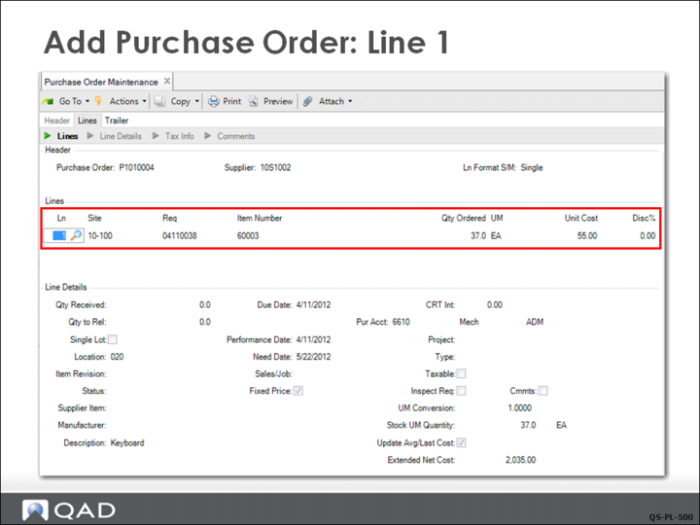
Line 1 for item 60003 is shown here; the data defaults into the PO line from the requisition. If buyers have authority, they can override the requisition information and manually adjust the PO line item quantities, due date, or cost and discount. Buyers often, for example, have authority to increase the line item quantity slightly in order to get a quantity discount.
The buyer adds two more requisitions to the order before exiting the lines to complete the trailer.