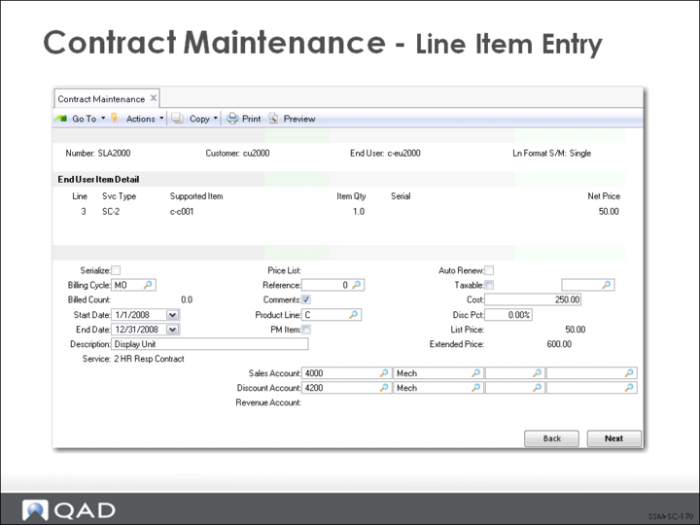
Contract Maintenance - Line Item Entry
Each end user on a contract can have multiple items, each with a different service type.
Some of the line item values are as follows:
Service Type
Defaults from header but can be changed.
Supported Item
Enter the item to be covered by this contract. Items are validated according to the settings in Service Management Control for Items Must Exist and Items in Installed Base. An item can be covered only by one contract at a time.
Item Qty and Serial
A serial number must be specified if the item is defined in the item master as serial number controlled. For quantities greater than 1 and this is a serialized item, leave Serial blank and specify Yes to the Serialize field in the detail. You can then enter multiple serial numbers in a pop-up window.
Net Price
Defaults from the price list in effect; otherwise, it is zero. You can change the price. The net price indicates the price per unit for one month of coverage for this item. The extended price for an item is calculated by multiplying the item quantity by the Net Price per unit by the number of coverage months.
Line-item Detail
Each individual line item can have a unique start and end date for coverage, although they cannot be outside the range defined by the header dates.
PM
Enter Yes to schedule preventive maintenance visits for this item.