CAR Header
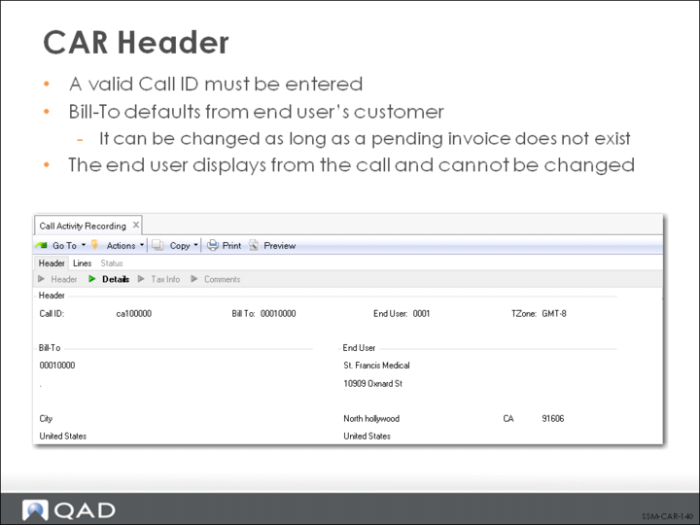
As shown above, the user must enter a valid Call ID to begin the CAR process. If the call specified has the complete status, a warning message displays. If the call has the closed or hold status, none of the activity recording frames display. The Call Line Status frame displays immediately, so that you can modify the status of the line to be changed. This is followed by the Call Status frame, so that the call status can be modified.
The Bill-To defaulted from the Bill-To associated with the call end user’s customer; however, this can be initially modified. Once a pending invoice exists for the call, the Bill-To cannot be changed. If a call has been taken for a temporary customer (as defined in the Temporary Customer field of Call Management Control) and the value of Call Activity with Temp is No, no activity can be recorded for the call until the end user is associated with a valid customer. The End User defaults from the call record and cannot be changed.
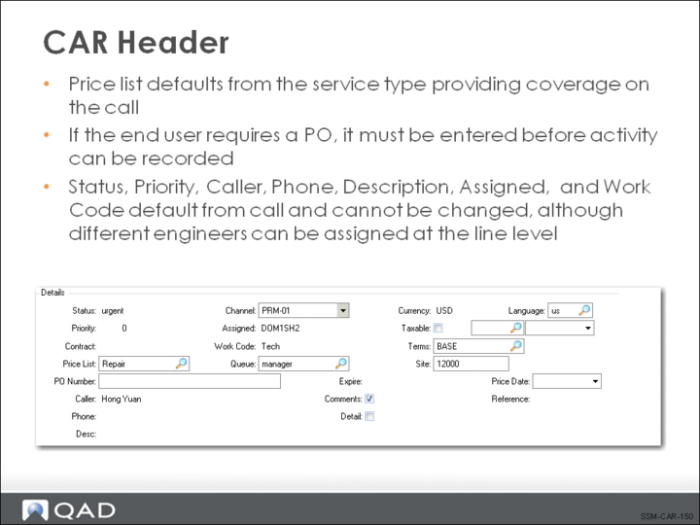
Notice that the lower header frame displays information that helps define the call, such as call priority, status, price list, a brief description, who has been assigned to the call, and the work code assigned to the first item on the call. Most of these fields default from the call and are display only, although some can be changed.
Other fields may require the input/modification of information not available in Call Maintenance, such as the taxable status, terms, site, and detail level.