CAR Item Selection Frame
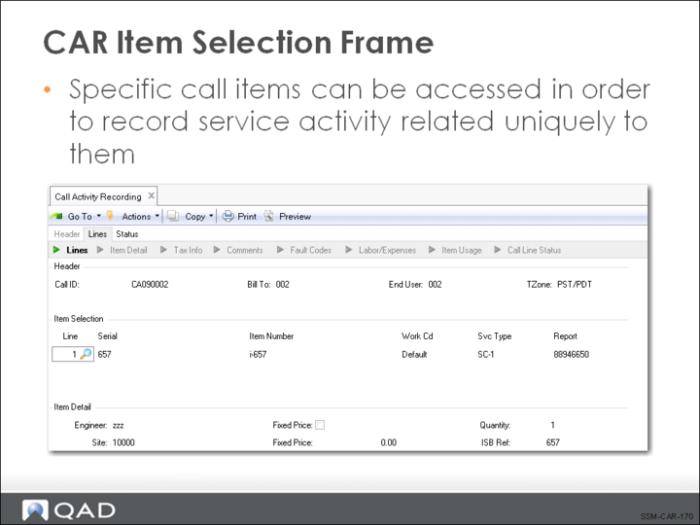
As you leave the first set of frames, the system determines how many items exist in the call record’s detail. The Line column always shows the last line on the call so that it is easy to see initially how many lines exist.
The call line information is automatically brought in from the call record and displays under the appropriate column heading: line number, serial number, item number, work code, and service type.
1 The lot/serial number, item number, quantity, and installed base reference number uniquely identify this line item. You can add more line items directly in CAR if you want. If you do, they are subject to validation against the control settings you have defined in Service Management Control (Items in Installed Base and Items Must Exist).
2 The Work Code defaults from the work code specified for this call line in Call Maintenance. For a new line, it defaults to the work code specified on the call header. The value specified here defaults into the Labor/Expenses and Item Usage frames, indicating the type of work performed for each labor operation, expense, and item consumed. If contract limits have been set up using work code/service category combinations, this work code is used to determine the applicable limit.
If the work code has been defined with Fixed Price set to Yes in Work Code Maintenance, the Fixed Price field in Call Activity Recording defaults to Yes, and cannot be changed. This means that the service price is calculated at the fixed rate regardless of the actual cost of service. The system looks on the call price list for a price with the fixed price unit of measure (as specified in Call Management Control).
3 Service Type defaults from the service type specified in Call Maintenance for this line. For a new line, defaults first from a warranty or a contract covering this particular item. If the item is not covered, defaults from the Default Call Service Type specified in Call Management Control. This field cannot be updated once a report for the item has been opened.
4 Report is an important field in CAR. The report is the logical entity that organizes detailed usage records. This field can be manually assigned or automatically generated by the system. To create a new report, enter the new number or clear the existing one for the system to supply one. You can use the up and down arrow to scroll through any reports that exist for this line item. The automatic number defaults from the Next ID field (work order lot ID) in the Work Order Control (16.24).