Processing in CIR
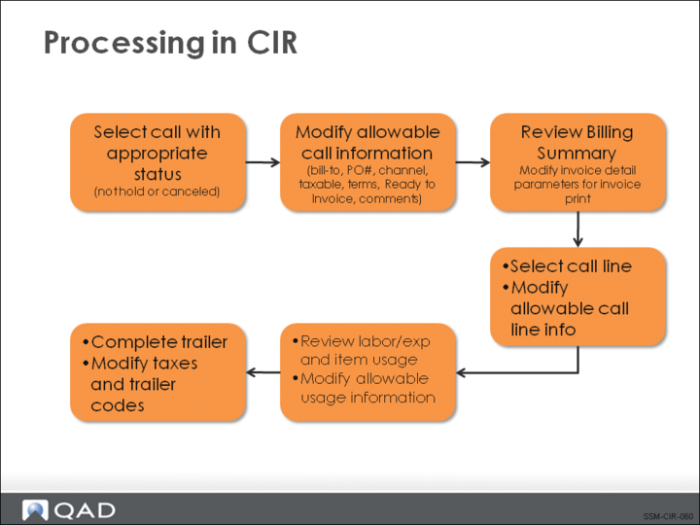
This figure outlines the main processing steps in Call Invoice Recording:
• First, a call is selected and header information can be reviewed and modified.
• Next, the summary frame displays with a global view of costs and billing for the call.
• You can then select a particular line for review and view the labor, expense, and item usage details as recorded in CAR.
• After exiting the item selection screens, you can update trailer codes and taxes to finalize the invoice amount.