Printing Invoice Detail
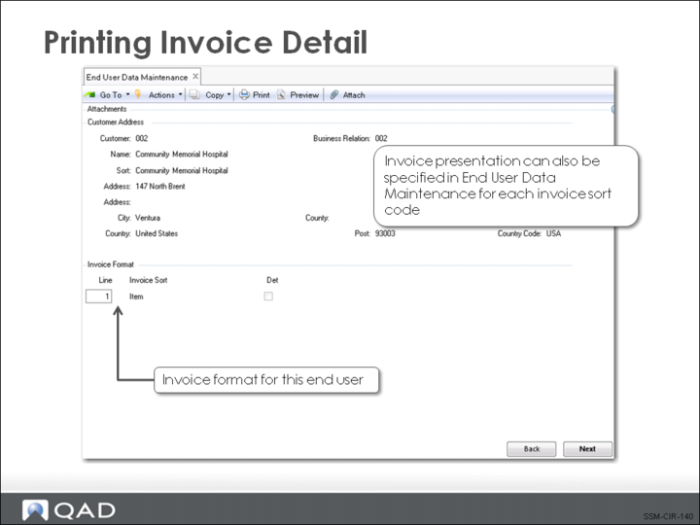
This figure illustrates how the detail setting for an Invoice Sort can be customized in End User Address Maintenance.
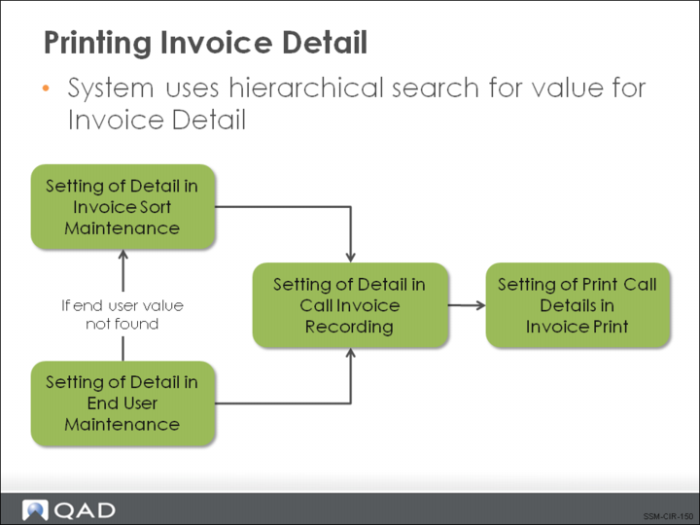
Since the invoice detail field can be set in more than one place, the system follows a defined pattern in looking for a value:
1 It looks first at the value for the end user.
2 If this is not defined it looks at the value defined for the invoice sort in Invoice Sort Maintenance.
Either one of these settings can provide the default value in Call Invoice Recording.
3 If the invoice is generated in Call Invoice Recording, the value for Invoice Detail is read directly from CIR. If the user has modified defaults previously, the modified values are used.
4 When the invoice is printed, you can choose to print the detail (either complete or summarized) or simply print the call line items and the amounts recorded.