Receiving an RTS Transfer
RTS Maintenance is used for two functions: sending the item needing repair back to the supplier and receiving the refurbished item. Corresponding to these functions, there are two frames in RTS Maintenance with a similar appearance: one for sending an item to the supplier and one for an item returned from the supplier. The frame titles in RTS Maintenance help you to remember which function is being executed.
The Inventory Receipt field functions just like the Inventory Issue field. When you have a matching issue and receipt line on an RTS, Inventory Issue and Inventory Receipt must be set the same for both, so they both affect inventory in the same way.
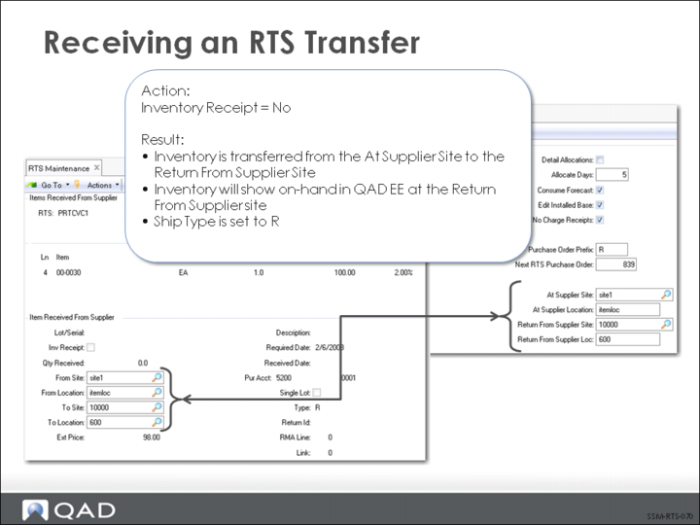
Setting Inventory Receipt to No means you are going to transfer inventory from the At Supplier Site and Location to the Return From Supplier Site and Location. You can determine these settings line-by-line.
In this figure, Inventory Receipt is set to No, indicating the item will simply be transferred. Notice how the From site and location default to the At Supplier Site and Location; the To site and location default from the Return From Supplier site and location.