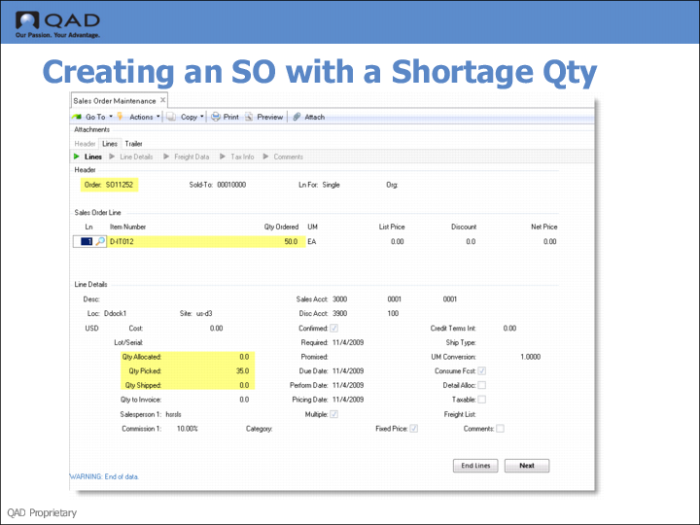
Step 1: Creating an SO with a Shortage Quantity
Use Sales Order Maintenance (7.1.1) to create a sales order with a shortage quantity. Create a new order, then add a line item for the order; for example, for item D-IT012.
Fields
Qty Allocated
Enter the number of items to allocate for this order line. There are two allocations:
• General allocations allocate the required quantity of the item.
• Detail allocations specify the site, locations, lot/serial numbers, and lot references for the allocated quantity.
Allocations reserve inventory for this order so it is not available for other orders in the system. Allocations also control shipment quantities when there are not enough items to fill all orders. You can choose to ship the quantity allocated or the quantity picked.
The total of quantity allocated, plus quantity shipped, plus quantity picked cannot be greater than the quantity open on the line item.
Qty Shipped
Read only.
Qty Picked
Read only.