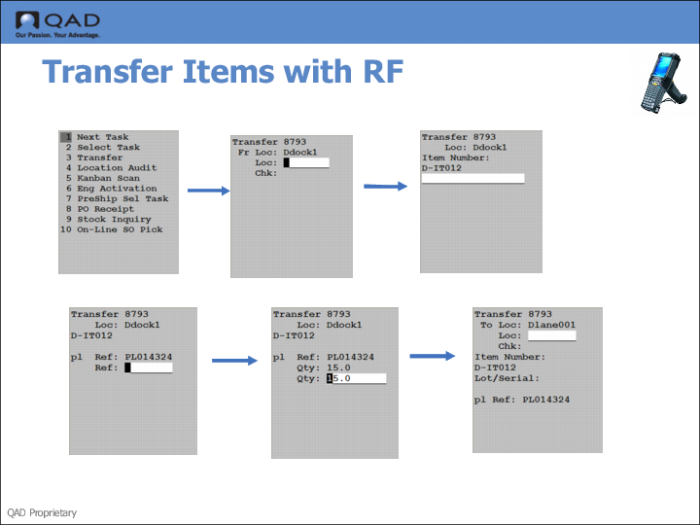
Step 5: Transfer Items with RF Device
Use the RF Next Task (1.1) option to transfer items from the receipt area to the dispatch area, which typically are the shipping lane locations.
1 Log onto the RF device, entering the site, warehouse, and other login data.
2 Select Next Task (1.1).
3 Enter the location of the receipt area.
4 Enter the item number, then the pallet reference number.
5 Enter the quantity to transfer to the dispatch area.
6 Enter the dispatch area location (shipping lane).