Routing Maintenance
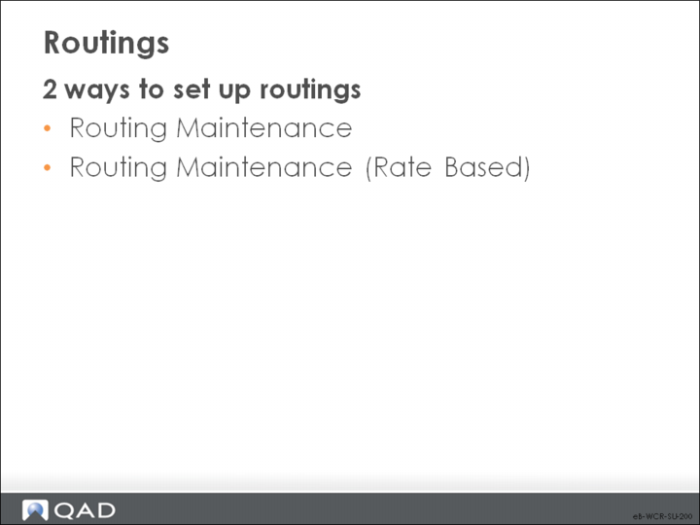
Types of Routings
• You have two ways to set up routings:
• Routing Maintenance requests the time to produce one item
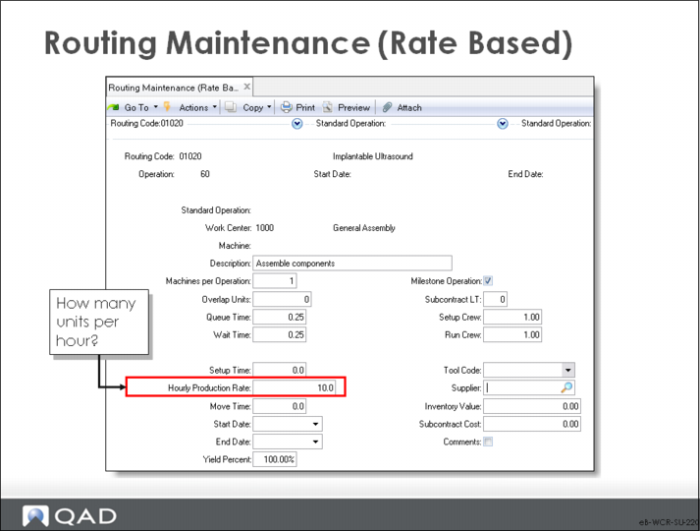
• Routing Maintenance (Rate Based) requests how many items per hour
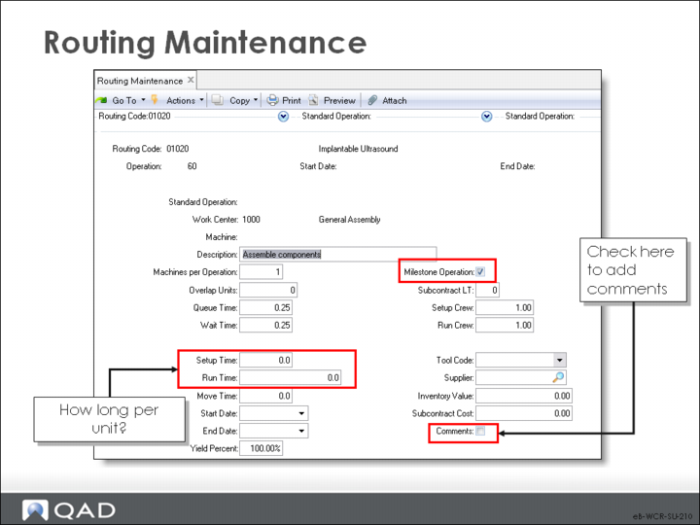
Routing Maintenance
Each routing or process consists of one or more operations.
Field Definitions
Most of the fields contain default values from the work center or from standard operations. Here we cover only those fields unique to this screen.
Routing Code
This code usually matches the item number of the manufactured item, but it can be different for alternate routings or for similar routings or processes at different sites.
When it is different, you attach the routing code to its product in Item Planning Maintenance or Item-Site Planning Maintenance.
Operation
Operation numbers identify steps within a specific routing code. Each routing or process includes a series of steps. Routing operations are accessed whenever a work order is created and printed. Operation information can be changed on any work order
To report labor, enter an operation number. At least one operation is required to process repetitive labor feedback.
If you delete an operation from a routing, also close any outstanding cumulative orders using the routing in the repetitive module. This action prevents reporting labor against the operation.
• Number operations by 10s or 100s, so you can add new steps without renumbering existing operations. If you have operations 10, 20, and 30 and another operation is required after operation 20, it can be entered as operation 25, for example
In a repetitive environment, this operation number is referenced in the product structure to show that the item is backflushed from that operation.
Start Date/End Date
Routing steps can be defined as effective over a period. Starting and ending effective dates define that period. You enter the start date at the top of the screen and the end date at the bottom. These dates are inclusive and cannot overlap.
You can leave either or both fields blank
Using effective dates enables you to phase in engineering changes and maintain history on-line.
Nonblank start and end dates determines when to include and when to exclude this step on the routing. Functions that reference the routing always use the routing steps in effect on the current date. Most reports and inquiries can be selected for a specific effective date
To switch one step for another, add the new step and give it a start date in the future. Then specify the end effective date for the existing step as the day before the new one is to take effect.
Standard Operation
• You can enter a standard operation here when you create the routing, but after that time the field is protected and you cannot modify it.
Run Time
This value is the time required to manufacture one unit. Routing Maintenance (Rate Based) requests how many units can be produced per hour.
Routing Maintenance (Rate Based)
Use this program to create routings with run time expressed in units per hour. Except for this value, it is the same as Routing Maintenance.