Processes
• A process is, like a routing, a systematic sequence of steps producing a specified result
• Processes add value by mixing, separating, forming, and/or using chemical reactions; they can be done in either batch or continuous mode
Process Definition
You set up processes as you do routings.
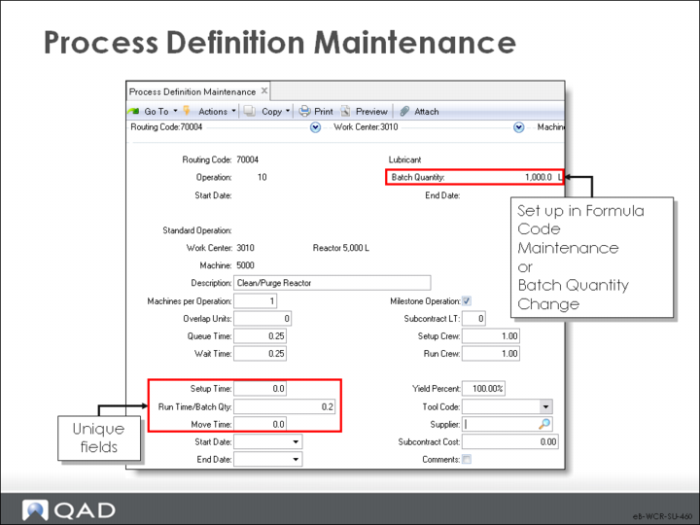
Process Definition Maintenance
The fields in this screen correspond to the fields in Routing Maintenance.
Run Time/Batch Qty
The time (in decimal hours) it normally takes to process one batch at this operation. Run times are used to calculate item/product cost and lead time, and by planning to schedule operations.
Process operation run times are always entered in terms of the batch quantity for the item/product. Set this first using Batch Quantity Change because the system uses this value to calculate the run time per unit and stores this value along with the batch quantity.
When the Batch Quantity Change function is run, runtime per batch is automatically recalculated based on the new batch quantity and the new batch quantity is recorded.
Before setting up the process, you can use Formula Code Maintenance to define batch quantity, but afterwards, use Batch Quantity Change.
Setup Time
The standard time, in decimal hours, it takes to prepare this work center to carry out this operation, independent of quantity
Run Time/Batch Quantity
The time, in decimal hours, it normally takes to process one batch at this operation. Run times are used to calculate item/product cost and lead time, and by planning to schedule operations
Note: QAD Enterprise Applications treats setup time as fixed and run time as variable.
In process industries, the reverse can be true, as in heating a product to a specified temperature; the heating time can vary depending on quantity, but the dwell time remains the same.
In this case, you can create one operation with a setup time of zero and the run time set to gallons times the time required for heating. Then you create a second operation with setup time set to equal the dwell time and the run time set to zero.
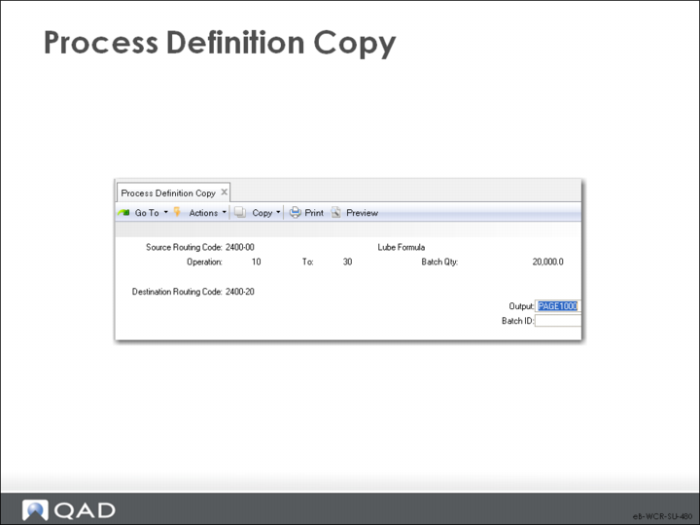
Process Definition Copy
Process Definition Copy creates a process definition by copying another one. This function is useful when items share similar operations or when creating alternates.
Source Routing Code
The routing code from which operations are copied.
Operation/To
Select a range of operations to copy. Leaving these fields blank copies all operations.
Destination Routing Code
The routing code into which selected operations are copied.
Process/Formula Maintenance
\
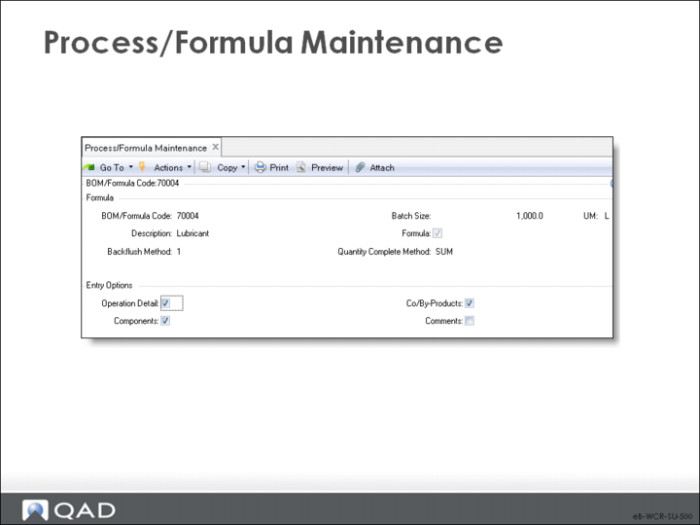
Process/Formula Maintenance allows you to enter formula, batch, and process information by operation. It is common in the process industry to have process sheets that define both the steps of the process and the materials that are used at each step in a single document. This function allows you to do the same thing.
Formula/BOM Code Screen
BOM/Formula Code/Description
Enter the code and description.
Formula
Indicates whether this item is a formula or a product structure.
Yes: This item is a formula. Normally only BOM codes flagged as formulas are listed on Formula reports and inquiries.
No: This item is a product structure, normally used in Product Structure functions or as a base process for Co-Products/By-Products.
Backflush Method
Provides the calculation basis to backflush components of the base process based on the received quantities of the Co-Products/By-Products. Value can be 1 or 2.
Backflush Method 1: The backflush (base process) quantity is calculated from the receipt quantities processed for all of the Co-Products/By-Products. This method calculates the backflush quantity based on the following:
• Quantities received for each of the Co-Products/By-Products
• Unit-of-measure conversion factors to convert Co-Product/By-Product quantities into base process units
Use method 1 when the quantity for a batch is directly related to the sum of its output. For example, for a process that sorts fruit into different sizes and grades, the batch quantity can be calculated from the total amount of fruit processed for all sizes and grades. This method is appropriate when there is greater variability in the output percentages for the various products
Backflush Method 2: The default backflush quantity is the order quantity for the base process work order. You can change the backflush quantity to reflect the actual quantity processed for a batch. Use method 2 when the batch quantity is closely related to the expected output of a particular co-product.
For example, for a process that makes ice cream, the batch quantity can be calculated from the amount of ice cream processed. Any by-products, such as waste water, would not be necessary for the calculation of the batch quantity,
Operation Detail/Components/Co/By Products/Comments
You determine which screens to display by entering Yes or No.
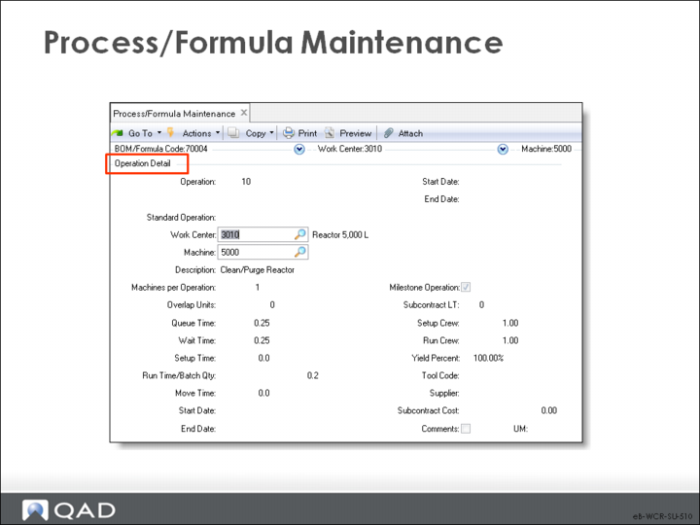
Operation Detail Screen
• The Process Operation Detail records information about the operations associated with the formula's process definition; it is the same as Process Definition Maintenance
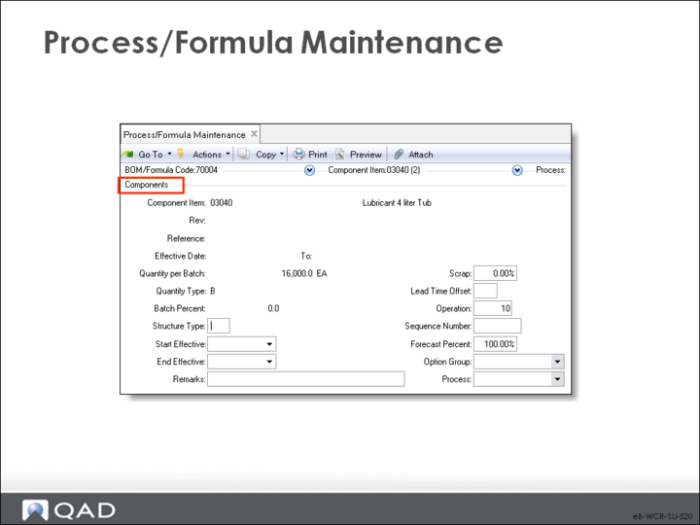
Components Screen
• The Formula Components screen records information about the components used at each operation; it is the same as Formula Maintenance.
Discussed in Training Guide: Product Structures and Formulas