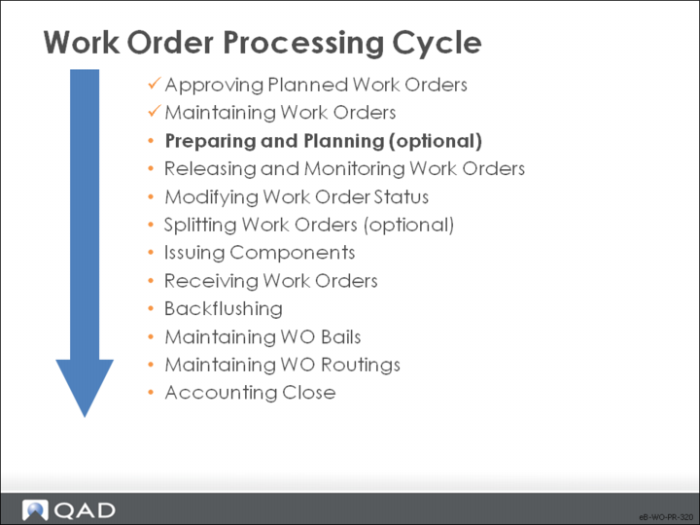
Preparing and Planning
Here we look at some functions to help you anticipate shortages before work order release and to monitor them afterwards. These shortages normally result from inaccurate inventory counts being entered into the system
You can check for shortages before releasing work orders with Work Order Component Check. Work orders cannot be released if there is a shortage of an item marked as critical.
You can review shortages after release with Work Order Bill Shortage Inquiry.
You can look ahead at production and work center loads with Work Order Dispatch Report.
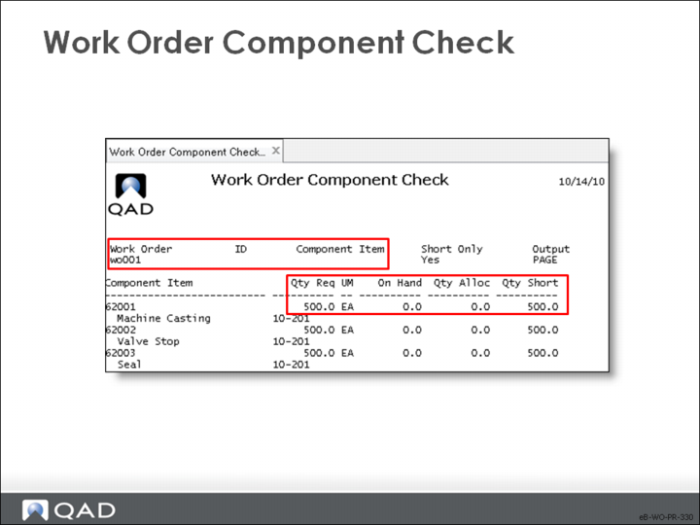
Work Order Component Check
To check availability of non-key items, use Work Order Component Check.
Work Order / ID / Component Item
Enter the relevant data or leave blank to view all orders and components
Short Only
• Yes: List only component items that do not have enough quantity on hand; the shortage amount is the quantity on hand less the quantity required
• No: List all components
Note: Use Simulated Picklist Item Check as an alternative.