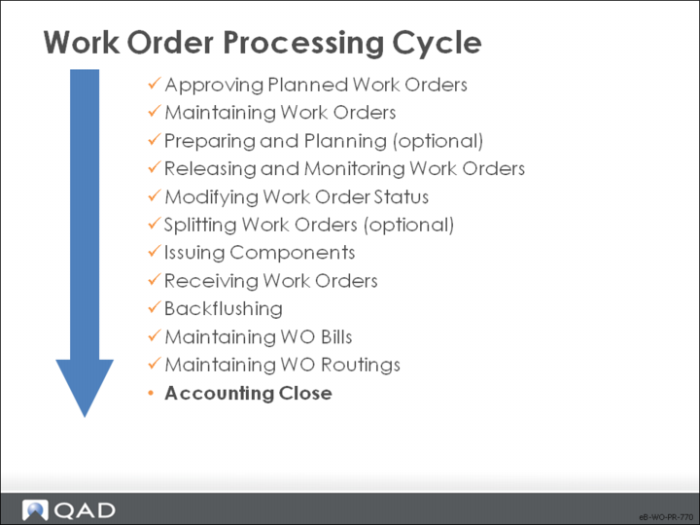
Accounting Close
We will examine WIP Material Cost Revaluation and Work Order Accounting Close.
WIP Material Cost Revaluation
WIP Material Cost Revaluation updates open work orders to reflect changes in GL material costs for components, preventing unaccounted for material rate variances during work order Accounting close. Component issues, labor reporting, and work order receipts update work-in-process value. Once the manufacturing order has been closed, the Accounting Close function calculates and posts variances and zeroes out WIP.
This process can take a long time; running it in batch mode is advised.
Standard component costs are recorded on work orders at release. When materials are issued to the order, the standard cost of those materials is posted to WIP from the work order bill.
• Use WIP Material Cost Revaluation when:
• Standard costs change after a work order is released
• Additional materials have been issued to WIP
WIP Material Cost Revaluation updates the work order bill with the currently effective GL cost. Any difference between the component issue Unit Cost and the standard cost is posted as a material rate variance. WIP Material Cost Revaluation does not update product structures or labor and burden costs.
Work order GL references begin with WO. General ledger transactions
• Debit the Work in Process Acct from the work order
• Credit the Material Rate Var from the work order
Note: WIP Material Cost Revaluation cannot be undone. Back up your database beforehand.
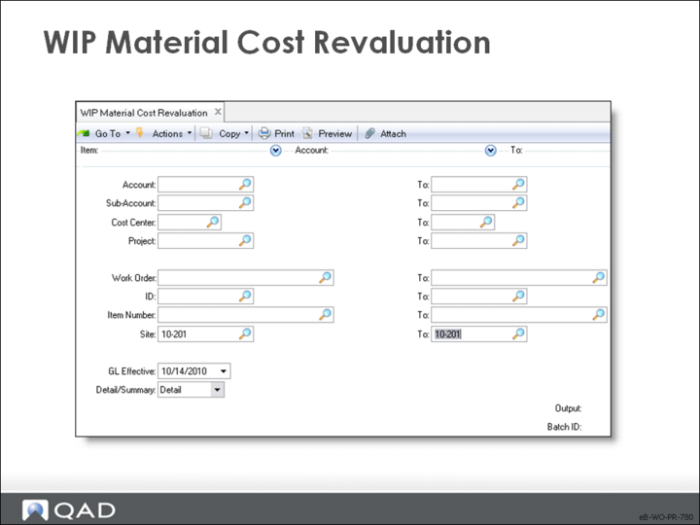
The fields identify the work orders to process.
Account
The general ledger account recording work-in-process value for this work order
Cost Center
The cost center (department) to be used to record work-in-process inventory value
Project
Optional code identifying the project for this work order
Work Order / ID
The work order and ID numbers
Item Number
The item being manufactured on this work order
GL Effective
The date when this transaction is to take effect in the general ledger. The default is the system date. the GL calendar is checked to ensure that the effective date is within an open fiscal period
Detail/Summary
Detail: Print details of each transaction, one page for each work order. Summary: Print transaction totals only
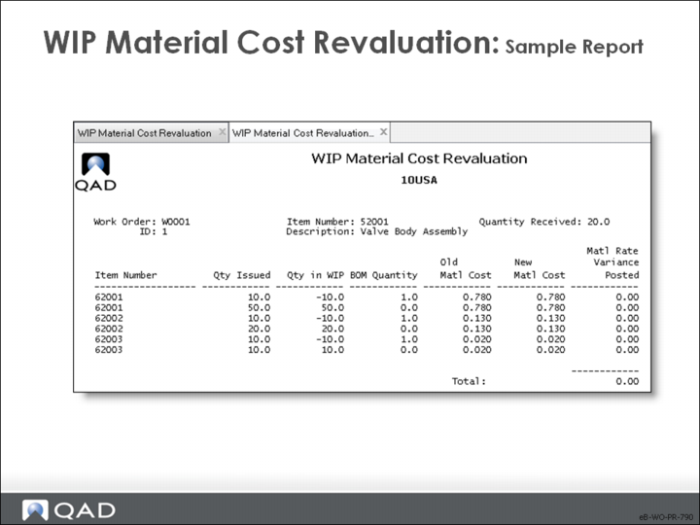
Sample Report
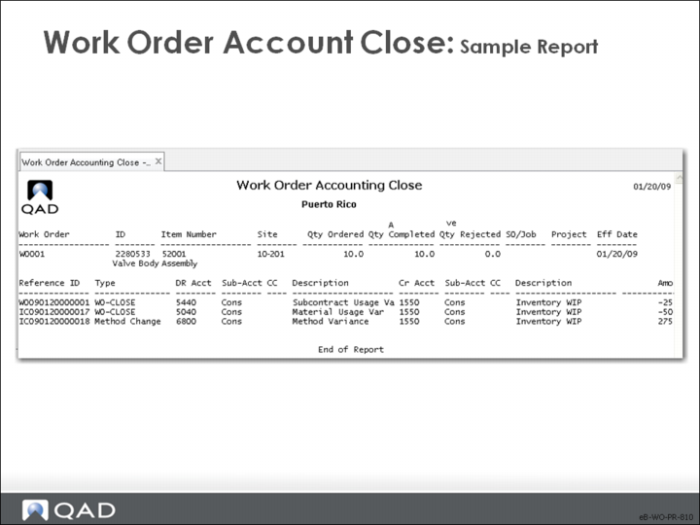
Work Order Accounting Close
This last step in the work order life cycle affects work orders whose finished items have been received, with a status of C for closed.
• Operations can be created in op_hist that do not appear on this report.
• Consider running this function separately for rework (type R) and expense (type E) work orders when variances require reclassification.
Accounting close goes through six steps:
1 For any closed work order, changes the status of any open work order operations to complete and posts the standard labor and burden based on the work order quantities completed. If no actual hours have been posted, the standard hours are posted as actual hours
2 Adjusts the quantity complete at any open operation, or at the following operation, where insufficient quantities were reported to total the sum of completions and rejects at work order receipt. If the total rejects reported on receipt are greater than those rejects reported at the operations, the difference is added to quantity complete at the final operation
3 Calculates material and subcontract usage variances. If 80 units were received but material was issued for 100 units, the excess material cost is posted to Material Usage Variance
4 Deducts floor stock WIP
5 Posts any amount remaining in WIP to the Method Variance account. This usually results from using a different work center for an operation or in-process losses such as labor for working on materials that were rejected
6 Updates current costs to reflect the actual cost of labor, burden, and subcontract
Note: The GL references begin with WO or IC and are transaction type WO-CLOSE
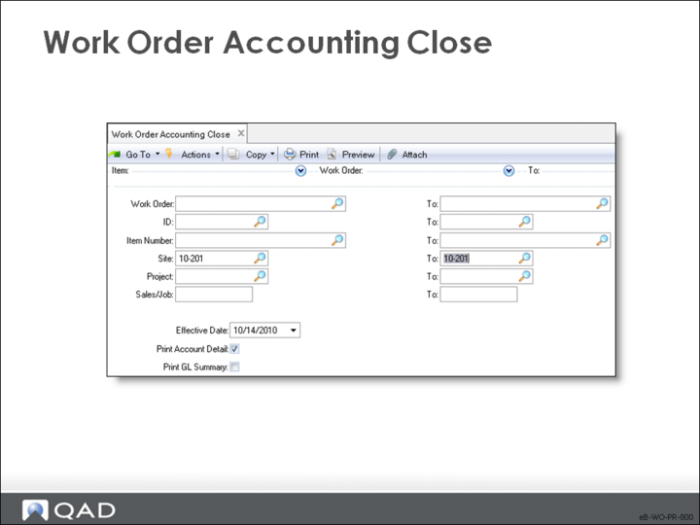
Work Order / ID / Item Number / Site / Project / Sales/Job
Use these criteria to select orders to close
Effective
The date when this transaction is to take effect in the general ledger; the default is the system date
Print Account Detail
Specifies whether to print the GL transaction detail by work order
• No: Print GL transaction detail. Output appears in sequence by work order number, ID, item number, site quantities ordered, completed and rejected, SO/Job, Project, and Effective Date for each work order
• Yes: Print the general ledger transactions in sequence by GL reference number showing the debit and credit accounts and amount of each WO-CLOSE transaction created for each work order.
Print GL Summary
Specifies whether to print a summarized list of general ledger amounts on this report
• No: No general ledger summary is required
• Yes: Print a general ledger summary
• The GL summary prints on the last page of the report, listing general ledger transactions in sequence by entity, account, sub-account, cost center, and project
• A consolidated debit or credit amount prints for each combination, with a summary total at the bottom
Note: Always set GL Summary to Yes when printing audit reports to file. It is also useful when researching general ledger transaction details. Use with Summary option to print only a short report with the GL Transaction summary.
Sample Report