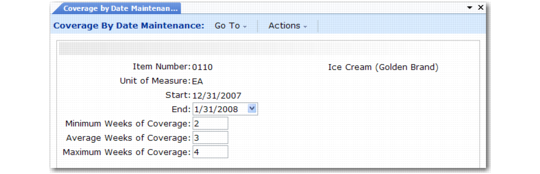
Setting Up Date-Specific Coverage Factors
To manage items with varying coverage levels, set up date-specific factors in Coverage by Date Maintenance (33.5.5). You must set up generic coverage factors before date-specific factors.
Coverage by Date Maintenance (33.5.5)
This program is similar to Weeks of Coverage Maintenance (33.5.1) but has two additional fields.
Start
Enter the start date for using this record in operations planning. The default is the system date.
End
Enter the end date for using this record in operations planning, or leave it blank.
Use two programs to review date of coverage factor data:
• Coverage by Date Inquiry (33.5.6) displays coverage factors by item, and purchase/manufacture code.
• Coverage by Date Report (33.5.7) enables you to select information for a range of items and start/end dates.