Imported Bank File Report
The Imported Bank File report (31.1.11) displays details on the status and allocation of imported bank files or batches of files. The level of detail included in the report enables it to be used for audit purposes.
The following are the report parameters:
• Filename
• Batch ID
• File Creation Date (From/To)
• Line Status
• Processed OK
• Processed with Error
• Not Processed
• Show Payment Details (Yes/No)
If you select Yes, the report displays the payment details for customer and supplier payments, and for banking entries allocated to payments.
Note: You must complete at least one of the Filename, Batch ID, or File Creation Date selection criteria; you cannot leave all three fields blank.
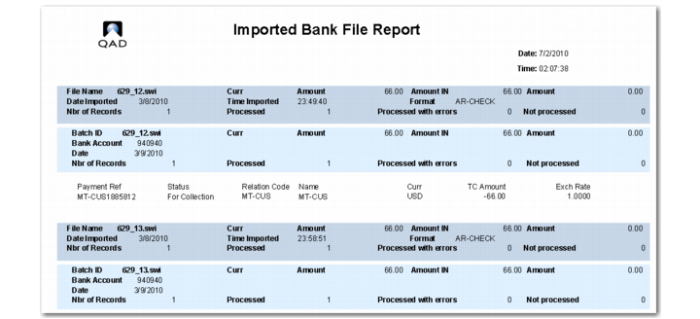
Imported Bank File Report
The report displays different types of detail, depending on whether the record was a successfully processed customer payment, supplier payment, or banking entry, or if the record was unprocessed or processed with errors.
Successfully Processed Customer Payment Records
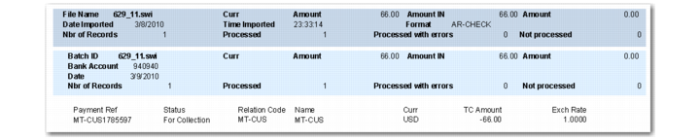
A sub-report displays successfully processed customer payment records.
Imported Bank File Report, Processed Customer Payment Record
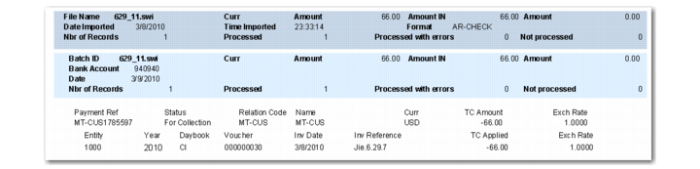
If the Show Payment Details selection criteria is set to Yes, the sub-report displays additional payment details for the successfully processed records.
Imported Bank File Report, Payment Details shows the same customer payment record when Show Payment Details is set to Yes.
Imported Bank File Report, Payment Details
Successfully Processed Supplier Payment Records
A sub-report displays successfully processed supplier payment records.
Imported Bank File Report, Processed Supplier Payment Records
Successfully Processed Banking Entry Records
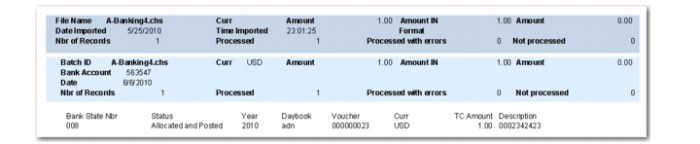
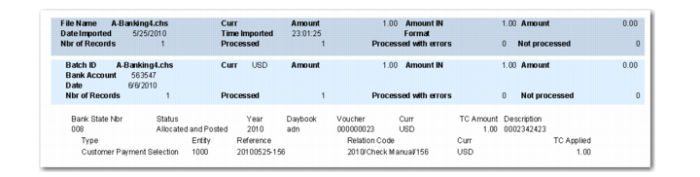
A sub-report displays successfully processed banking entry records. If the banking entry line was allocated, this additional information is also displayed.
Imported Bank File Report, Processed Banking Entry Records
If the Show Payment Details selection criteria is set to Yes, the sub-report displays the allocation details.
Imported Bank File Report, Payment Details shows the same banking entry record when Show Payment Details is set to Yes.
Imported Bank File Report, Allocation Details
Unprocessed Records
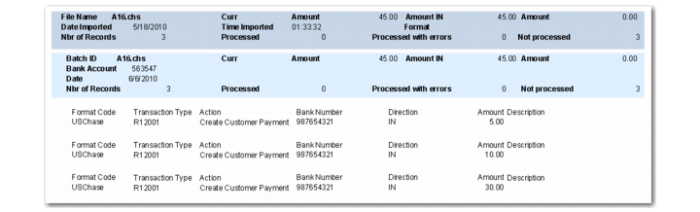
A sub-report displays details for records that were not processed.
Imported Bank File Report, Unprocessed Records
Records Processed with Errors
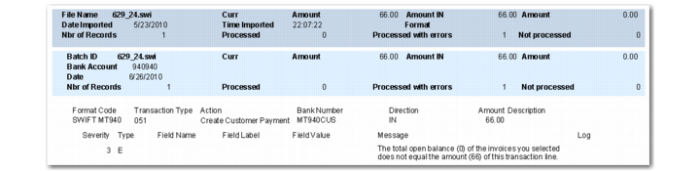
A sub-report displays details for records that were processed with errors.
Imported Bank File Report, Records with Errors