Column Groups
Columns combine with rows to define a report. Like rows, columns set up data selection criteria and can use analysis codes for data retrieval. The column group is reusable. You can combine it with various row groups to produce several different reports using Report Maintenance (25.17.9).
Plan the general organization of the columns in advance because you cannot move them once they are created. However, you can insert columns or delete them as needed. Any changes you make to a column group updates the reports that use it.
You can define three types of column groups.
• Actual Columns. These columns set up specifications for data retrieval. For example, a column can specify current period ending balances for all cost centers.
• Budget Columns. These are similar to actual columns but include budget instead of actual data. Optionally, you can set the column to report actual data when it is available.
• Calculation Columns. Calculation columns perform operations on other columns or report cells (intersections between a row and column).
Use Column Group Maintenance (25.17.7) to set up columns in a report.
Column Group Maintenance (25.17.7)
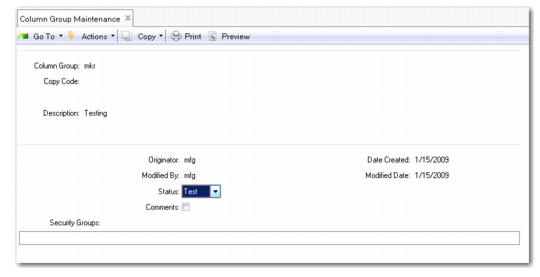
The first screen of Column Group Maintenance is nearly identical to Row Group Maintenance, and the fields operate the same way.
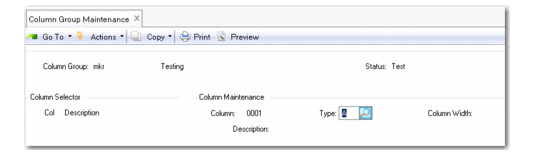
Column Group Maintenance, Second Screen
Column
Enter a four-character numeric identifier for this column.
Type
Enter the function of the column—Actual, Budget, or Calculation. Once you complete the process for defining a column, you cannot change its type.
Column Width
Enter a numeric value between 0 and 99 as the column width on the report. The value is in fixed-width characters.
Description
Enter a brief description of this column.