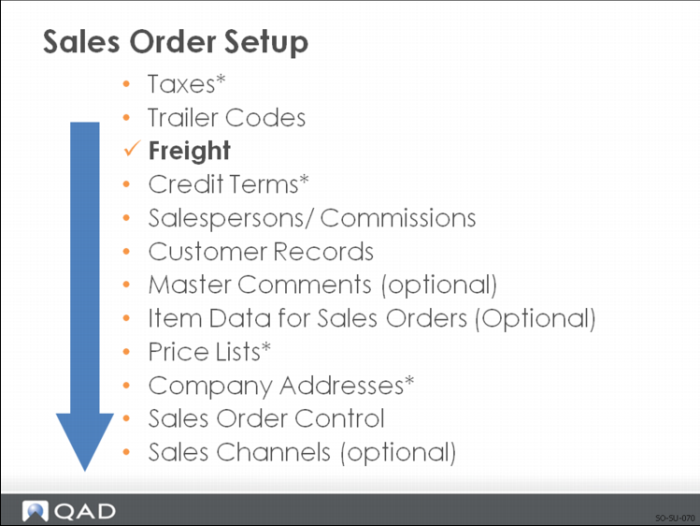
Freight
Freight charges are typically added to:
• Sales Orders
• Customer Return Material Authorizations (RMA)
Note: QAD Service/Support Management module handles RMAs. If you do not have the SSM module, use the method discussed in this training guide.
The data that affects the freight charges is derived from three sources:
• The sales order itself
• Customer information
• Freight information entered in the Freight Charges Menu
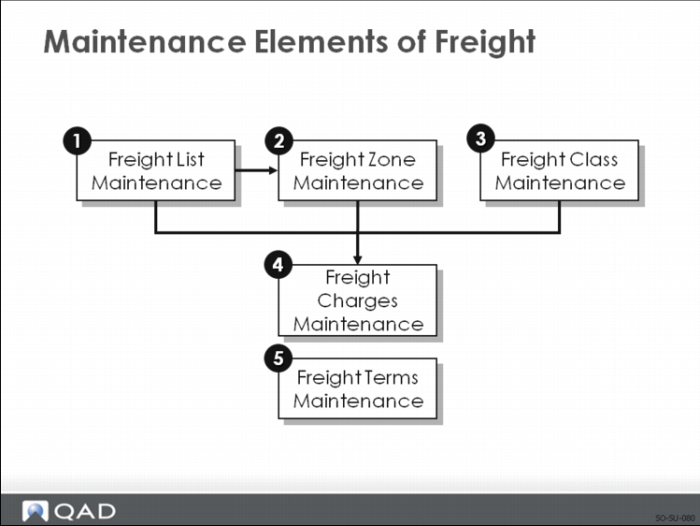
The five key maintenance elements related to freight charges are described in the following pages.
Freight Element 1: Freight List Maintenance
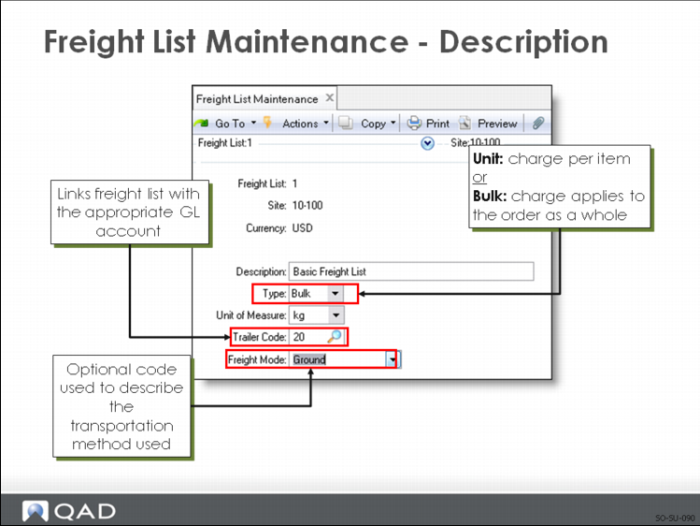
Use to define charges that apply to sales quotes and orders.
Setting up Freight List Maintenance includes:
• At least one freight list for each shipping company used; you may need more than one list if the shipping company supports different types of transportation
• Different currencies if your shipper delivers to other countries
• Defined lists per site if the same shipper transports from more than one warehouse or manufacturing site
Freight Element 2: Freight Zone Maintenance
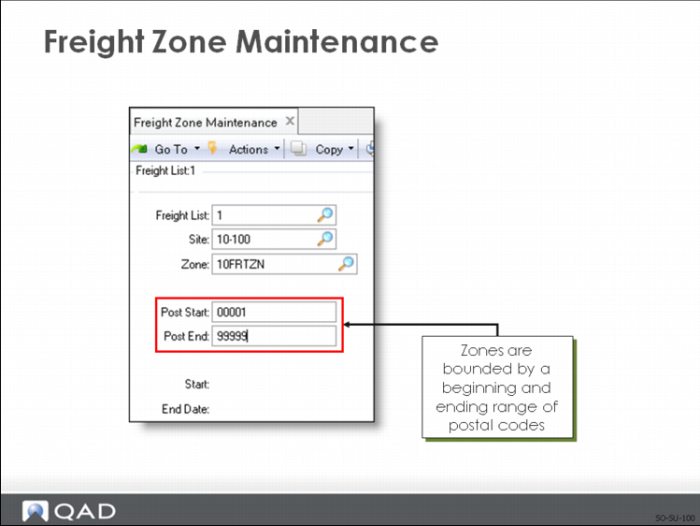
Use to set up geographic areas related to a freight list:
• Zones are based on the Ship-To postal code
• Zones can be related to a site by specifying a value in the Site field; if the Site field is left blank, the zone applies to all sites
• Starting and ending dates can be assigned as needed
• This function sets up zones only
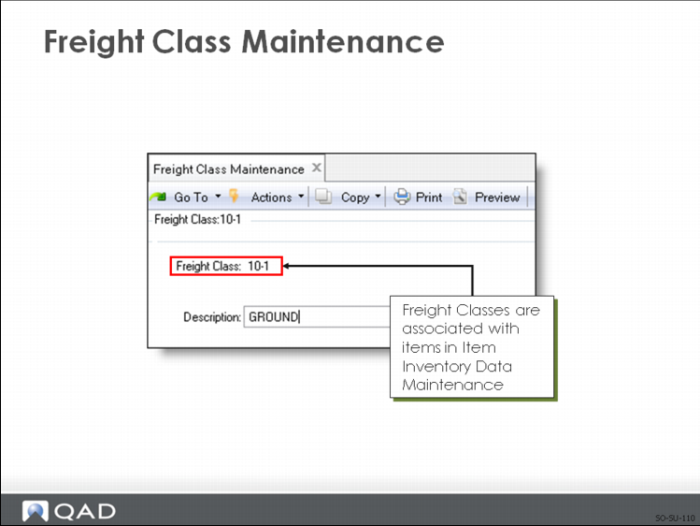
Freight Element 3: Freight Class Maintenance
Use to set up classes as used in calculating the freight charges defined in Freight Charges Maintenance.
Freight Class distinguishes different types of shipments requiring different charges.
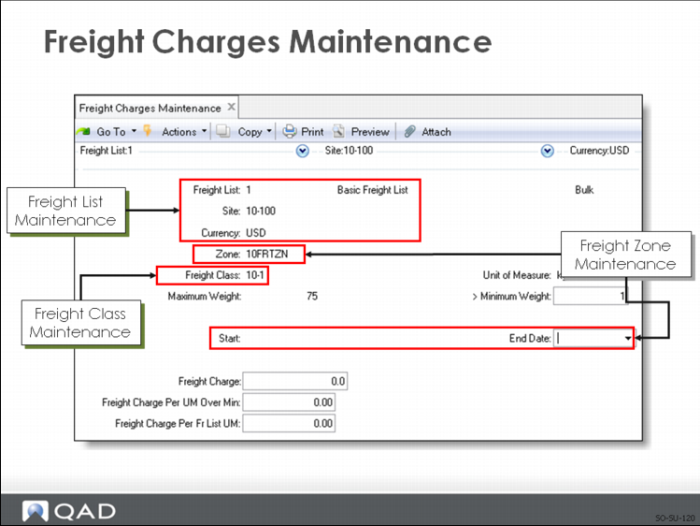
Freight Element 4: Freight Charges Maintenance
Use to:
• Relate a freight list, class, and zone
• Specify how charges are calculated
• Phase in new charges if fees rise or fall after a certain date
Key fields used to determine freight charge:
• Use Freight Charge to indicate a flat rate per shipment as set by Freight List Maintenance
• Use Freight Charges Per UM Over Minimum to indicate a surcharge over the minimum
• Use Freight Charges Per Freight List UM to indicate a weight-based fee
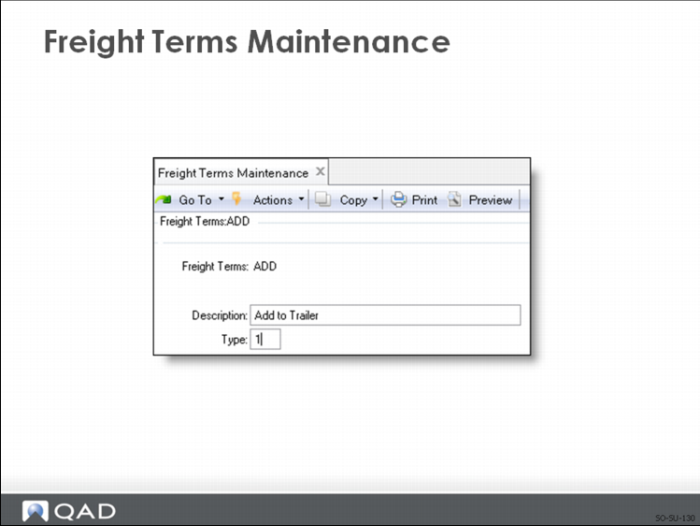
Freight Element 5: Freight Terms Maintenance
Freight Terms Maintenance is not directly related to the other freight maintenance functions.
Freight terms determine:
• Whether to apply freight charges to a particular order or to specify them in general for a particular customer
• How the freight charges are calculated
The different types of freight terms are defined on the following page.
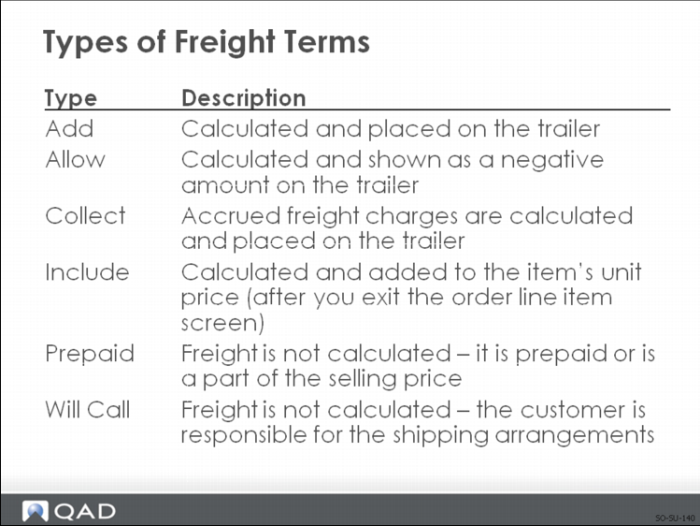
Types of Freight Terms
By defining freight terms, you can assign your own codes and descriptions to these six types.
Freight Control
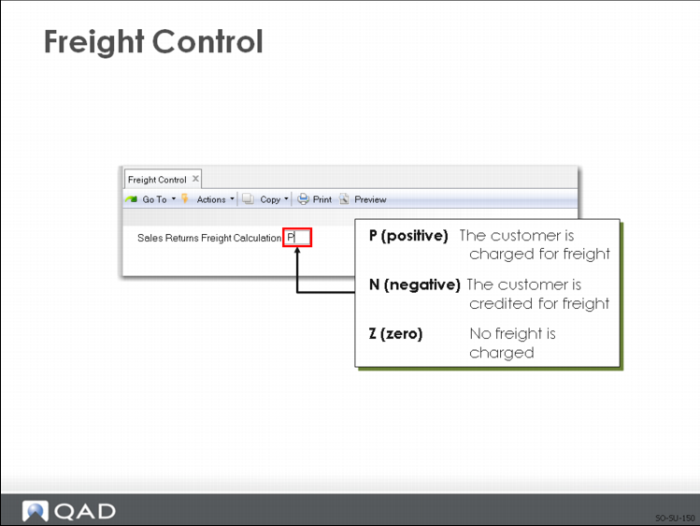
Valid values for Sales Returns Freight Calculation are P, N, and Z.
Note: The values determine how the system handles automatic freight charge calculations for sales order returns only. In QAD Enterprise Applications, sales order returns are shipments with negative quantities.
Exercise: Trailer Codes and Freight Charges
1 Make sure that the following trailer codes have already been set up in the system in Trailer Code Maintenance (2.19.13).
Trailer Code | Description | Trailer Account |
10 | Service | 4690 |
20 | Freight | 4691 |
30 | Special | 4692 |
2 Use Freight List Maintenance (2.20.1) to set up the following freight list.
Field | Data |
Freight List: | 20FRT |
Site: | 10-300 |
Currency: | USD |
Description: | UPS ground |
Type: | Bulk |
Trailer Code: | 20 |
Unit of Measure: | KG |
3 Use Freight Zone Maintenance (2.20.4) to set up the following freight zone.
Field | Data |
Freight List: | 20FRT |
Site: | 10-300 |
Zone: | 20FRT-US |
Post Start: | 0000000000 |
Post End: | ZZZZZZZZZZ |
Start Date: | blank |
End Date: | blank |
4 Use Freight Class Maintenance (2.20.7) to set up the following freight class.
Field | Data |
Freight Class: | 10-3 |
Description: | Ground express |
Set Up Freight Charges
5 Use Freight Charges Maintenance (2.20.10) to set up the following freight charges.
Field | Data |
Freight List: | 20FRT |
Site: | 10-300 |
Currency: | USD |
Zone: | 20FRT-US |
Freight Class: | 10-3 |
Maximum Weight: | 1000 |
Minimum Weight: | 5 |
Start Date: | blank |
End Date: | blank |
Freight Charge: | 8 |
Freight Charge Per UM Over Min: | 0.5 |
Freight Charge Per Fr List UM: | 1 |
6 Use Freight Terms Maintenance (2.20.13) to set up the following freight terms.
Freight Terms | Description | Type |
ADD | Freight as added | 1 |
ALLOW | Freight as Credited | 2 |
PREPAID | Prepaid or included | 3 |
COLLECT | Accrued freight added | 4 |
INCLUDE | Freight added to price | 5 |
WILLCALL | Customer responsible | 6 |
7 Use Freight Control (2.20.24) to set Sales Returns Freight Calculation to P so that customers are charged freight on sales returns.
8 Use Item Inventory Data Maintenance (1.4.5) to set the freight class to 10-3 for items 03021, 03022, and 03023.