Use Correction Invoices
You can reverse a billing before an invoice is posted by entering a negative quantity on the original sales order. Then process the invoice normally. This can be done whenever it is necessary to make a change involving an item, quantity, price, discount, or commission. See
Returns for some examples.
However, to correct posted invoices, you must create new sales orders with new sales order numbers, then process the new, corrected sales orders normally. To streamline this process, you can use the correction invoice feature enabled in Sales Order Accounting Control (36.9.6).
When this is enabled, you can create a correction sales order for a posted invoice by entering the correct amounts rather than by entering the difference between the original invoice and the correct amount. You can also track the relationship between the original invoices and their correction invoices.
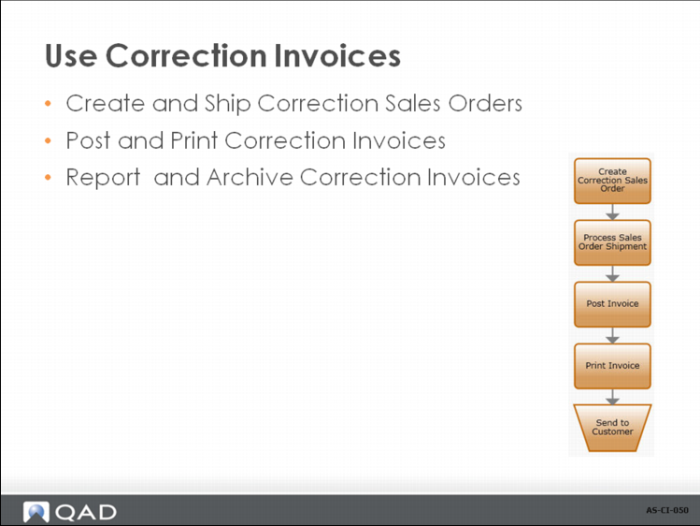
After creating the correction sales order, you ship it, optionally creating a shipper document. You can post and print the correction invoice—displaying the original amounts, the corrected amounts, and the differences between the two. Finally, you can archive correction invoice data when it is no longer needed.
Create and Ship Correction Sales Orders
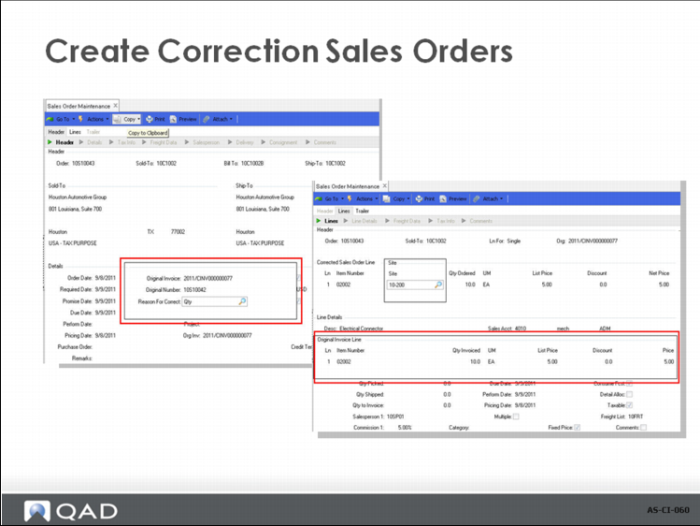
When Use Correction Invoices is Yes in Sales Order Accounting Control, the way you create orders in Sales Order Maintenance (7.1.1) changes. After you enter a new sales order number or leave the field blank for a system-supplied number, you are prompted to enter the number of an existing invoice to be corrected by this order. You can leave the field blank to create a standard order.
The data from the original invoice is copied into the correction sales order. You can make corrections to the invoice details and the trailer amounts. To correct data in the invoice details, you must select the original line in the sales order detail frame. After this, the original line is displayed and the correction line can be updated.
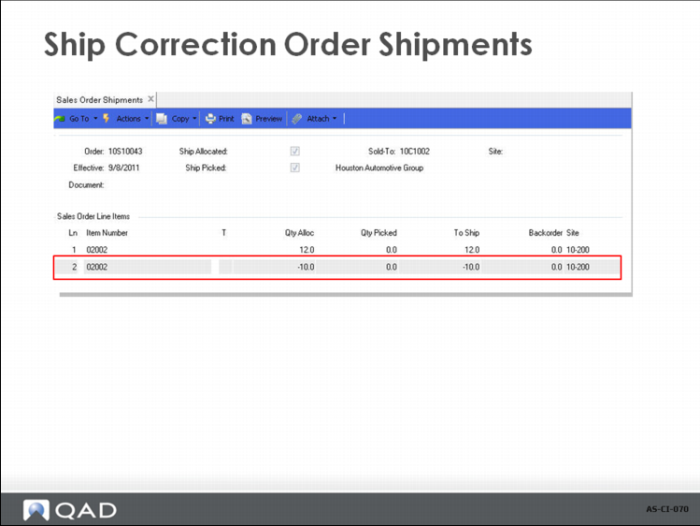
• The negative shipment line is backing out the ISS-SO transaction on the original order.
• This line cannot be updated.
• Typically the whole shipment can be confirmed without the need to modify any other details.
Post and Print Correction Invoices
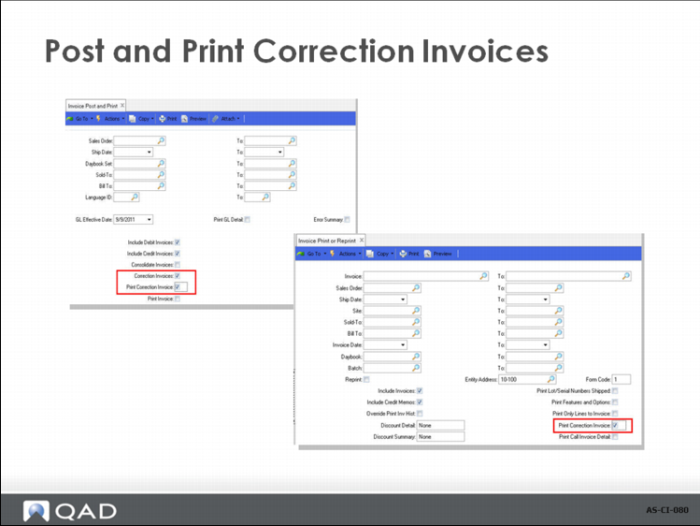
• Correction Invoices must be posted separately.
• Correction Invoices must be printed separately and cannot be consolidated.
Report and Archive Correction Invoices
You can use a number of reports with correction invoices:
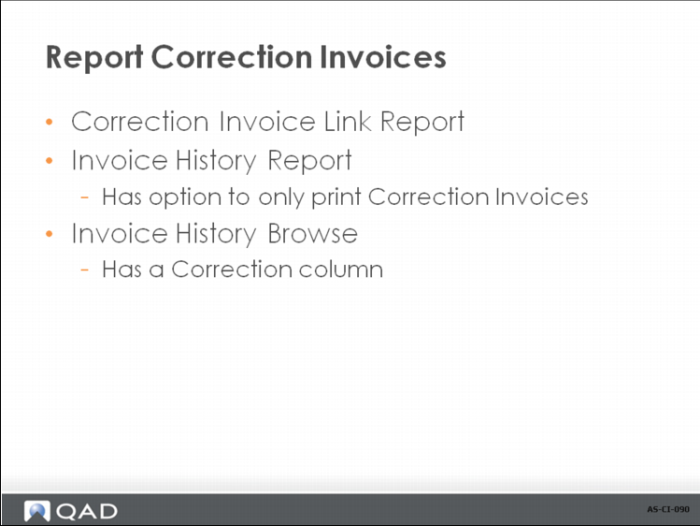
• Correction Invoice Link Report (7.13.6)
• Invoice History Report (7.13.8) lets you select only correction invoices
• Invoice History Browse (7.13.7) has a Correction column