Executing Stand-Alone Tests
Use quality orders to conduct stand-alone inspections of incoming material or material already in inventory. A quality order authorizes a test or inspection and specifies how much to test, where, when, and how. After testing, enter results in Quality Order Results Entry (19.11).
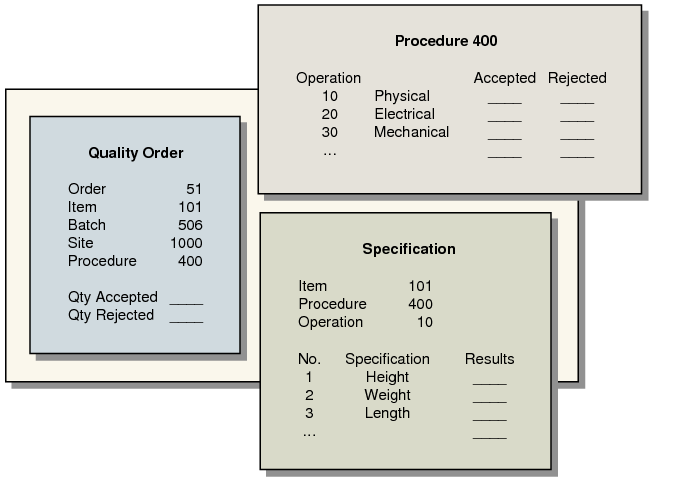
The immediate effect of a quality order is to transfer material from its current inventory location to an inspection location at the same site. This is where the procedure designated on the quality order is run, and test results recorded. Quality orders link:
• The quantity of an item
• A set of testing procedures, and
• A set of test specifications for those procedures
Quality Orders
You can use quality orders to manage inspection of incoming materials. When material arrives at a receiving location, create a quality order to transfer the material to an inspection location. After inspection, the accepted material is transferred to inventory. Rejected material is issued from the inspection location and expensed using the product line Scrap account.
Note: To do this, you must set Inspect to No in Item Planning Maintenance (1.4.7).