Modifying Forecast Results
Forecast quantities may require modification to be more reflective of future market demand. This is especially true when forecast results are based on historical data that included unprecedented sales—for example, sales due to a sales promotion or a natural disaster. When you believe that future demand will not be similar to sales history, you can adjust existing forecast detail records accordingly.
Note: Modify forecast detail records as needed before copying forecast quantities to the summary forecasts used by MRP.
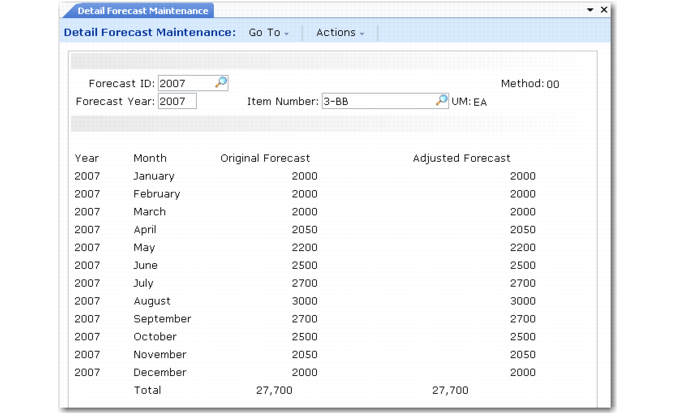
You can use Detail Forecast Maintenance (22.7.7) to modify forecast detail records produced by forecast calculations or loaded into the system using the CIM interface.
Detail Forecast Maintenance (22.7.7)
Select a forecast detail record to modify by specifying a forecast ID and forecast year. To select a forecast detail record created for a product group, you must also specify an item number.
Forecast detail records display in three columns:
• Month
• Original Forecast
• Adjusted Forecast
The quantities in the Orig. Fcst column are the original forecast quantities, either the result of the system forecast calculation or the original quantity you manually entered or loaded.
You can modify the forecast as needed by changing the quantities in the Adjusted Forecast column.
Warning All changes to forecast detail records are permanent. To reproduce original forecasts, you must rerun the forecast calculation. Before modifying forecast detail records, you should archive the original forecast or copy it to another forecast ID.