Convert QAD Enterprise Edition from Previous Release
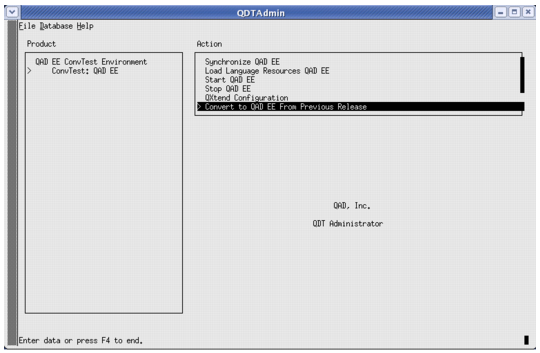
1 Once the conversion is enabled, a screen similar to
Convert From Previous Release appears. Press Enter on the left-hand menu item that corresponds to the environment name.
Convert From Previous Release
2 The QAD EE submenu option appears. Press Tab on this menu item. This action brings the cursor over to the right-hand menu.
Note: Do not select the Configure QAD EE option. Instead, select Convert QAD EE from Previous Release as shown previously. The QDT UI can only display six options at a time. If you scroll down to the Convert QAD EE from Previous Release option after enabling conversions, you cannot see the first item in the list (Configure QAD EE).