Creating GL Layers
Use the GL Layer activities (25.8.14) to create, view, modify, and delete GL layers of all three types.
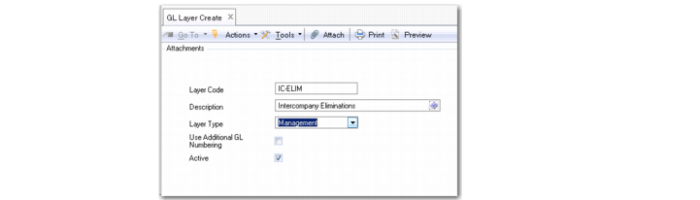
GL Layer Create
Field Descriptions
Layer Code
Specify a code (maximum 20 characters) that identifies an accounting layer.
Description
Enter a brief description (maximum 40 characters) of the accounting layer. You can optionally enter descriptions in more than one language. For more information on the Translation Option, see
Introduction to QAD Enterprise Applications User Guide.
Layer Type
Select a layer type from the drop-down list: management, transient, or official.
Use Additional GL Numbering
Select the field if the system should include transactions in this layer in additional GL numbering.
This field defaults to selected for all official layers, and is deselected by default for all management layers. You cannot select the field for transients layers.
Important: You can no longer modify the field value when transactions are posted to the GL layer and are assigned sequence numbers.
Active.
Indicate if this is an active layer.